混沌工程 #
通过混沌工程,我们可以模拟多种故障,进而对系统的脆弱边界进行探测,进一步建立对系统的信心。
我们把每一种故障的模拟称之为“实验”。当前平台提供四种场景,共 13 个实验,基本覆盖了平时开发过程中遇到的大部分场景。
平台功能 #
实验列表 #
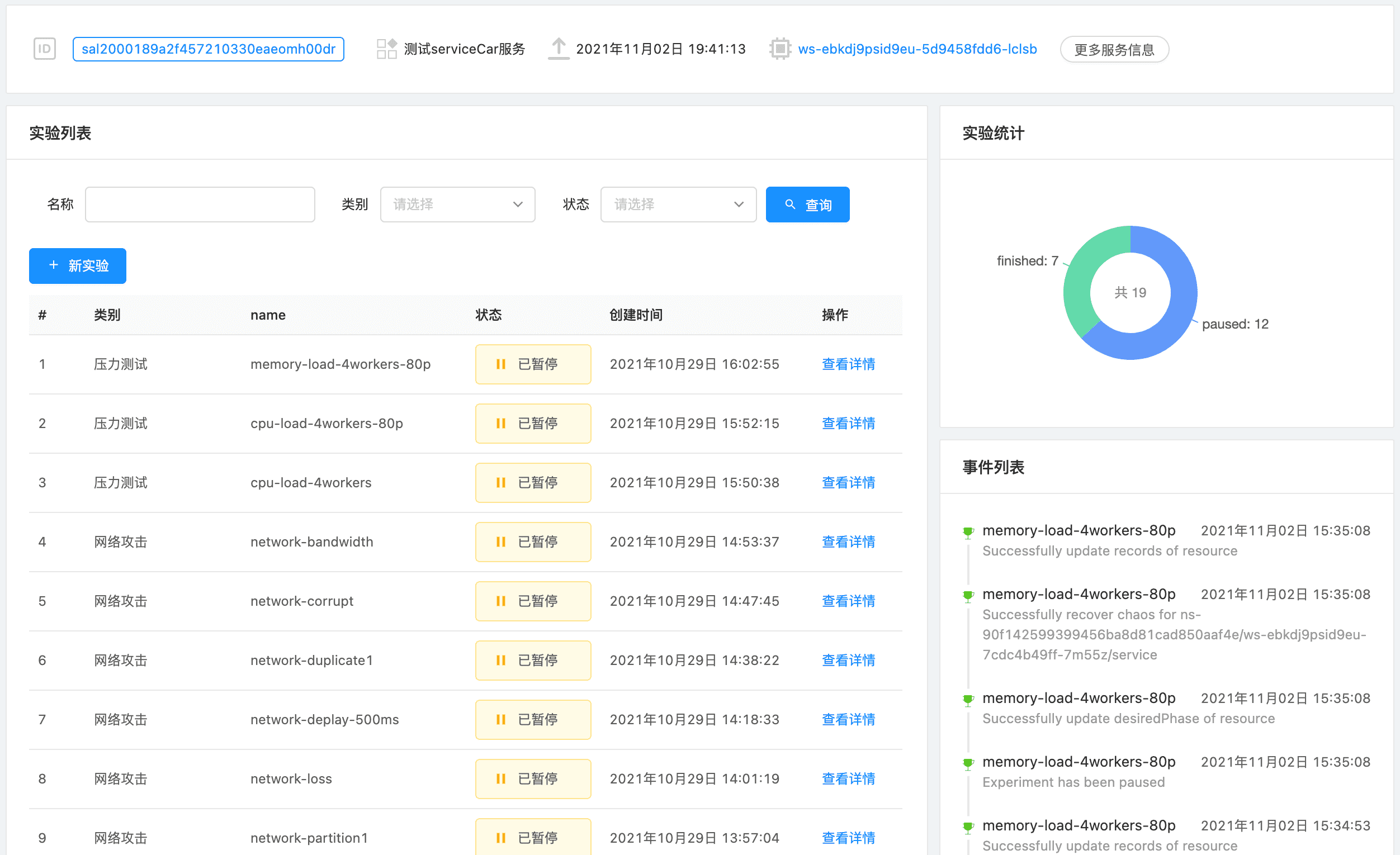
实验列表展示了当前该服务已经执行过的实验和统计。
新实验 #
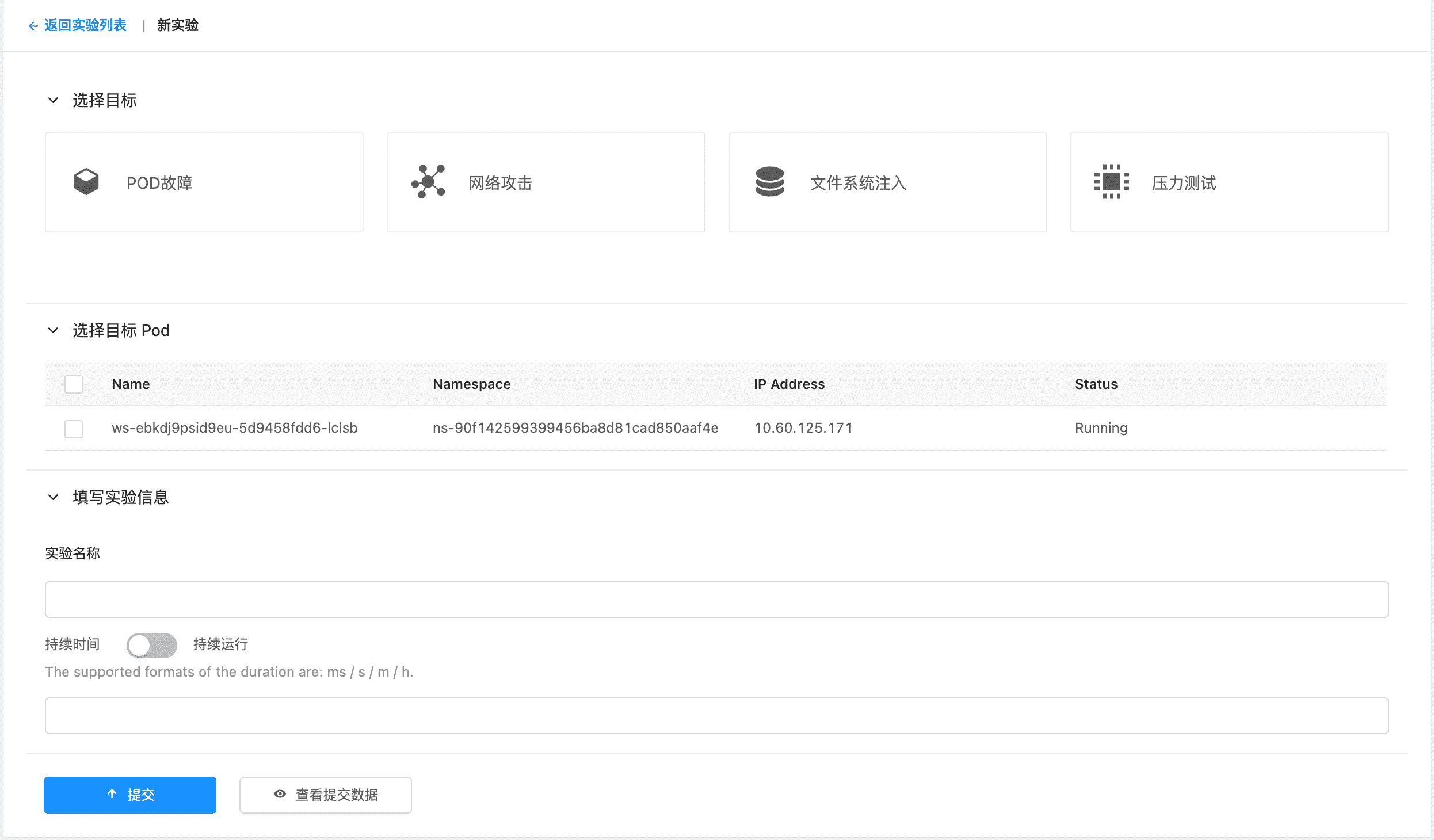
我们可以给服务新建特定的实验进行混沌工程。具体的实验类型和参数说明可见后文。
实验详情 #
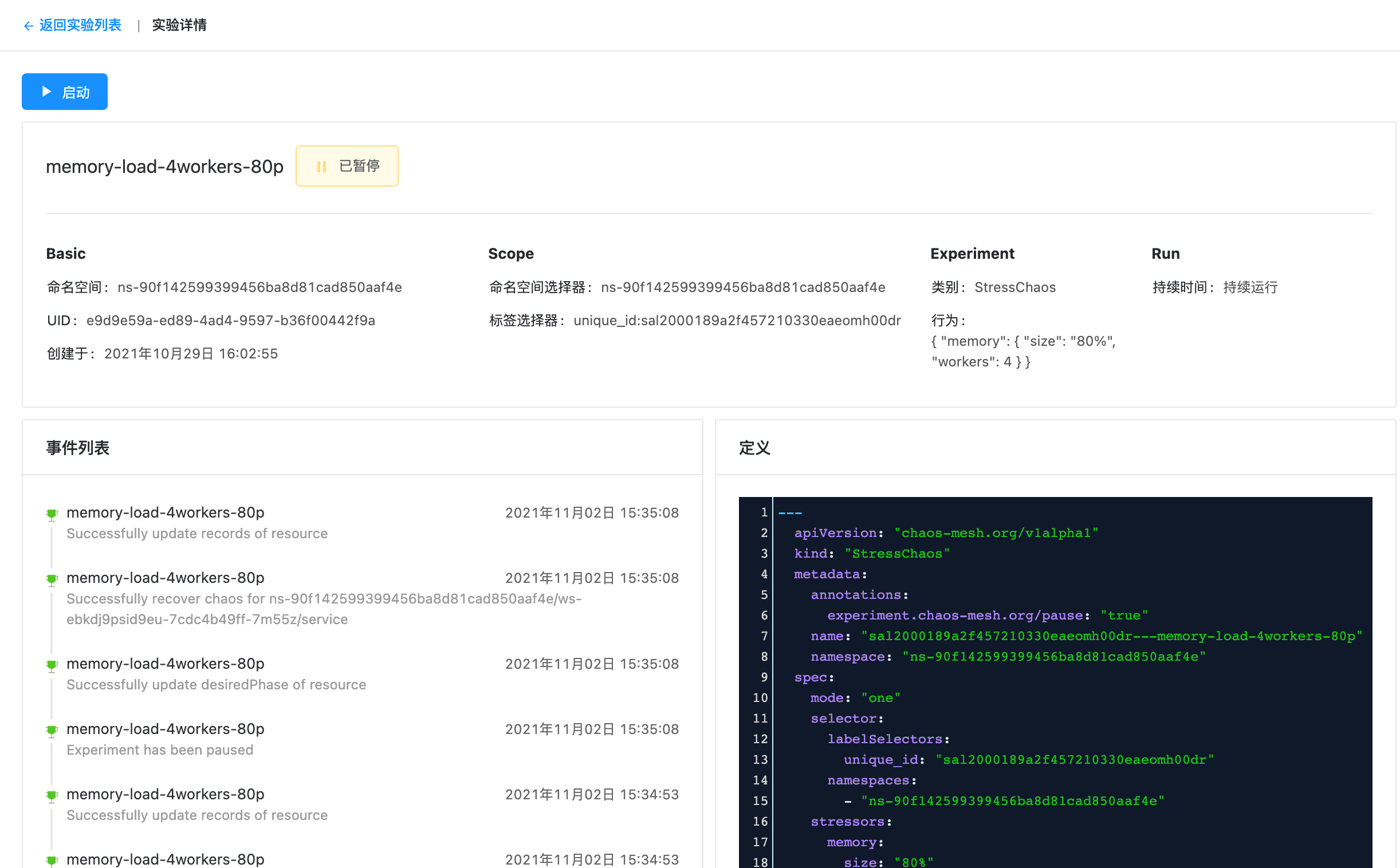
我们可以看到具体实验执行的详情。同时还可以在此处对暂停的实验进行启动操作(或对部分运行的实验进行暂停,具体看该实验持续的时间)。
Pod 故障(Pod Chaos) #
Pod 故障用于模拟可能发生的 Pod 类型故障。具体如下
Pod Failure #
进行该实验时,会使用 gcr.io/google-containers/pause:latest 来替换 pod 默认的镜像。
Pod Kill #
PodKill 的具体实现其实是通过调用 API Server 发送 Kill 命令。
| 参数 | 说明 |
|---|---|
| Grace period | Optional. Grace period represents the duration in seconds before the pod should be deleted |
Container Kill #
选择对应的 container,即可发送 kill 指令。
网络攻击(Network Chaos) #
Partition #
A network partition is a division of a computer network into relatively independent subnets, either by design, to optimize them separately, or due to the failure of network devices。这里我们简单理解为网络隔离。
通过模拟 Partition,我们可以模拟网络故障的情况。部重要参数解释如下:
| 参数 | 说明 |
|---|---|
| Direction | Specify the network direction请选择。可选值:from入网方向、to出网方向、both双向 |
Loss #
通过配置 loss 实验,我们可以模拟网络丢包的场景。部重要参数解释如下:
| 参数 | 说明 |
|---|---|
| Loss | The percentage of packet loss |
| Direction | Specify the network direction请选择。可选值:from入网方向、to出网方向、both双向 |
Delay #
通过 delay 实验,我们可以模拟网络延迟的情况。部重要参数解释如下:
| 参数 | 说明 |
|---|---|
| Latency | The latency of delay。Such as 10ms、1s |
| Direction | Specify the network direction请选择。可选值:from入网方向、to出网方向、both双向 |
Duplicate #
通过该实验,我们可以模拟出网络包重复的情况。部分重要参数解释如下:
| 参数 | 说明 |
|---|---|
| Duplicate | The percentage of packet duplication |
| Direction | Specify the network direction请选择。可选值:from入网方向、to出网方向、both双向 |
Corrupt #
通过该实验,我们可以模拟出网络包故障的问题,部分重要参数解释如下:
| 参数 | 说明 |
|---|---|
| Corrupt | The percentage of packet corruption |
| Direction | Specify the network direction请选择。可选值:from入网方向、to出网方向、both双向 |
Bandwidth #
通过该实验,我们可以模拟网络带宽受到限制时的情况。部分重要参数解释如下:
| 参数 | 说明 |
|---|---|
| Rate | The rate allows bps, kbps, mbps, gbps, tbps unit. For example, bps means bytes per second |
| Direction | Specify the network direction请选择。可选值:from入网方向、to出网方向、both双向 |
文件系统注入(IO Chaos) #
Latency #
模拟文件 IO 延迟的情况。部分重要参数解释如下:
| 参数 | 说明 |
|---|---|
| Delay | The value of delay of I/O operations. If it’s empty, the operator will generate a value for it randomly. |
Fault #
该实验用于模拟文件系统错误。部分重要参数解释如下:
| 参数 | 说明 |
|---|---|
| Errno | The error code returned by I/O operators. By default, it returns a random error code |
AttrOverride #
部分参数说明
| 参数 | 说明 |
|---|---|
| Errno | The error code returned by I/O operators. By default, it returns a random error code |
压力测试 #
压力测试用来模拟 CPU 和 内存的压力。
CPU #
| 参数 | 说明 |
|---|---|
| Workers | start N workers exercising the CPU by sequentially working through all the different CPU stress methods. |
| Load | load CPU with P percent loading for the CPU stress workers. 0 is effectively a sleep (no load) and 100 is full loading. |
内存 #
| 参数 | 说明 |
|---|---|
| Workers | start N workers continuously calling mmap(2)/munmap(2) and writing to the allocated memory. |
| Size | mmap N bytes per vm worker, the default is 256MB. One can specify the size as % of total available memory or in units of Bytes, KBytes, MBytes and GBytes using the suffix b, k, m or g. |