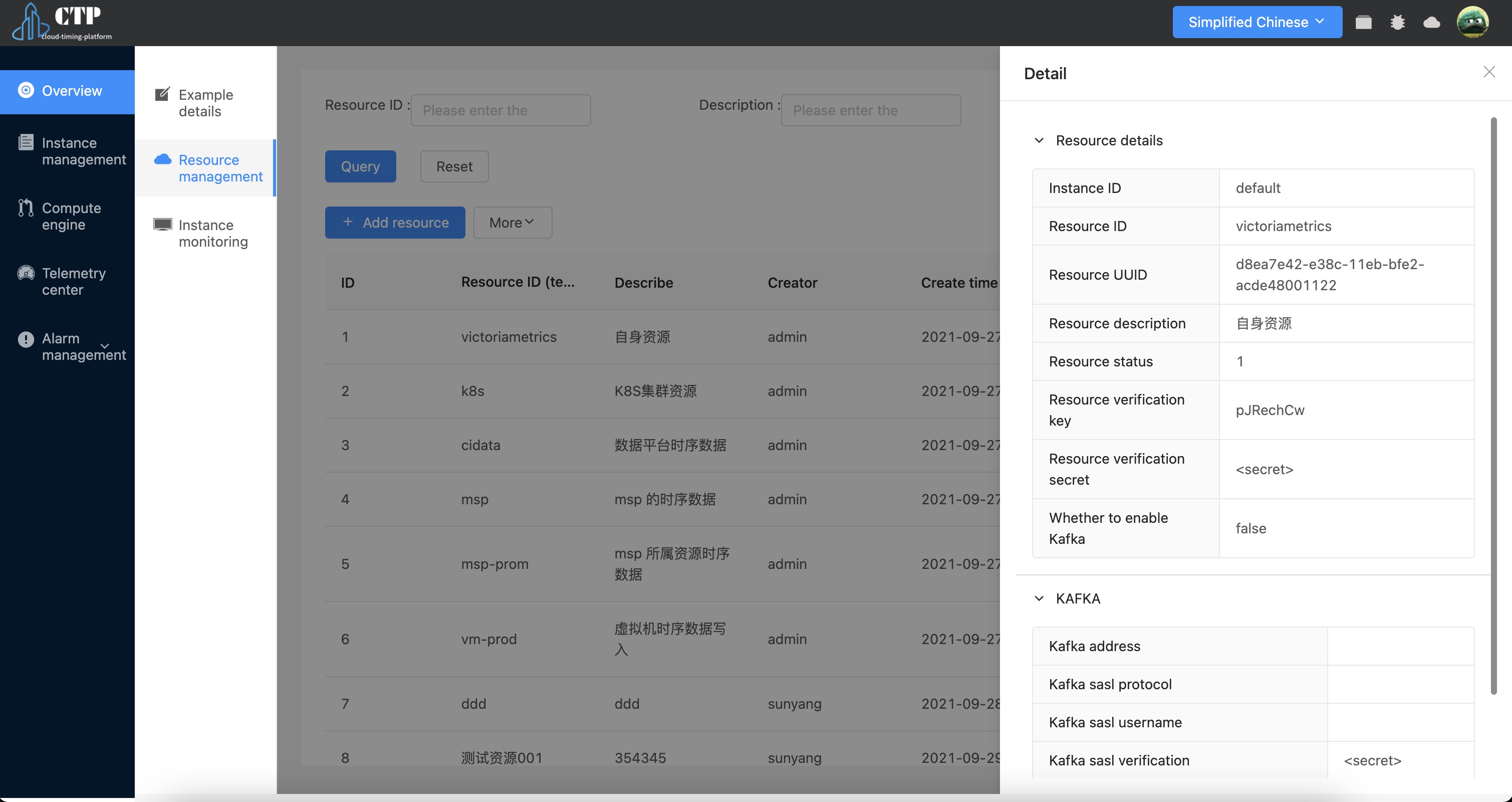
Instance management #
The instance management module can manage instance information in the current timing platform.
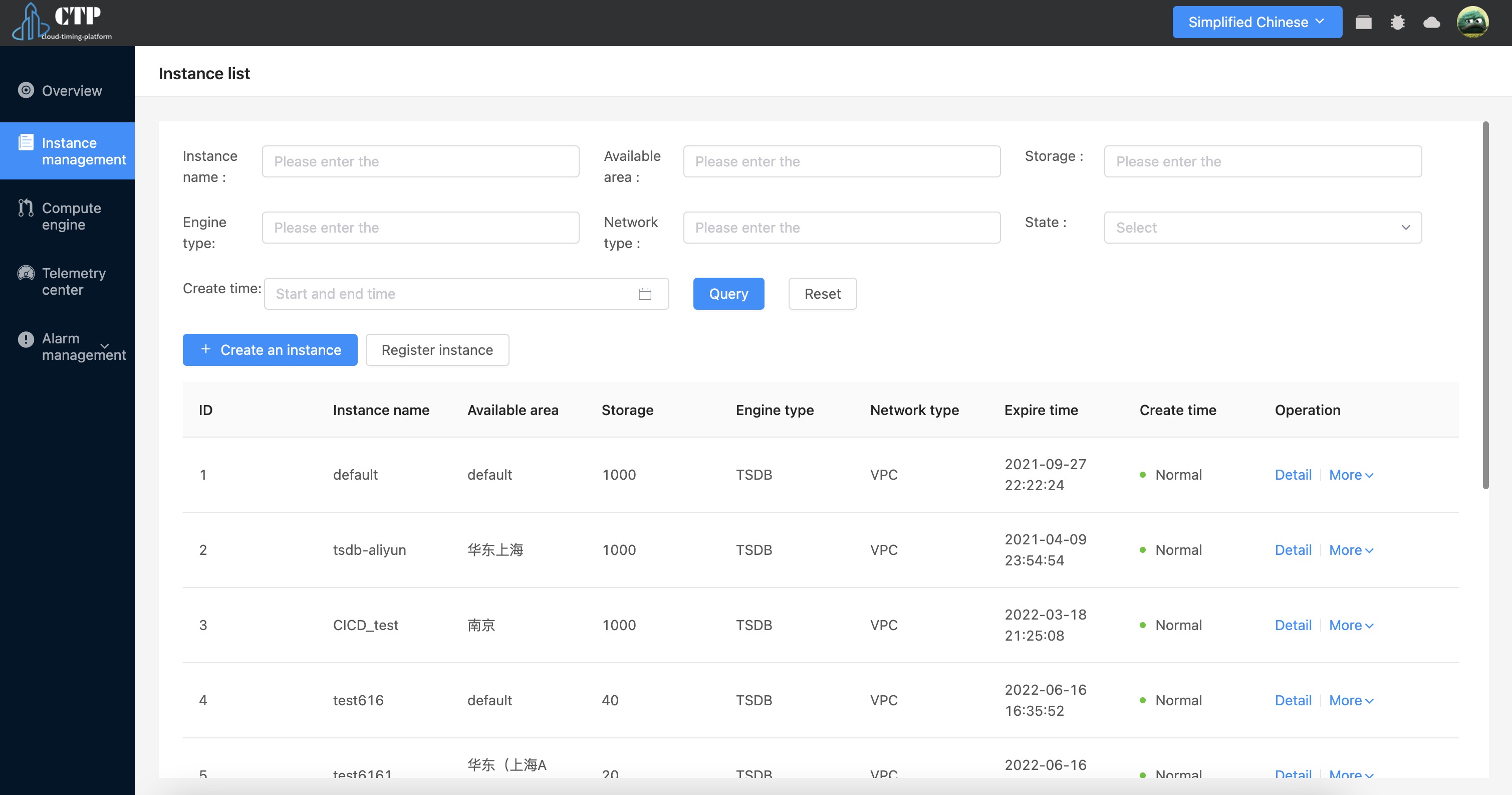
Create instance #
Through this function, we can create a new time series database instance, and the configuration parameters are as shown in the figure.
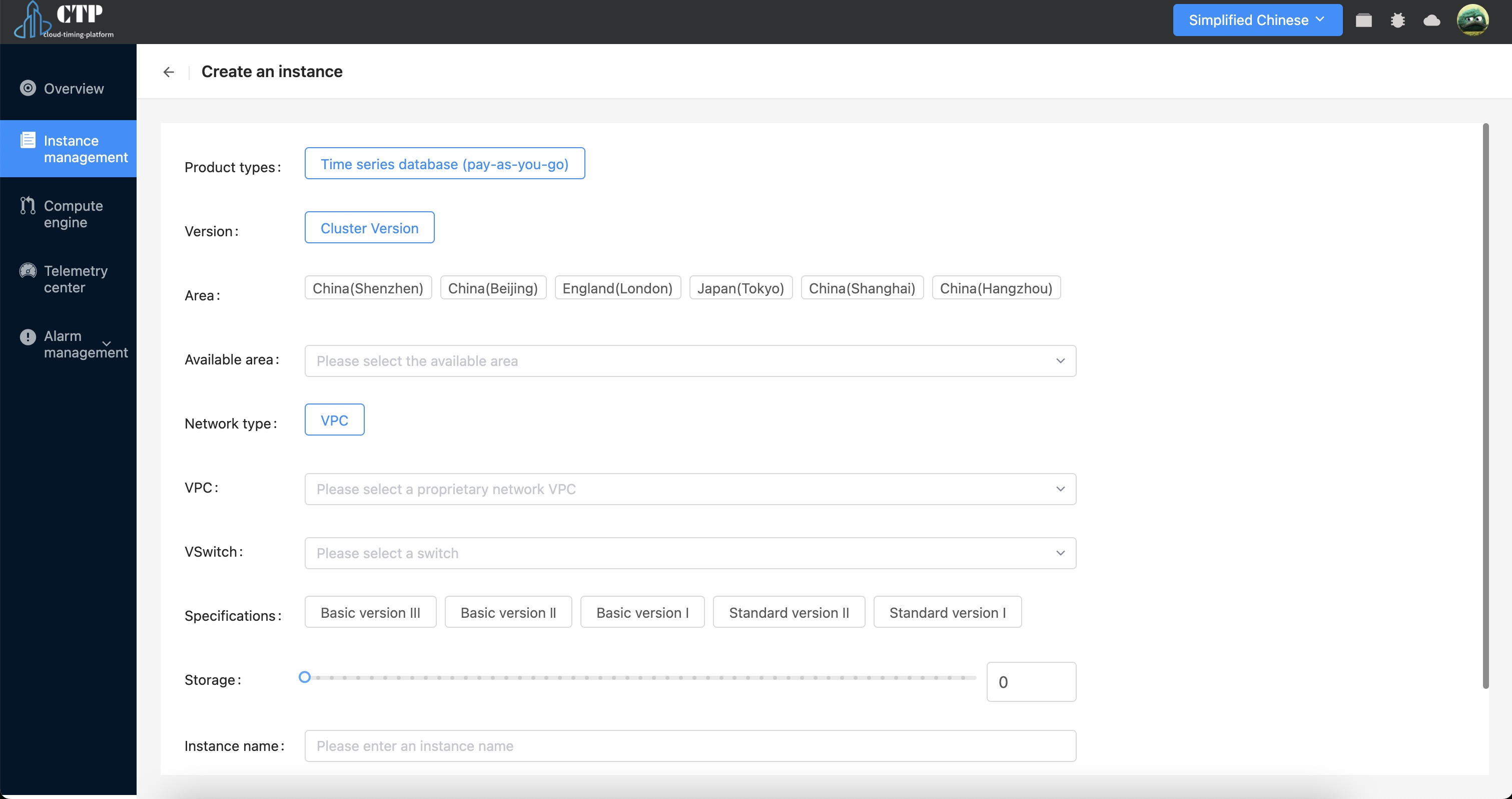
Register instance #
Here you can register existing resources into the platform and add them according to the read/write address
Instance Details #
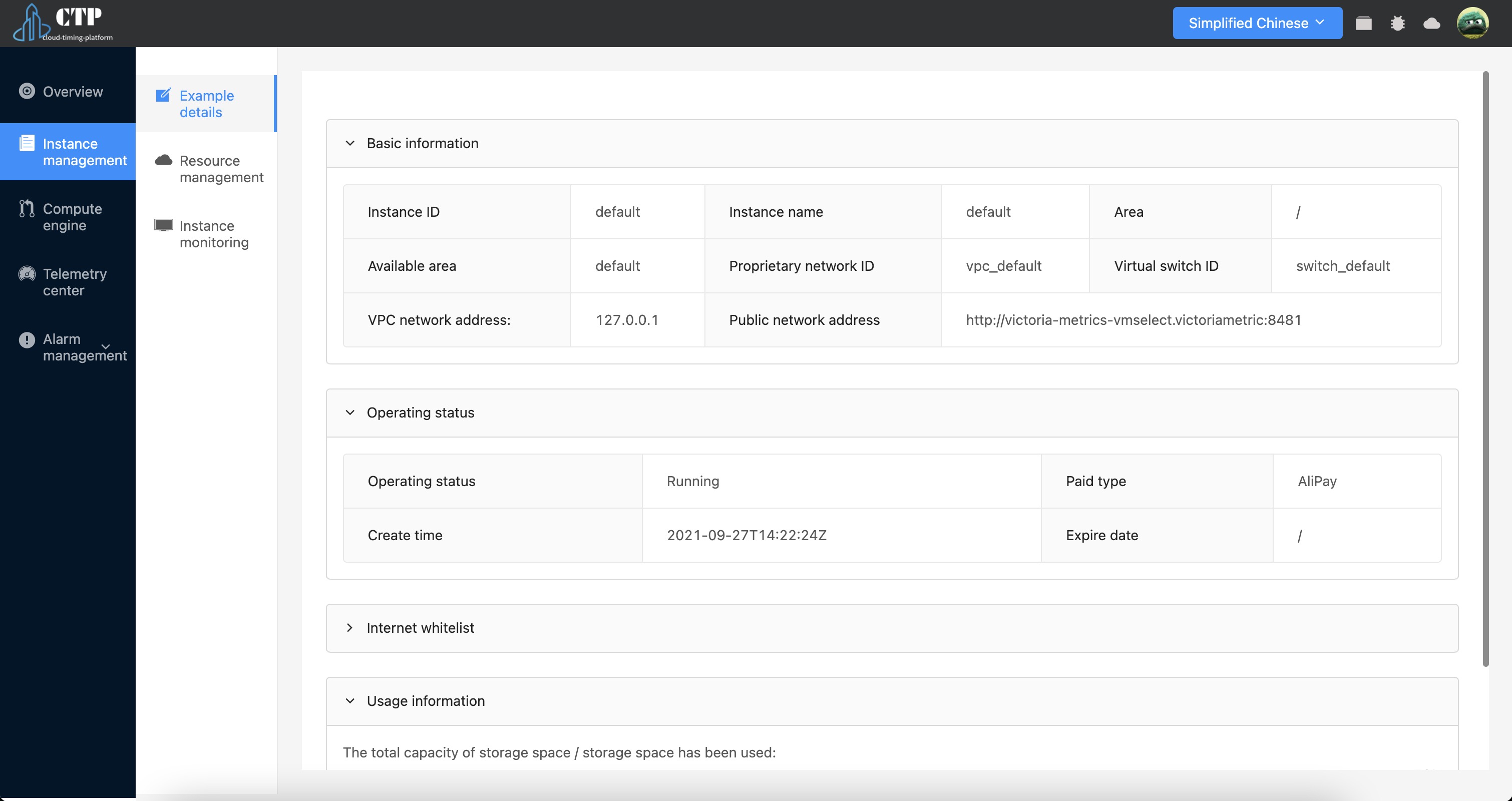
Click Details in the instance list to view detailed information about the instance. Including instance basic information, running status, network whitelist, and disk load.
Instance monitoring #
Each access instance will check its health data:
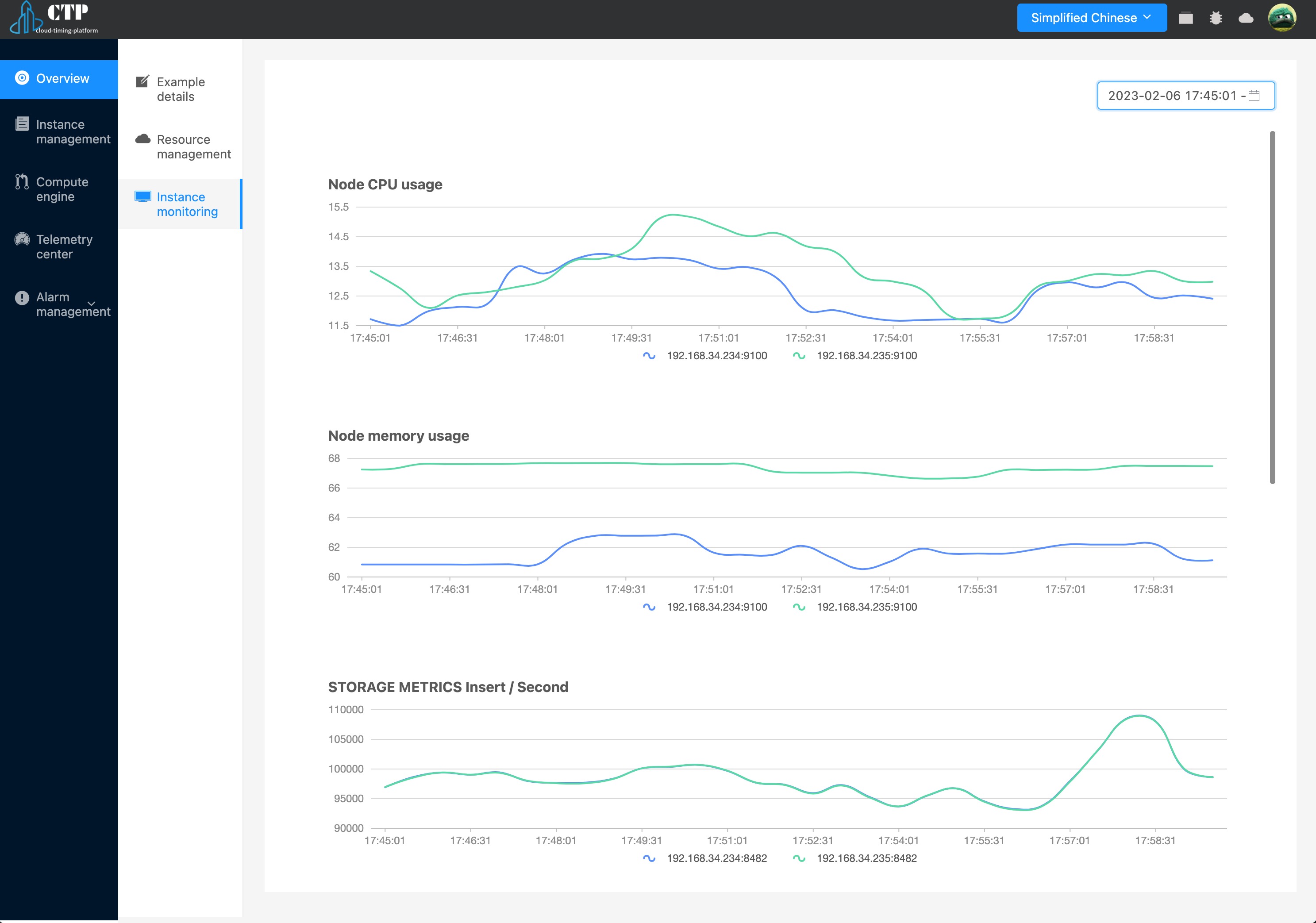
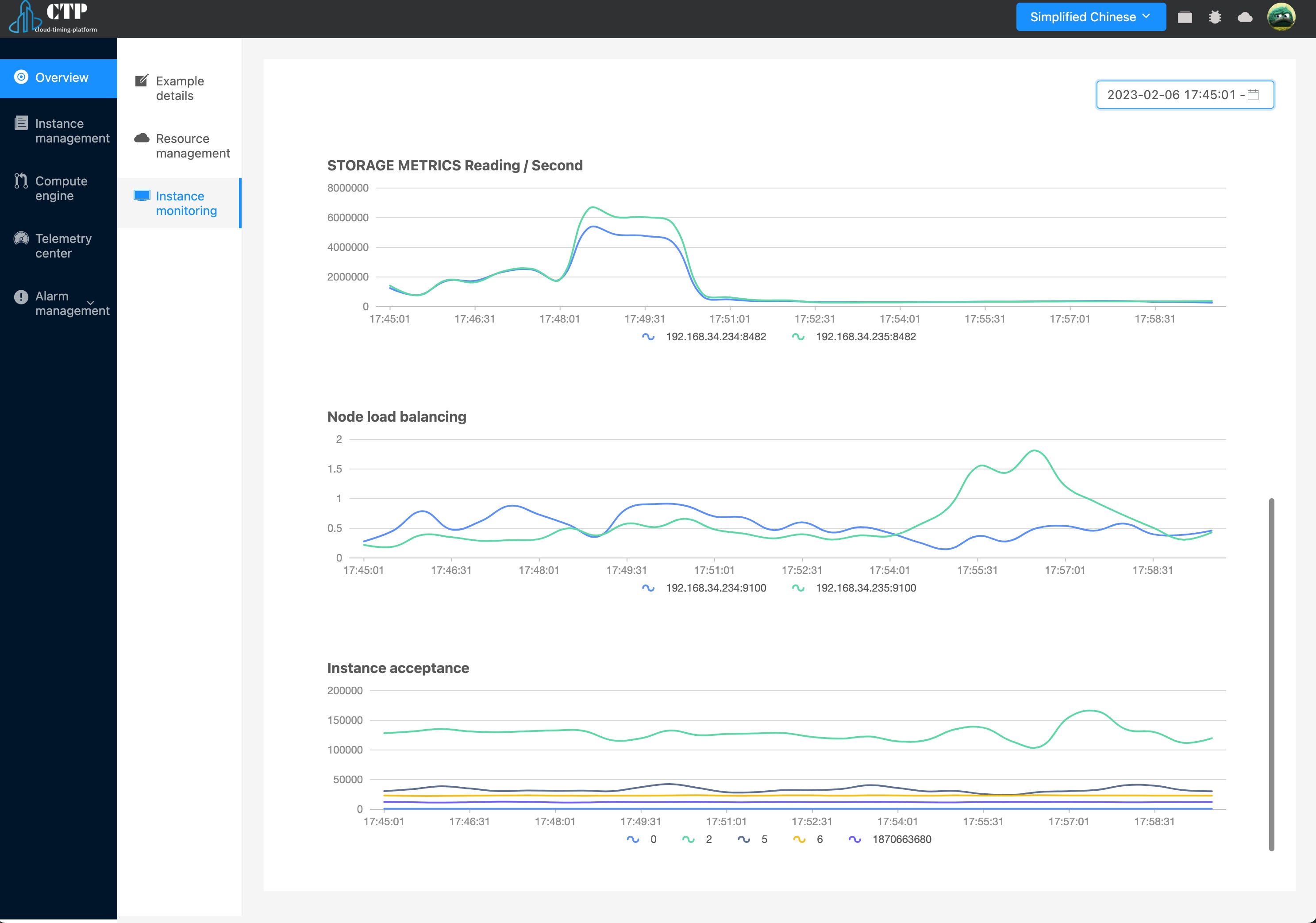
Currently, in instance monitoring, we provide basic intuitive indicators such as CPU, memory, write volume analysis, load analysis, and read volume analysis to help us judge the current instance health status.
Resource Management #
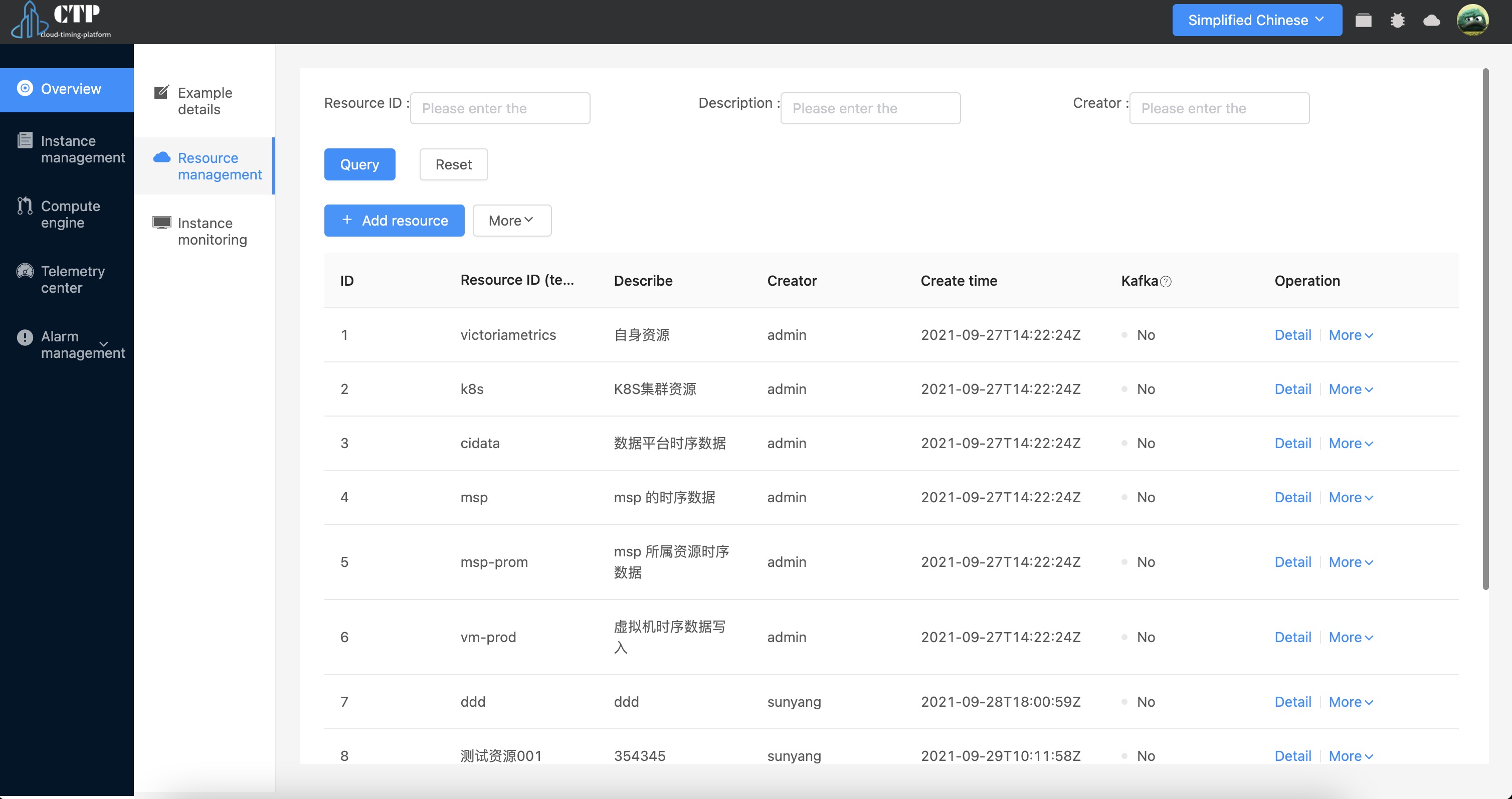
Each resource is equivalent to a tenant, where resources (tenants) under the current instance can be managed. Including resource creation, resource registration, resource monitoring, resource deletion, and resource details.
Create resources #
If there is no resource in the current instance, you need to create a resource access in this platform first:
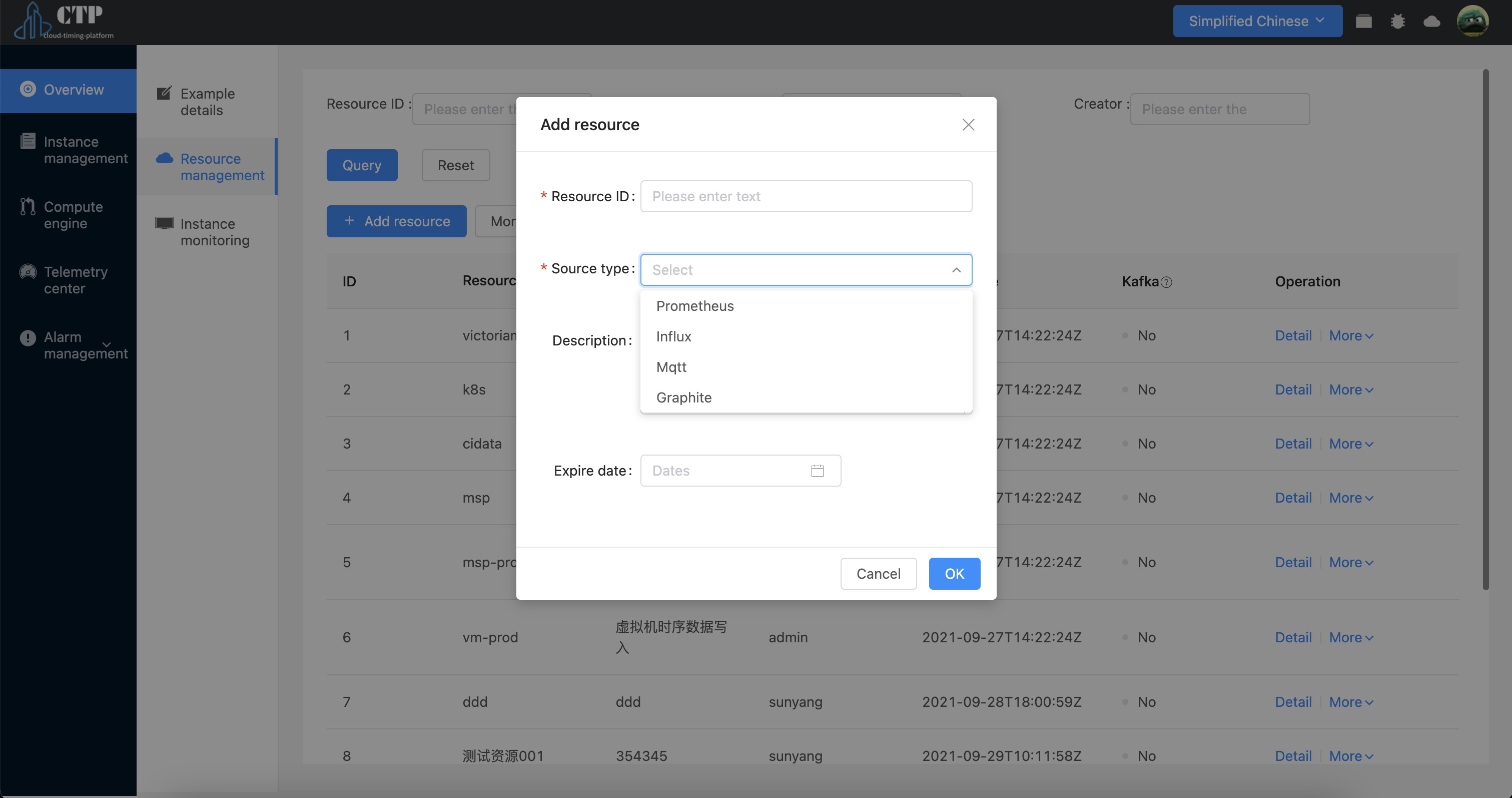
Parameters that need to be filled in:
- Resource ID: the ID of the current resource. This ID is the ID of the access resource provided by the user. This platform does not provide this correspondingly, and needs to ensure the uniqueness of the current ID by itself;
- Access method: Currently, this platform supports four access methods
prometheus,influx,mqtt,graphite. - Resource description: description information of the current resource;
- Expiration time: the node with the effective time of the current resource will refuse continuous access to the resource after the resource access expires;
Click “OK” to return as follows:
{
  "resource_id": "write_influxdb",
  "instance_id": "ts_565082192976285696",
  "user_id": "579162555742687232",
  "access_key": "",
  "access_secret": "",
  "uuid": "0a502398-b791-11eb-8f3f-8e3925c8cbd2",
  "url": "",
  "creator": "chengqiang"
}
Among the returned results:
resource_id: Resource IDinstance_id: the instance ID where the current resource is locatedaccess_key: the authentication user name of the current resource access, which is only used for resource access;access_secret: The authentication password for the current resource access, which is only used for resource access;url: the address where the resource is written
The configuration for Prometheus is as follows:
remote_write:
- url: http://
  basic_auth:
    username: ****
    password: ****
If the amount of collected data is large, the following configuration items can be added:
queue_config:
  batch_send_deadline: 20s
  capacity: 20480
  max_backoff: 5s
  max_samples_per_send: 2048
  min_backoff: 100ms
  min_shards: 100
Register resources #
If the resource to be added already exists in the instance, but the platform does not control it, the resource can be registered to the platform.
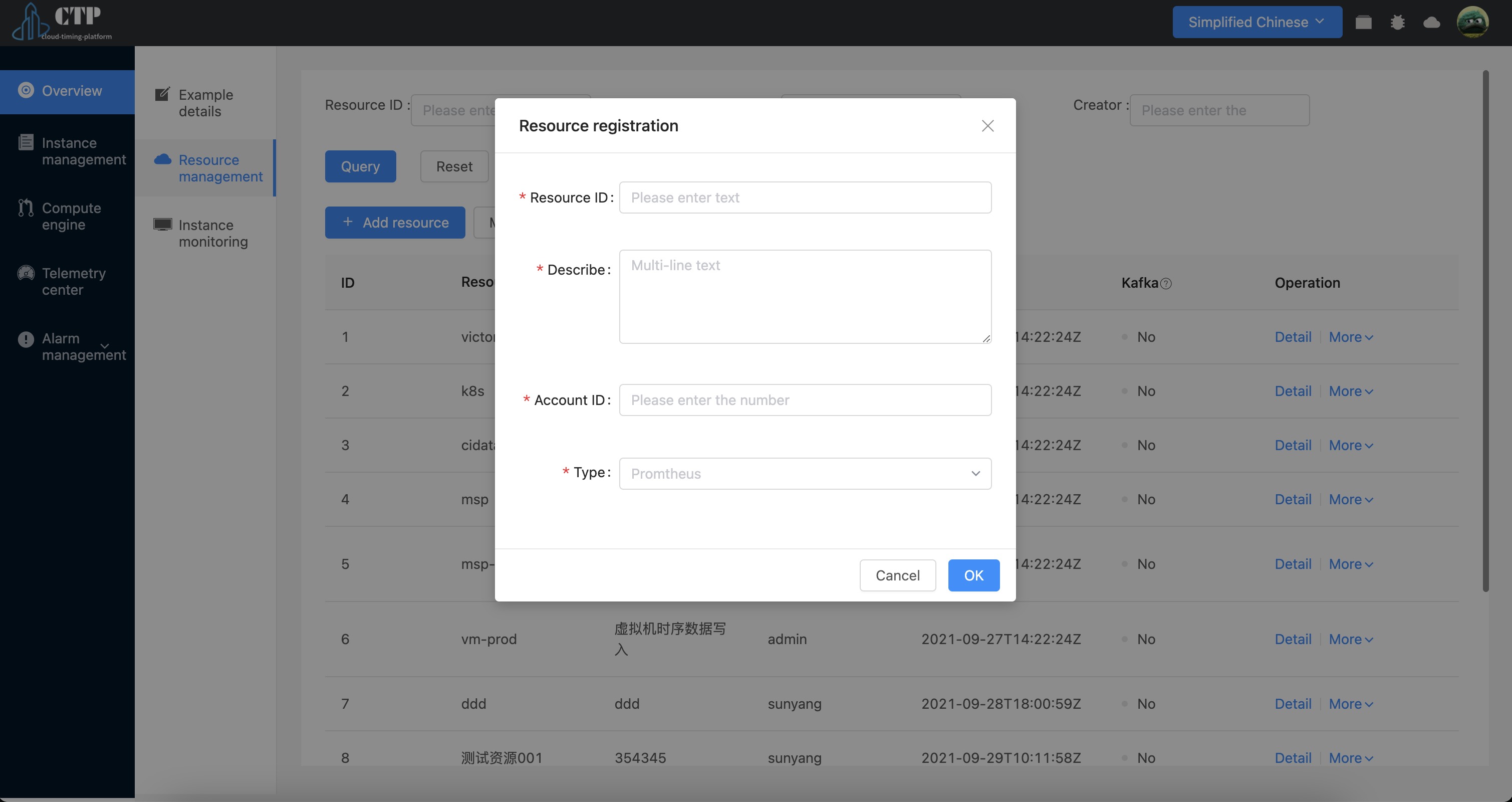
- Resource ID: The ID of the current resource, which needs to be unique.
- Account ID: The account ID is the tenant ID in our time series storage. Unlike creating resources, creating resources will automatically assign the tenant ID to the user. Therefore, for existing tenants, the user needs to provide it.
- Resource type: the resource type accessed
Resource Monitoring #
We provide monitoring custom queries for the current resource:
The process is as follows:
- Add dashboard: For newly created resources, an initialization dashboard will be added by default;
- Add/edit query task: Here we provide two methods:
- Timing insight form:
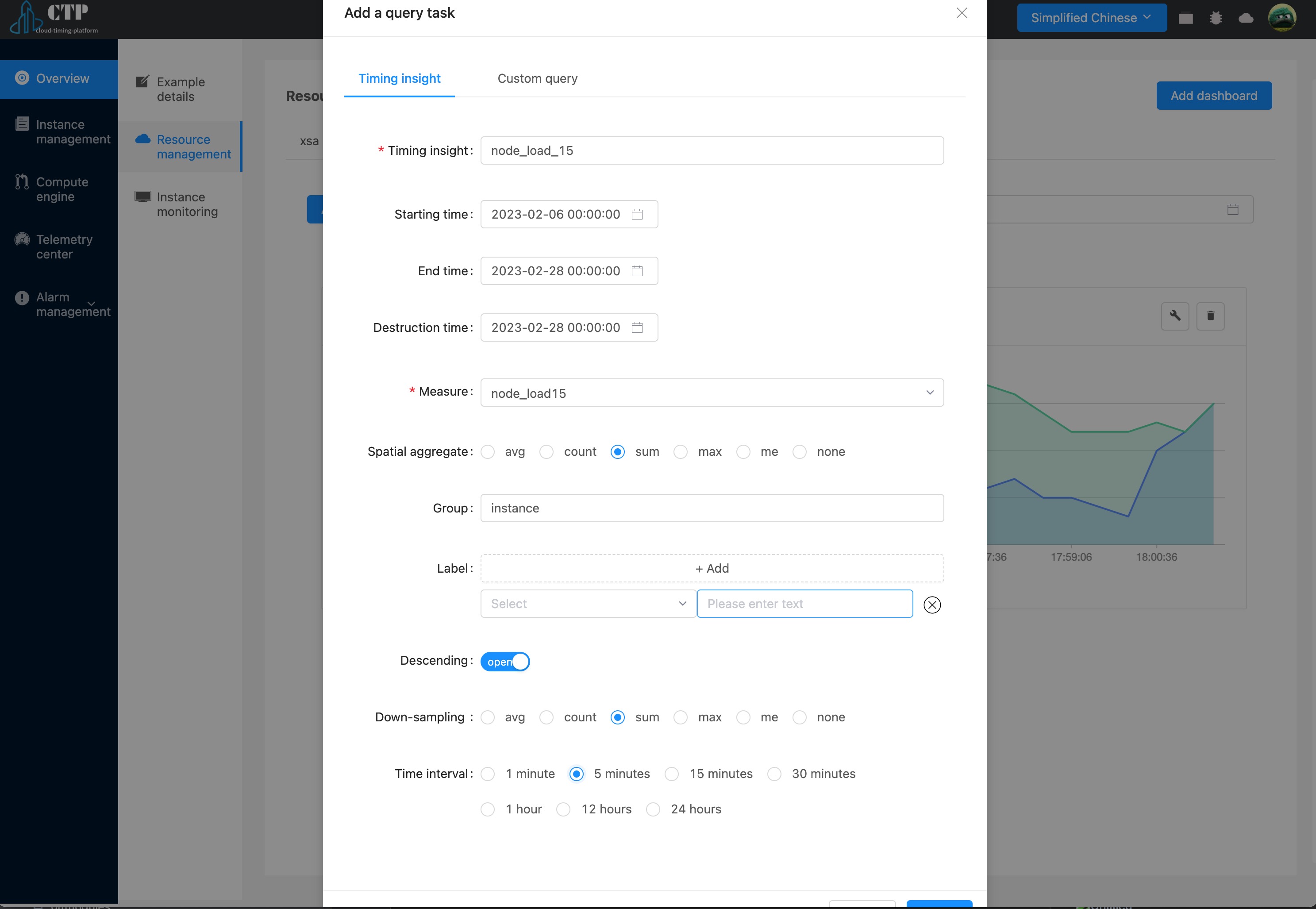
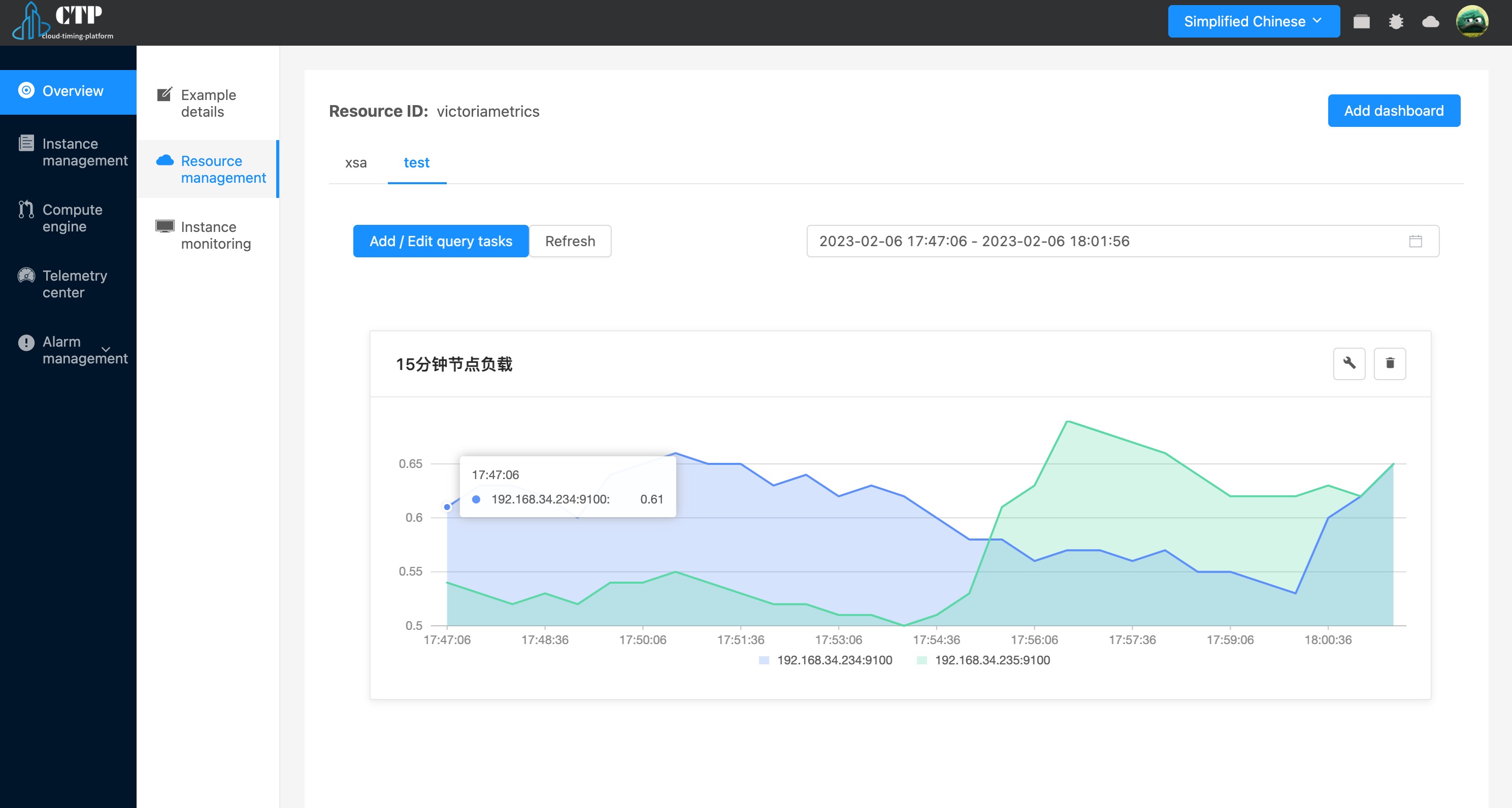
During the process of creating Time Series Insights, fill in as shown above. After filling, add to get the query results of the currently created indicators:
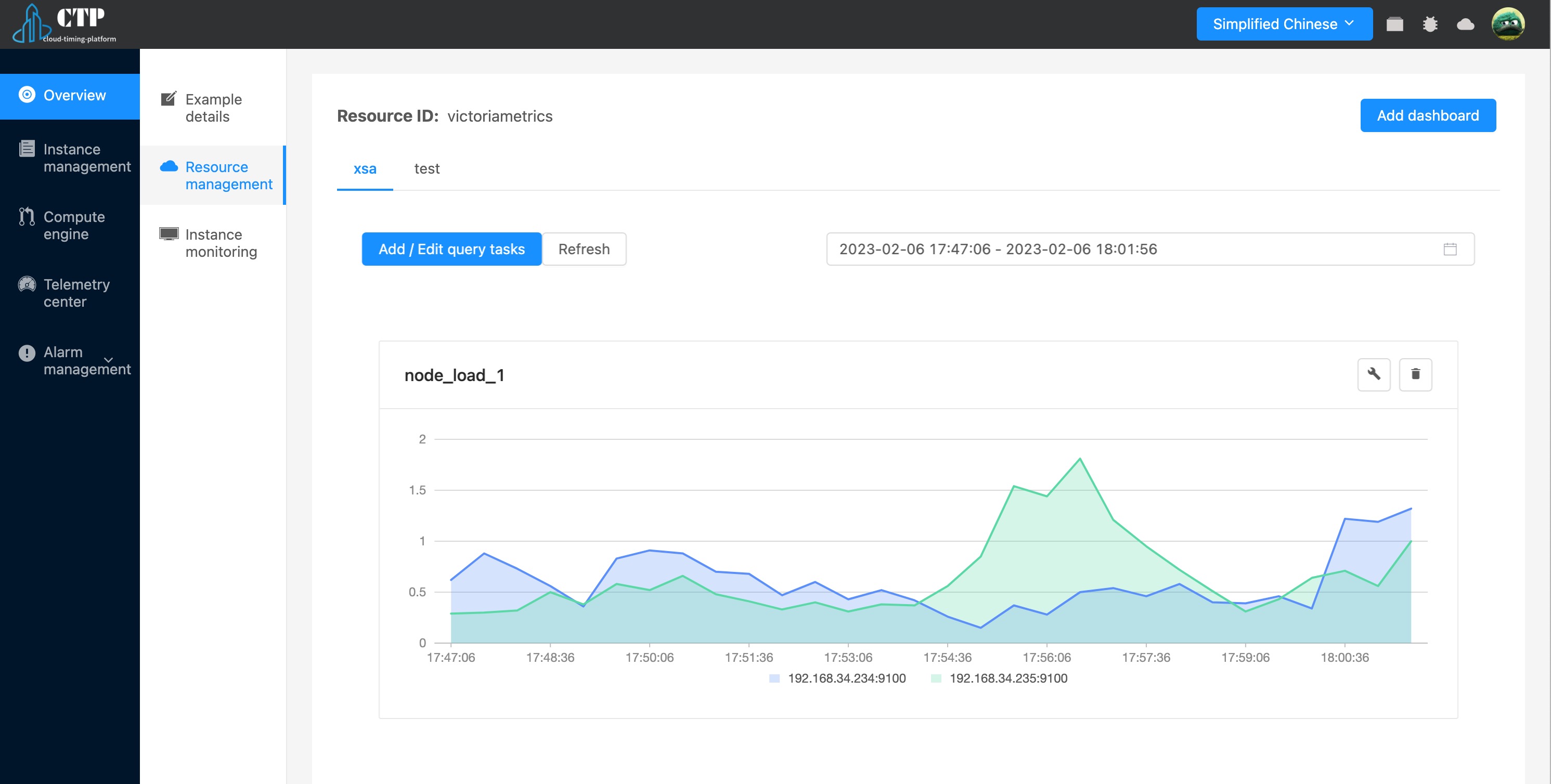
- Custom query method
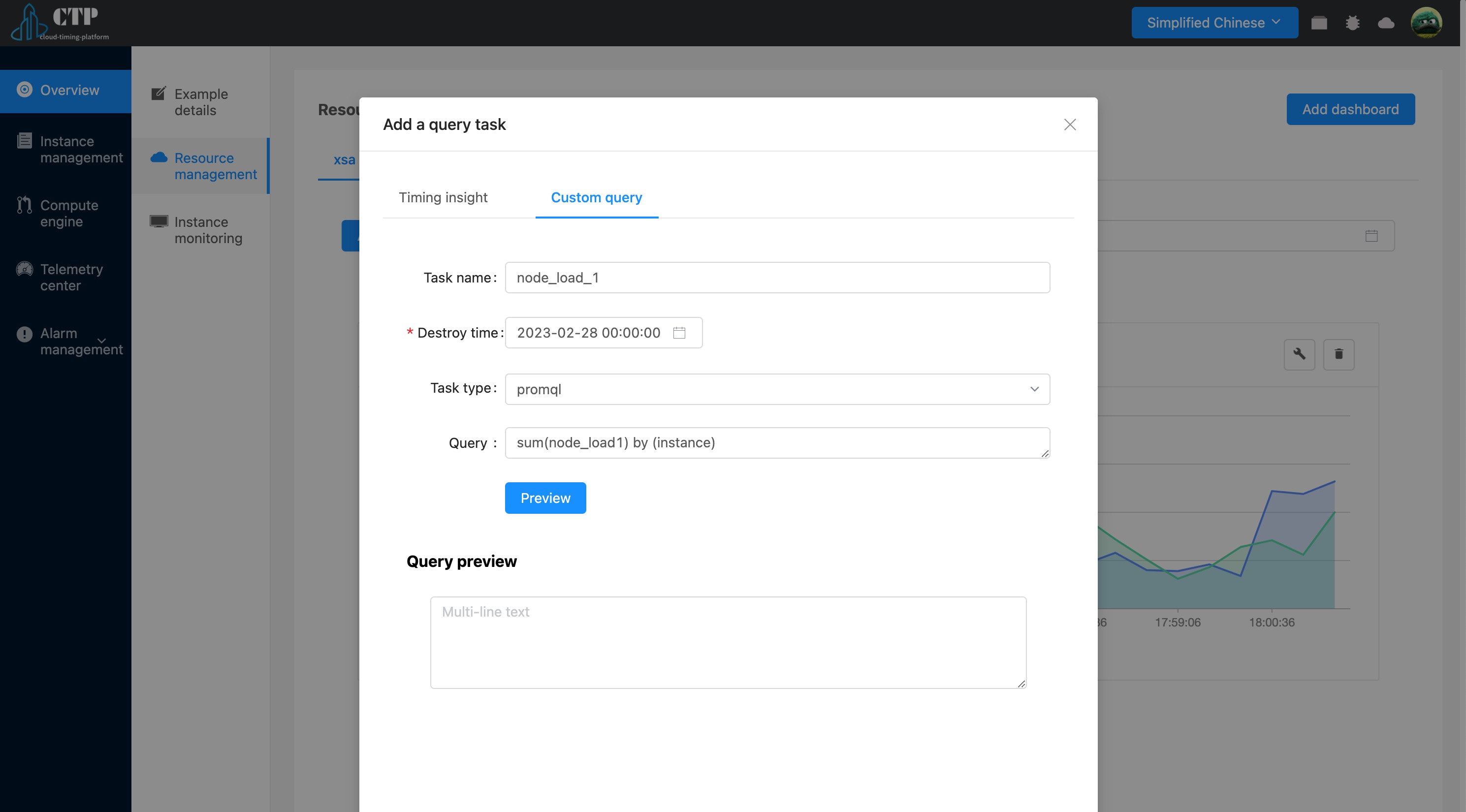
The results obtained according to the custom query rules are as follows:
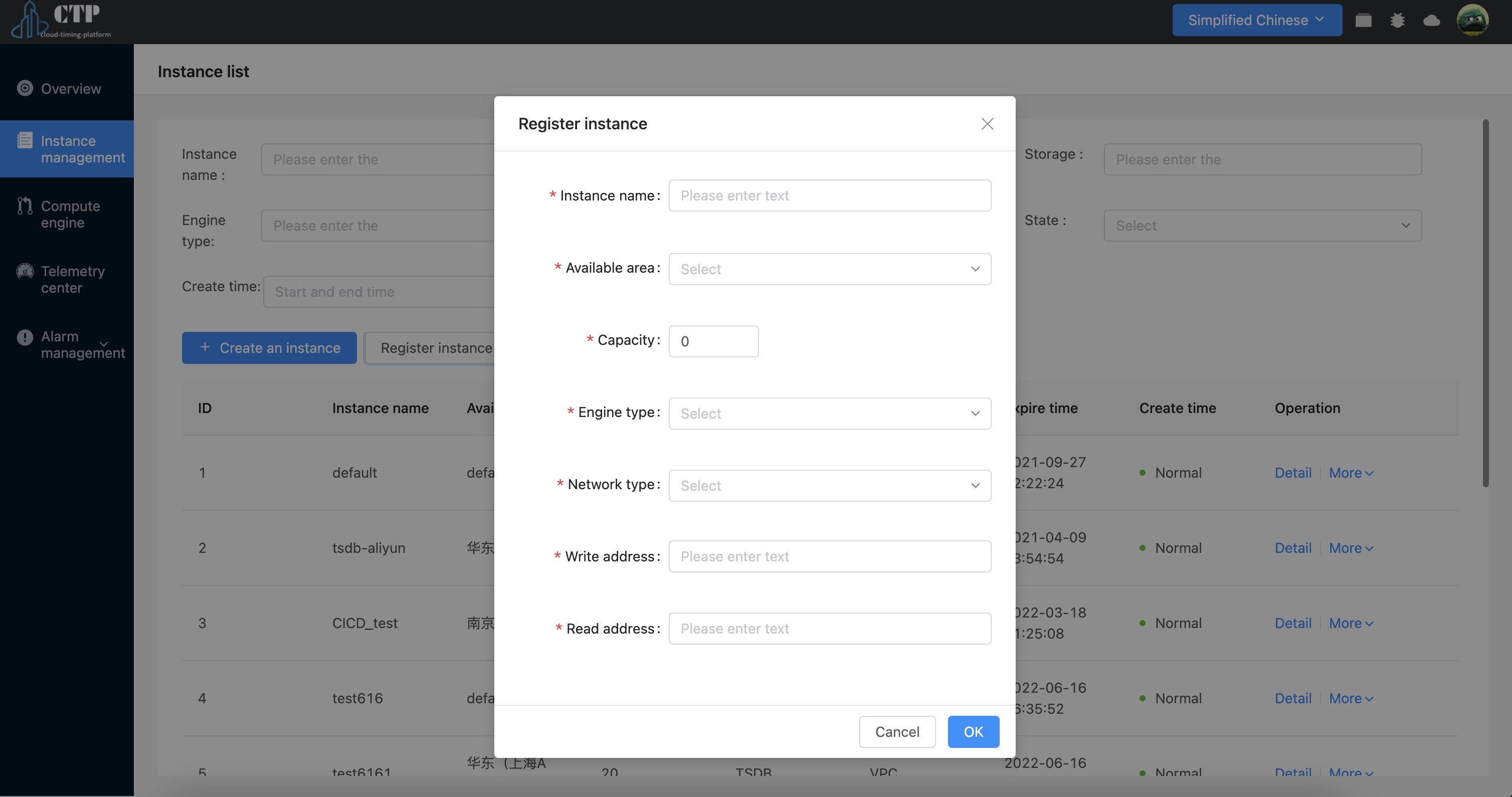
Resource Details #
In the resource details, we can see the details of the current instance