Job Scheduling #
The MSP task scheduling system provides a distributed scheduling capability. Users only need to perform simple configuration on the platform to have reliable task execution capabilities.
NOTICE
Due to the characteristics of distributed scheduling tasks, each task may be executed multiple times at a specified point in time.
New Schedule Job #
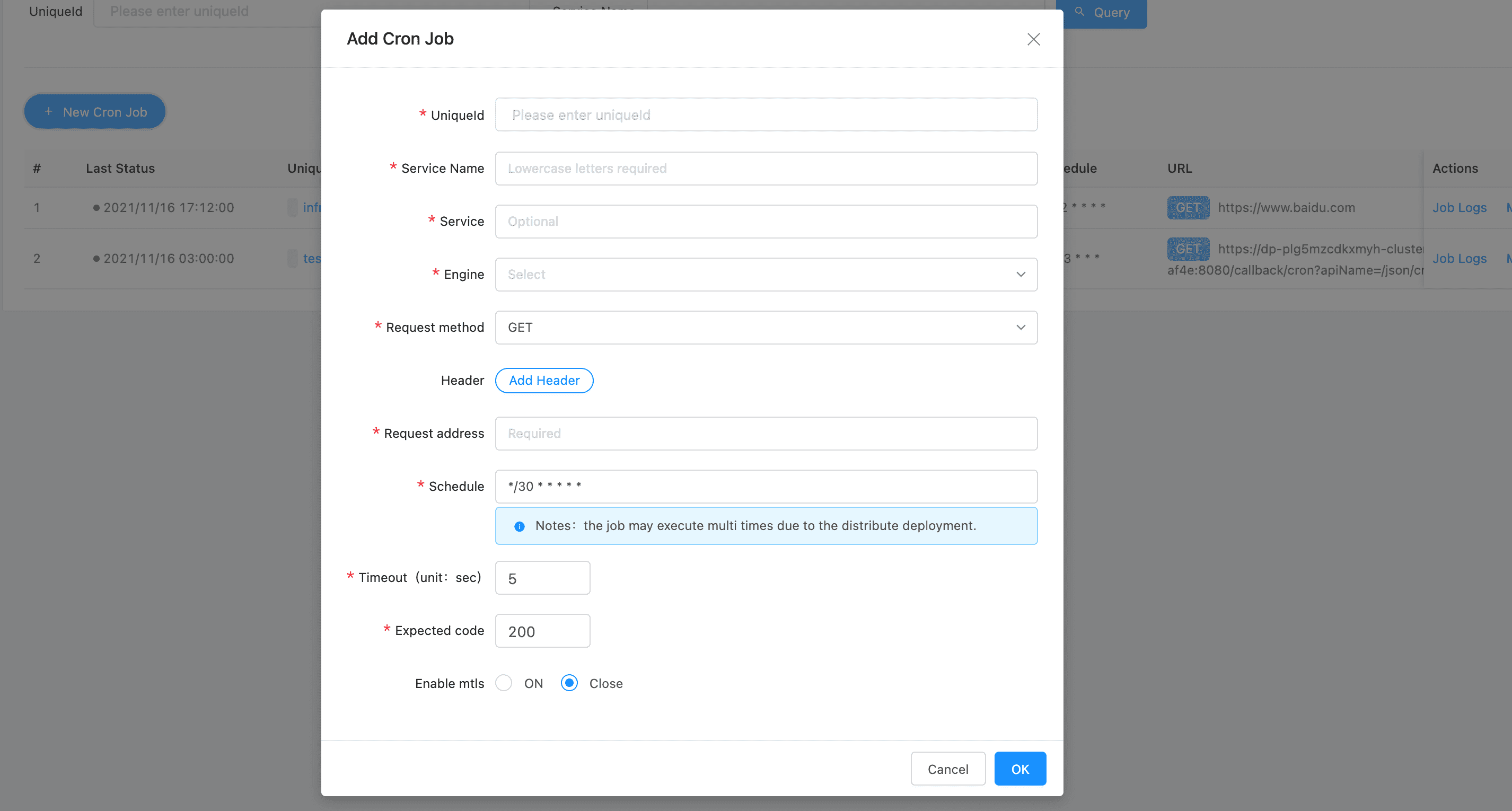
Params
| Parameters | Description |
|---|---|
| uniqueId | Mark the service to which the task belongs |
| Service Name | Used to mark the name of the scheduled task, only lowercase letters are supported, and the platform is unique |
| Service | Task display name |
| Engine | Currently fixed as dkron |
| Request method | The method of timing task initiation request |
| Header | Request header configuration |
| Request address | Request address configuration |
| Scheudle | Composed of six pieces of data. *(Second) *(minute) *(hour) *(day) *(month) *(year), see below for specific usage |
| Request timeout | Configure request timeout time |
| Expected Code | Fill in the HTTP Status Code that is expected to be returned. When the return does not meet expectations, mark the task execution as failed |
| Enable mTLS | Whether to enable mTLS |
Schedule Expression Format #
A cron expression represents a set of times, using 6 space-separated fields.
| Field name | Mandatory? | Allowed values | Allowed special characters |
|---|---|---|---|
| Seconds | Yes | 0-59 | * / , - |
| Minutes | Yes | 0-59 | * / , - |
| Hours | Yes | 0-23 | * / , - |
| Day of month | Yes | 1-31 | * / , - ? |
| Month | Yes | 1-12 or JAN-DEC | * / , - |
| Day of week | Yes | 0-6 or SUN-SAT | * / , - ? |
| Note: Month and Day-of-week field values are case insensitive. “SUN”, “Sun”, and “sun” are equally accepted. |
Special Characters
Asterisk ( * )
The asterisk indicates that the cron expression will match for all values of the field; e.g., using an asterisk in the 5th field (month) would indicate every month.
Slash ( / )
Slashes are used to describe increments of ranges. For example 3-59/15 in the 1st field (seconds) would indicate the 3rd second of the minute and every 15 seconds thereafter. The form “*/…” is equivalent to the form “first-last/…”, that is, an increment over the largest possible range of the field. The form “N/…” is accepted as meaning “N-MAX/…”, that is, starting at N, use the increment until the end of that specific range. It does not wrap around.
Comma ( , )
Commas are used to separate items of a list. For example, using “MON,WED,FRI” in the 6th field (day of week) would mean Mondays, Wednesdays and Fridays.
Hyphen ( - )
Hyphens are used to define ranges. For example, 9-17 would indicate every hour between 9am and 5pm inclusive.
Question mark ( ? )
Question mark may be used instead of ‘*’ for leaving either day-of-month or day-of-week blank.
Predefined schedules You may use one of several pre-defined schedules in place of a cron expression.
| Entry | Description | Equivalent To |
|---|---|---|
| @yearly (or @annually) | Run once a year, midnight, Jan. 1st | 0 0 0 1 1 * |
| @monthly | Run once a month, midnight, first of month | 0 0 0 1 * * |
| @weekly | Run once a week, midnight on Sunday | 0 0 0 * * 0 |
| @daily (or @midnight) | Run once a day, midnight | 0 0 0 * * * |
| @hourly | Run once an hour, beginning of hour | 0 0 * * * * |
| @minutely | Run once a minute, beginning of minute | 0 * * * * * |
| @manually | Never runs | N/A |
Engine #
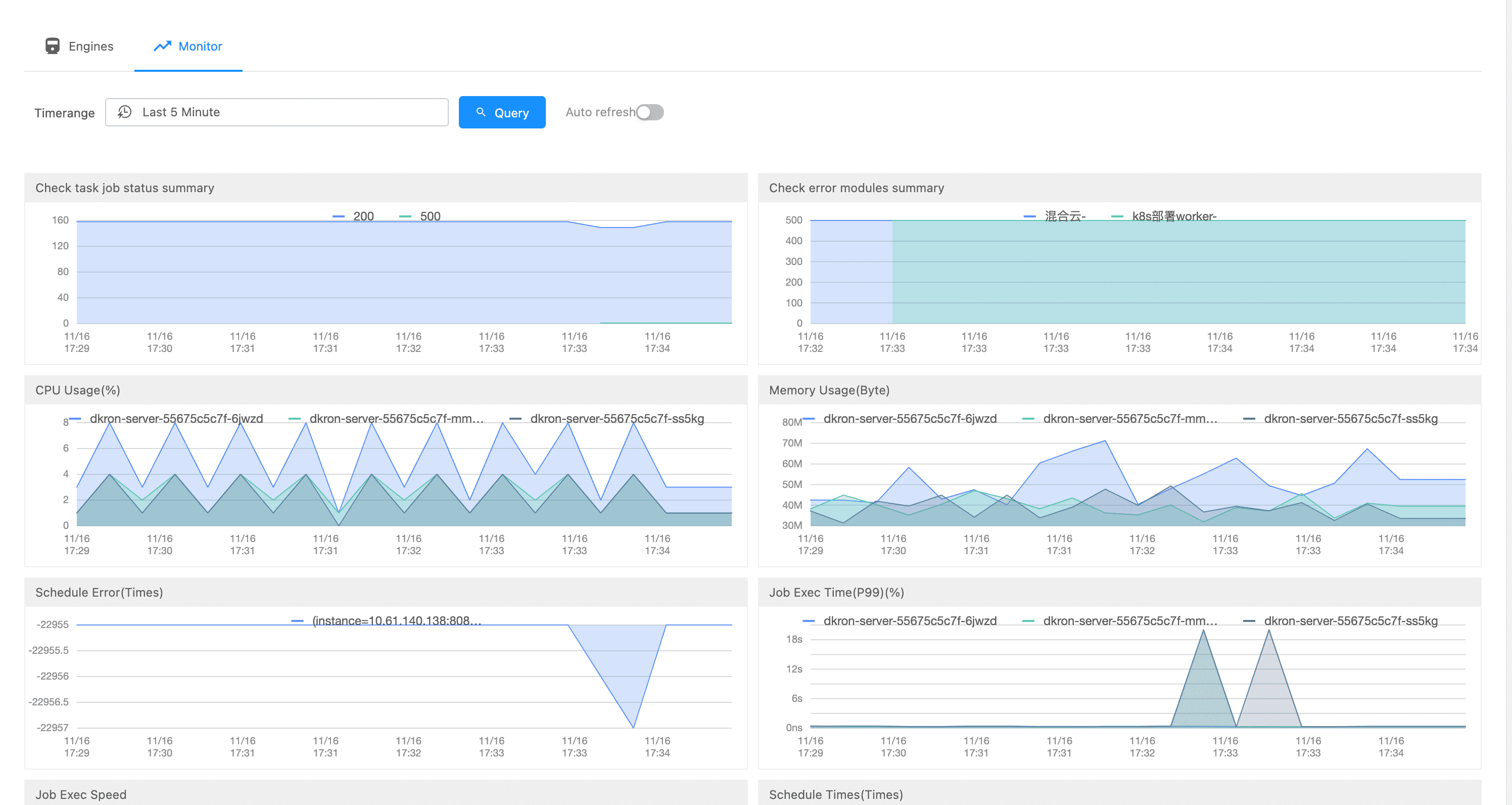
The scheduling engine is used to manage the underlying operating components of the current scheduling system, and currently supports the management of the dkron engine and the viewing of telemetry information.

Jobs #
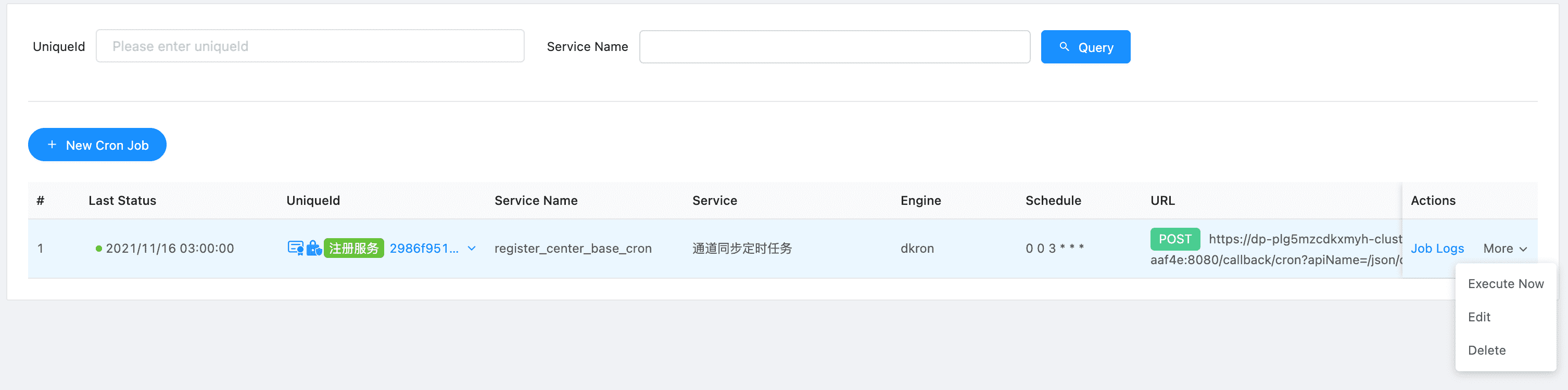
Display the list of scheduled tasks currently set by the platform, and at the same time we can see the status of the recent running.
Operations supported by the list page:
- View execution log
- Execute the task immediately
- Edit the task
- Delete the task
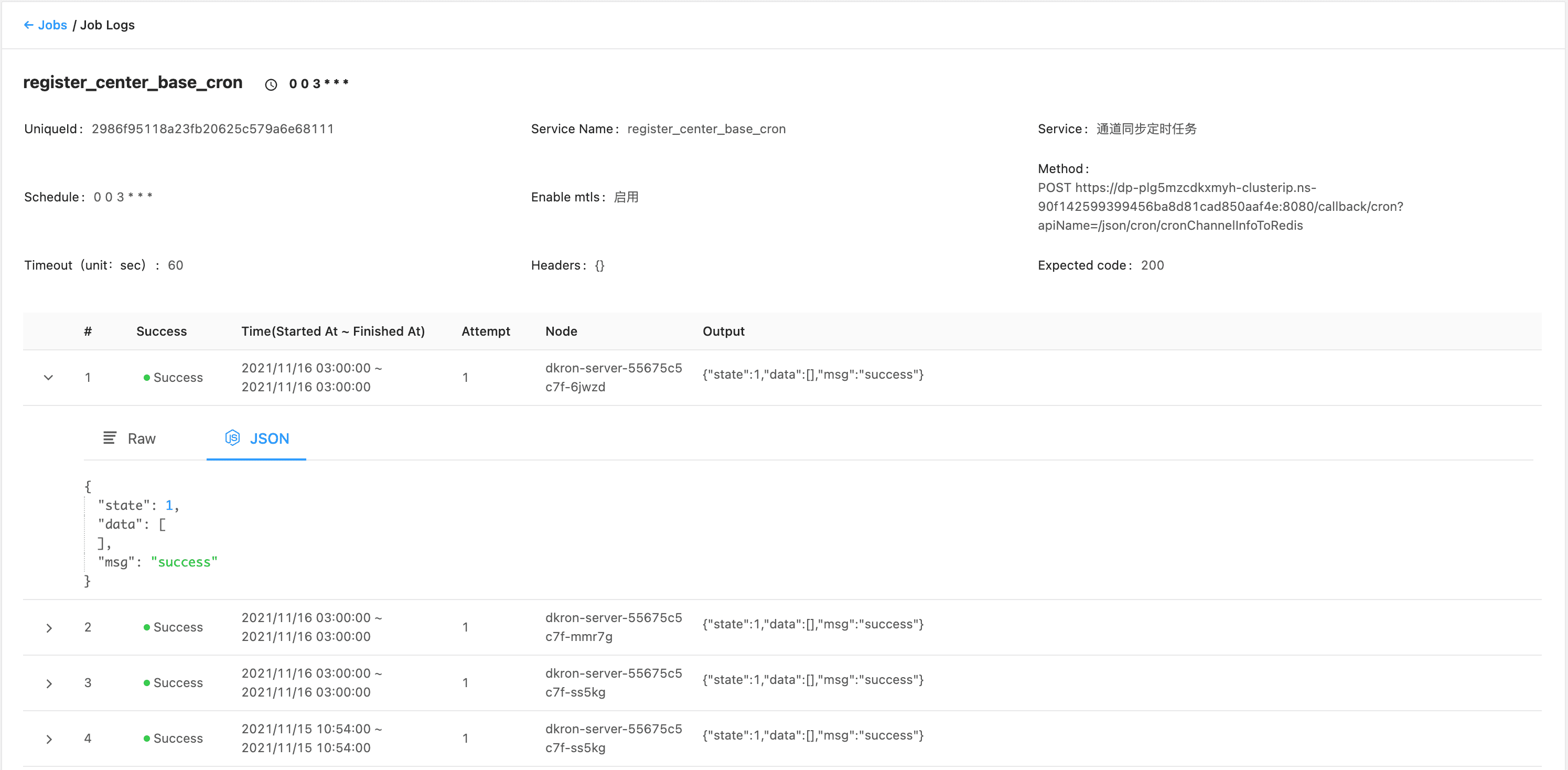
Job Logs #
Through the execution log, we can view the recent running status of the task. At the same time, you can further view the details of the request return, execution time and other information.