Secret Storage #
Summary #
Applications usually need to obtain sensitive information, such as database information, sensitive environment variable information, keys and tokens, etc. These information are usually used to connect to the database and authenticate services and external systems.
Usually, this information and other sensitive information required by applications are stored in confidential storage (such as Hashicorp Vault and others) components. To access these confidential information, the application needs to import the secret storage SDK and use it to access the secrets. This may require a lot of boilerplate code that has nothing to do with the actual business domain of the application, especially in multi-cloud scenarios that use different vendor-specific secret storage, which becomes a greater challenge.
In order to make it easier for developers everywhere to use application confidential storage, SideCar provides a dedicated confidential building block API that allows the service to obtain confidential information from confidential storage. And supporting related platform construction.
Scenes #
Generally speaking, the database connection information in the service container is directly marked in the business container environment variable, and its real value is exposed in the entire deployment loop. By using confidential storage, database connection information can be stored in confidential storage, avoiding direct exposure in environment variables and deployment loops. Modification of confidential information. At the sidecar layer, the confidential storage information that the service can obtain can be restricted.
For example, the following sensitive information can be stored in confidential information:
- mysql configuration
- Sensitive environment variable configuration
- Public and private key configuration
Platform Usage #
Engines #
Generally speaking, the engine will already be configured on the platform, and for ordinary service developers, only reference is needed.
Confidential storage is divided into public secret storage and private secret storage. Public secret storage is used to store information common to all services and is not allowed to be used by services. It is mainly used to store sensitive data such as asynchronous message engine, private secret storage engine, and the connection information and password information of the cache engine that will be built in the future.
Private secret storage is used to store service secret information, and the service can only use private secret storage.
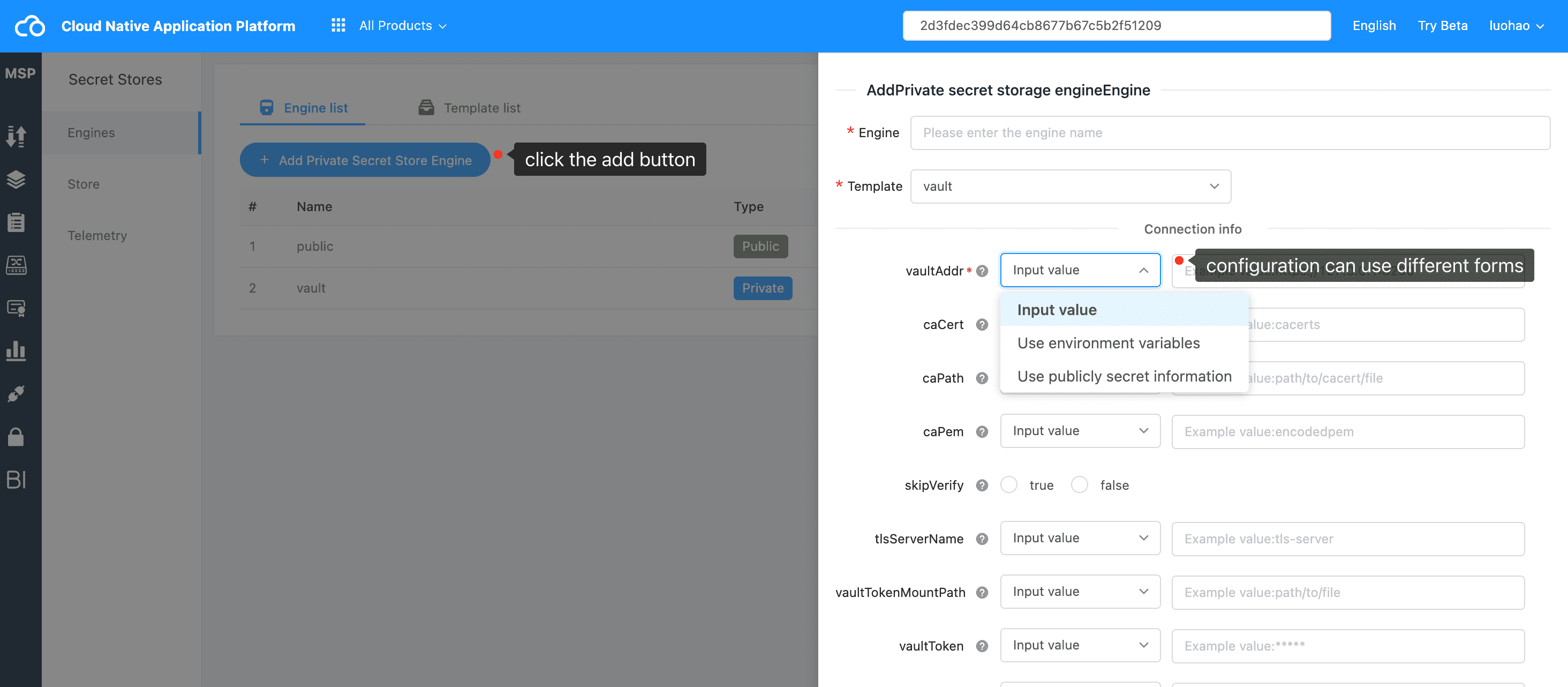
Public Secret Storage #
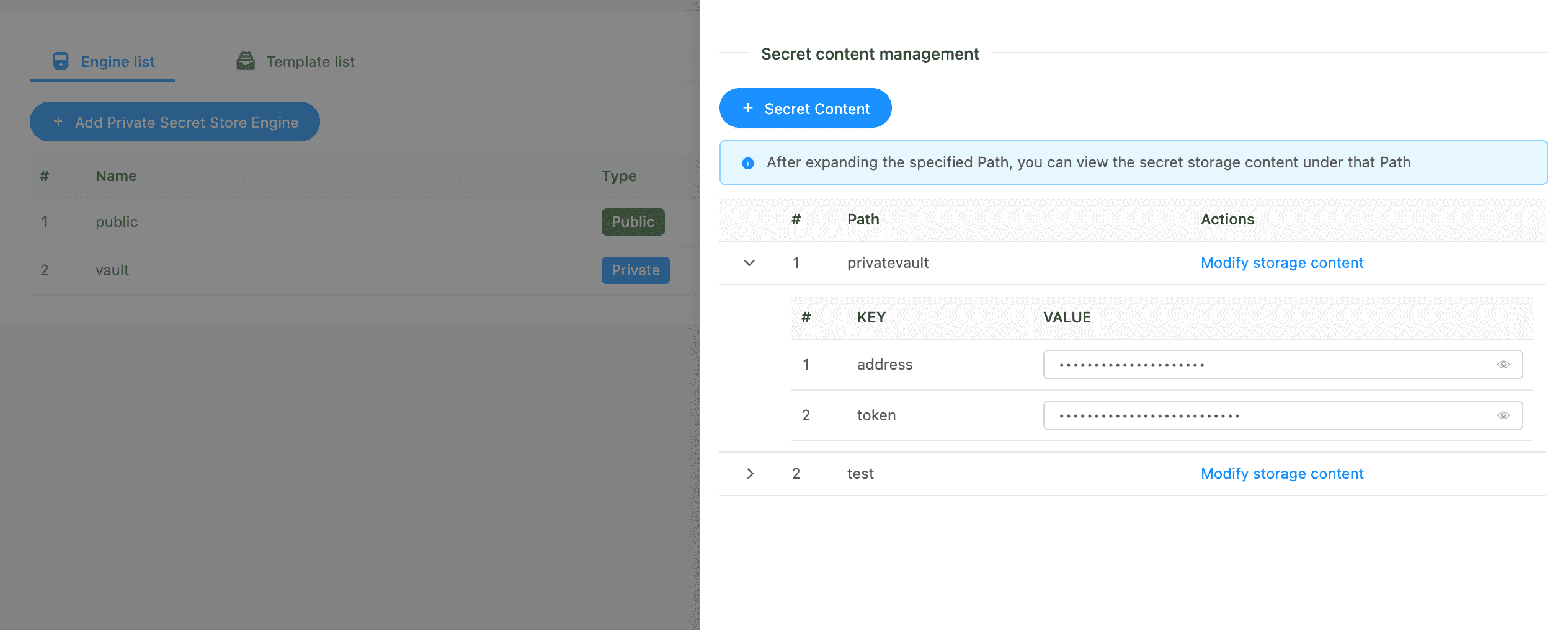
Public secret storage is used to store information common to all services, and services are not allowed to be used. It is mainly used to store some sensitive information on the platform, such as asynchronous message engine, private secret storage engine, and the connection information and password information of the cache engine that will be built later.
For example, storing the access address and access token of the private secret storage in the public secret storage on the platform. The path is privatevault, and the key is address and token respectively.
Private Secret Storage #
Private secret storage is used to store service secret information, and the service can only use private secret storage. On the confidential information configuration page of the service, you can configure the confidential storage engines to be used. These engines are the private confidential storage engines.
Engine Configuration #
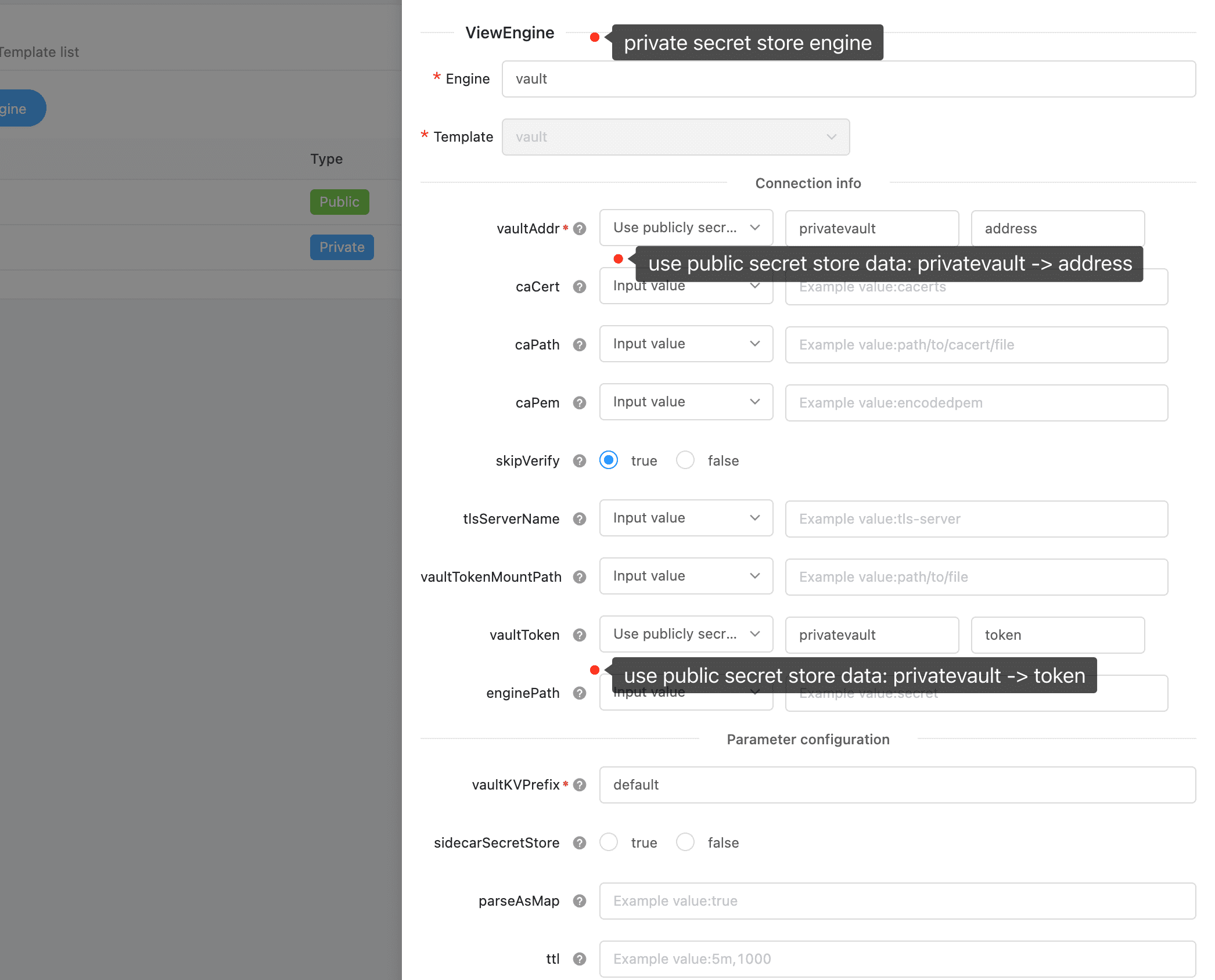
Each field of the engine configuration item is introduced on the msp interface, and you can hover the mouse to the question icon behind the field to view. Here is a description of all configuration information.
There are a few very key fields to note here:
The enginePath specifies the vault engine. Different enginePaths are different data storage areas, and data is strongly isolated from each other. But generally speaking, you don’t need to know too much about this field of the service consumer.
vaultKVPrefix is the prefix of the key stored in the vault. It is usually used for data isolation between different services. The service needs to customize this field as a unique value in an engine. Of course, two services can also specify the same value, and the data source obtained by the two services will be the same, and they will be mutually visible when managing confidential information.
memoryLimit is the maximum memory limit of the cache. The unit is byte. The default is 1M. 0 is to disable caching. For performance reasons, caching is enabled by default, and each service can be set to 0 to prohibit its own sidecar from using caching.
| Param | Required | Description | Example |
|---|---|---|---|
| vaultAddr | Y | Vault server access address. Default value "https://127.0.0.1:8200" | "https://127.0.0.1:8200" |
| caCert | N | CA verification, just use one of these 3 fields. Encoded CA certificate | "cacerts" |
| caPath | N | CA verification, use one of these 3 fields to do the .ca certificate file path | "path/to/cacert/file" |
| caPem | N | CA verification, use one of these 3 fields to be the CA certificate encoded in .pem format | "encodedpem" |
| skipVerify | N | Skip TLS verification. Default value "false", not skip | "true", "false" |
| tlsServerName | N | TLS server name | "tls-server" |
| vaultTokenMountPath | N | The local file path of the vault access token. One of the vaultToken and vaultToken must be configured. | "path/to/file" |
| vaultKVPrefix | Y | The prefix of the key stored in the vault. It is usually used for data isolation between different services, and the service needs to customize this field. Different services set to the same value need to be cautious to influence and be visible to the same confidential information management. Default value "dapr" | "dapr", "appuniqueid" |
| vaultToken | N | Vault access token. vaultToken and vaultTokenMountPath must have and only one value is configured. | "******" |
| enginePath | N | The path of the engine, the default is secret. Corresponding to the Secrets Engines at the bottom of the vault, this configuration item must exist at the bottom of the vault. | "secret" |
| sidecarSecretStore | N | Is it a secret storage that can be used by the sidecar? Only one of all confidential components is allowed to be true. If multiple components are configured, only the first component encountered during parsing will take effect. The string true or false. Default value false | true |
| parseAsMap | N | Whether to parse the confidential content into map[stirng]string, if it is true, the format of the stored confidential information must be a json string, and this string can be parsed into map[stirng]string normally. The string true or false. Default true | true |
| ttl | N | Expiration time, pure numbers represent ms, or time format. The default is 5 minutes. | "5m"、"1000" |
| memoryLimit | N | Maximum cache memory limit. The unit is byte. The default is 1M. 0 is to disable caching. | "100000" |
Store #
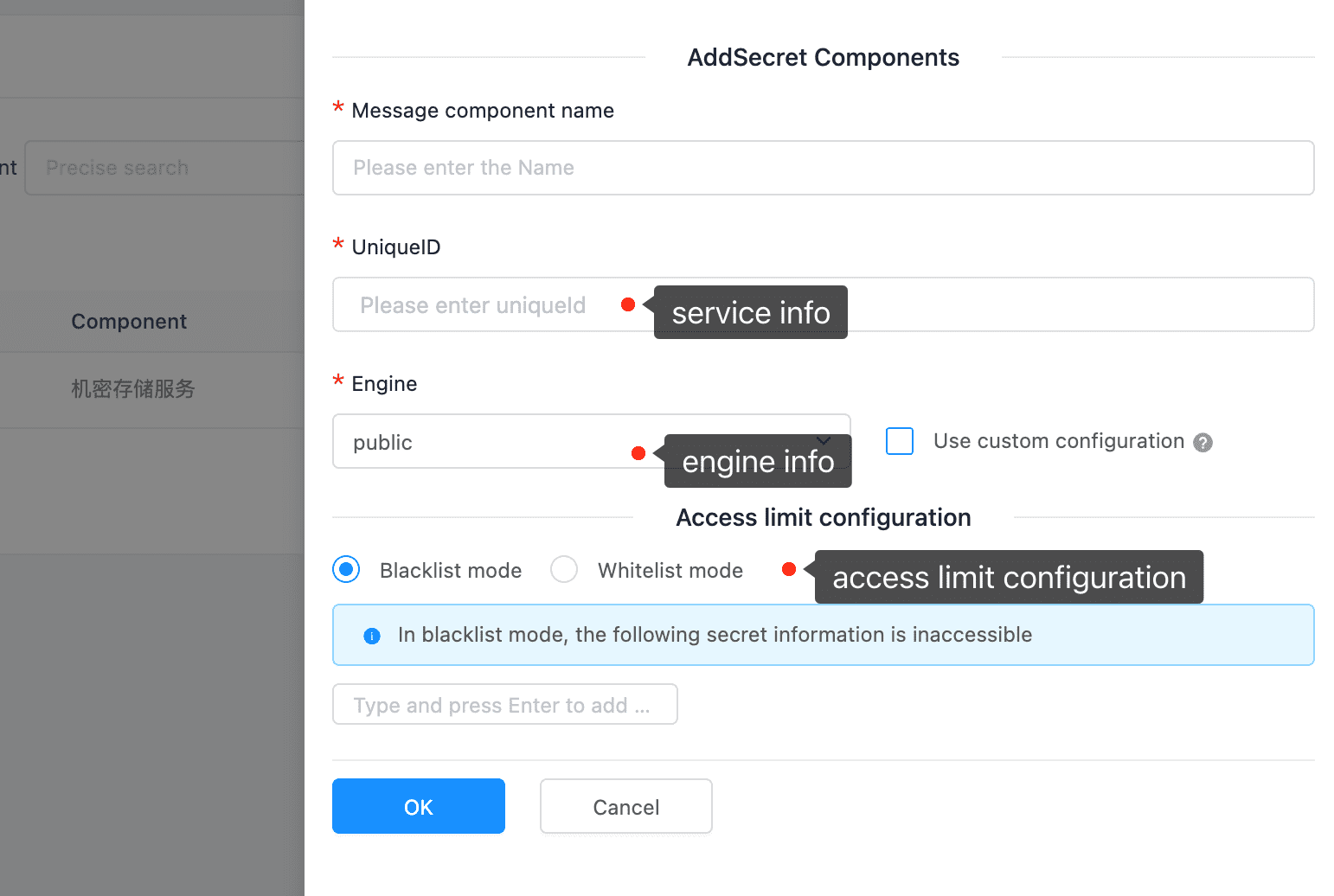
Black and White List #
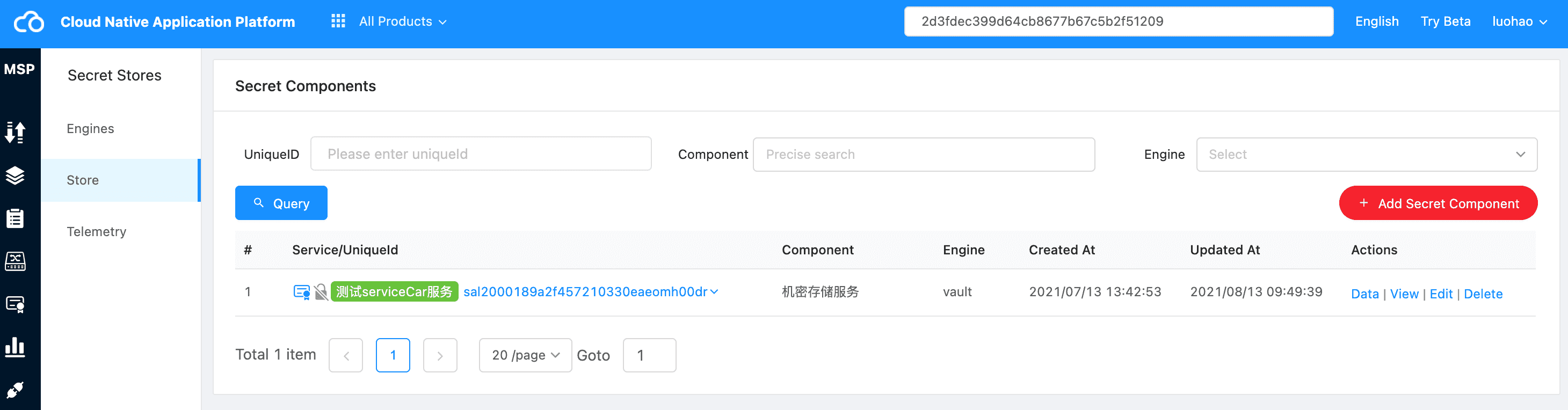
The platform can add restrictions on the confidential information that the service can obtain. There are mainly two types: blacklist mode and whitelist mode. When the black and white list is not configured, no additional restrictions are added by default.
Blacklist mode: The configured key is not allowed to be accessed, and others are allowed.
Whitelist mode: Only the configured key is allowed to access, others are forbidden.
Storage Content Management #
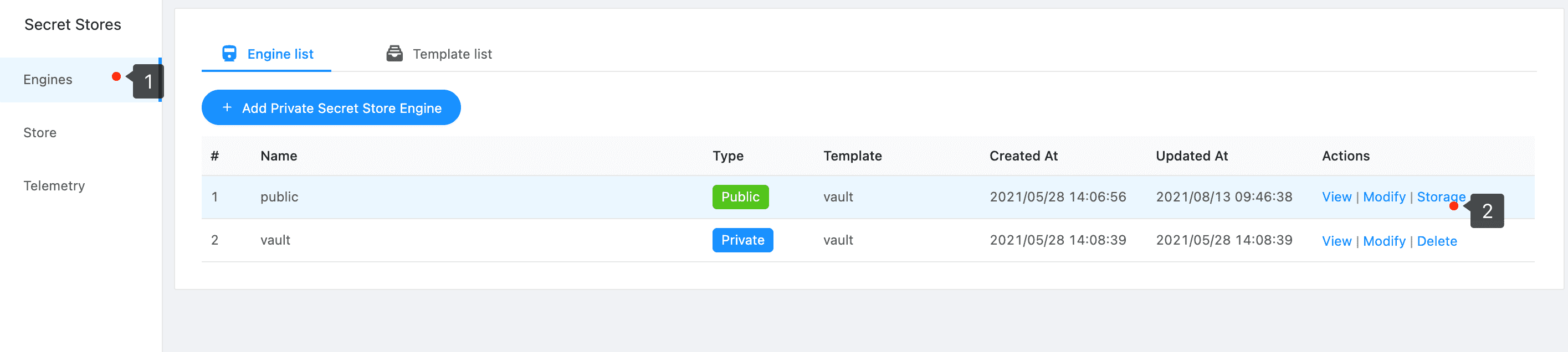
public secret store content data
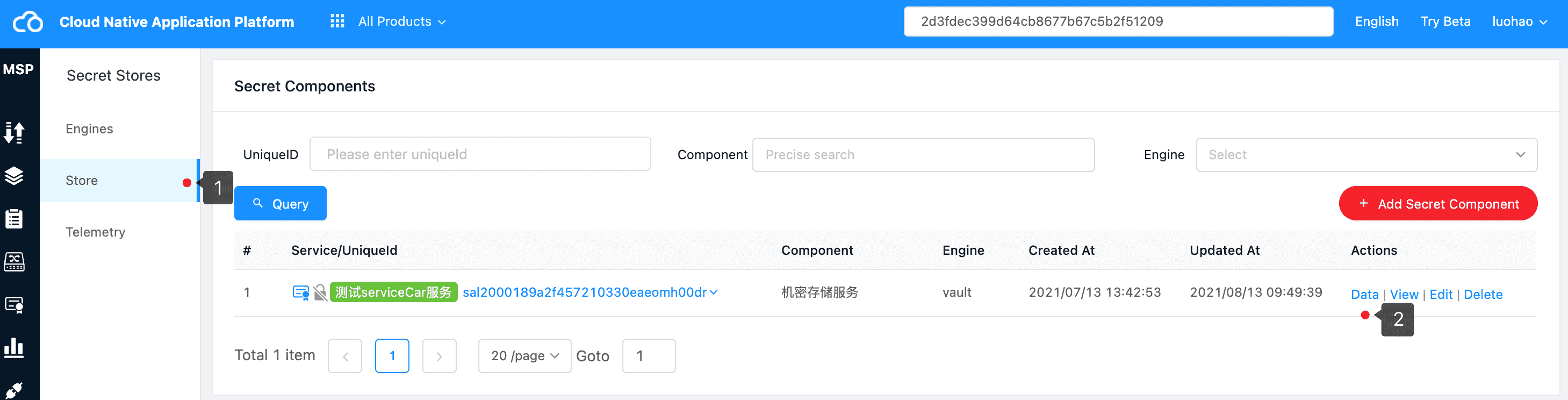
private secret store content data
Add Secret Data #
Confidential information can be added and modified through the platform management interface and control plane API.
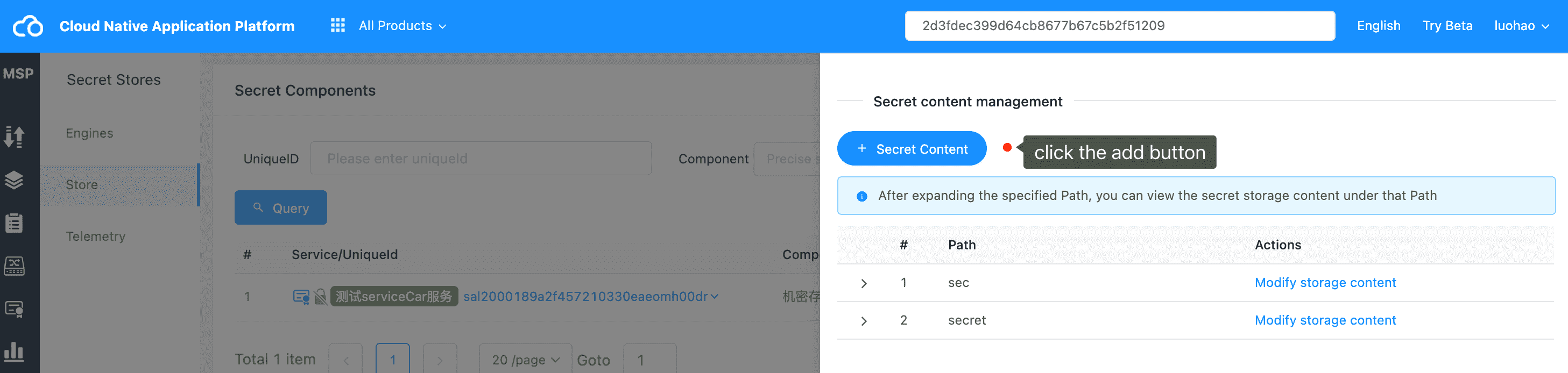
step1 add click button
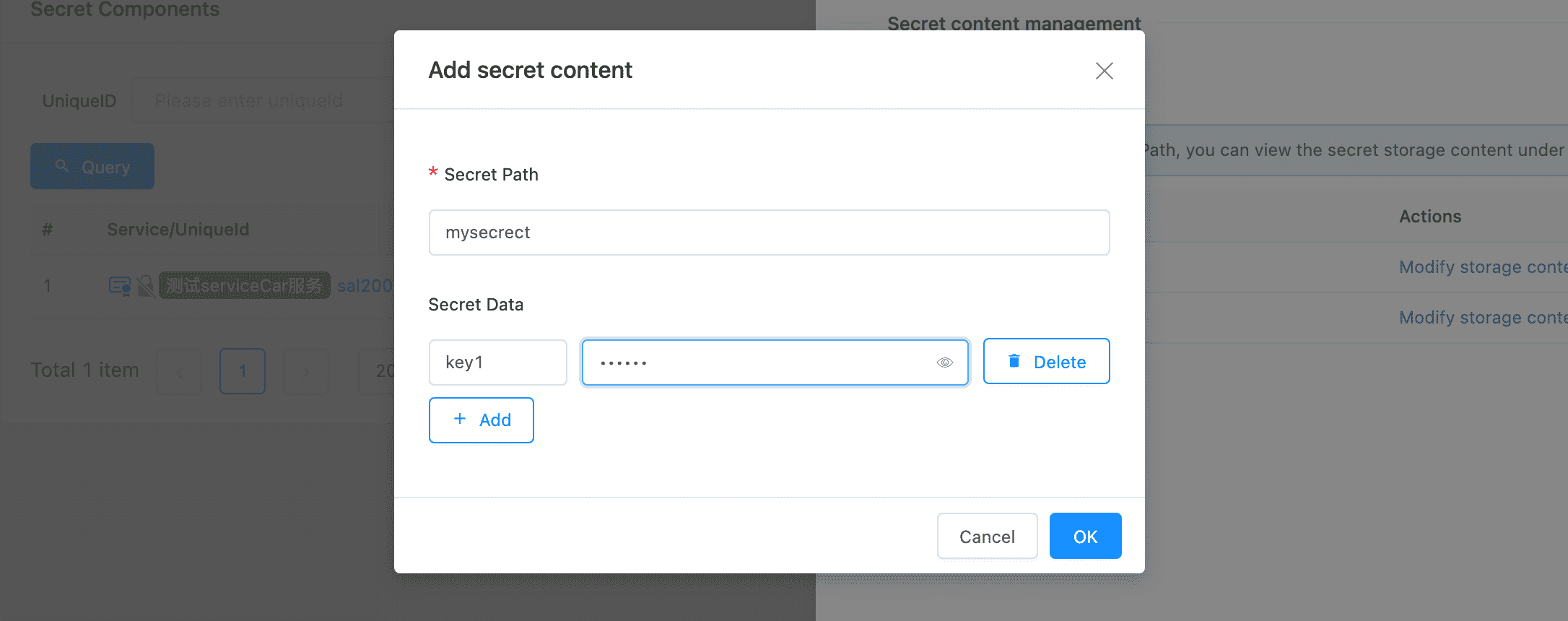
secret content configuration
View Secret Data #
Confidential information can be viewed through the platform management interface and control plane API. The specific content is not displayed by default. If you need to view the confidential information corresponding to a key, you can click the eye icon at the back to limit the specific value.
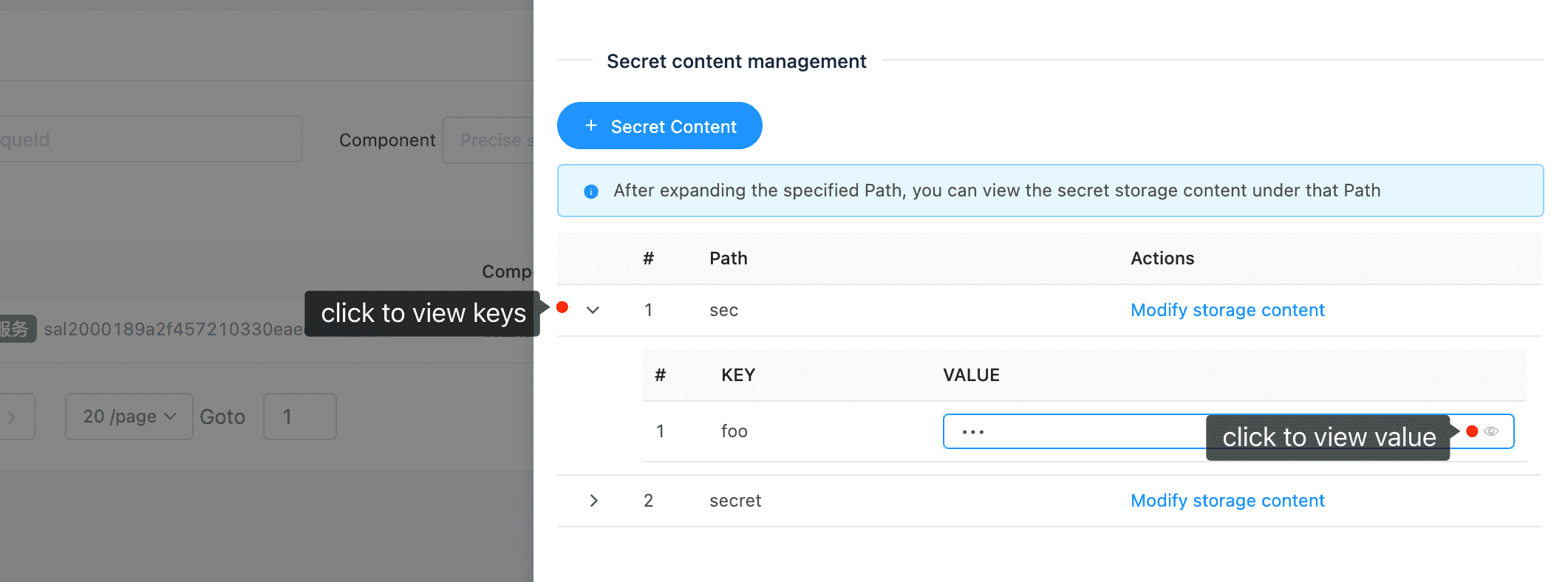
Telemetry #
Confidential information monitoring indicator telemetry mainly aggregates information from two perspectives. The first is the service perspective, which allows you to view the acquisition rate of each service for each confidential information key. The other is the engine perspective, to see the overall rate at which each key of your engine is acquired.
Confidential information cache indicator telemetry provides various indicator information of the sidecar confidential information cache of each instance of the service.
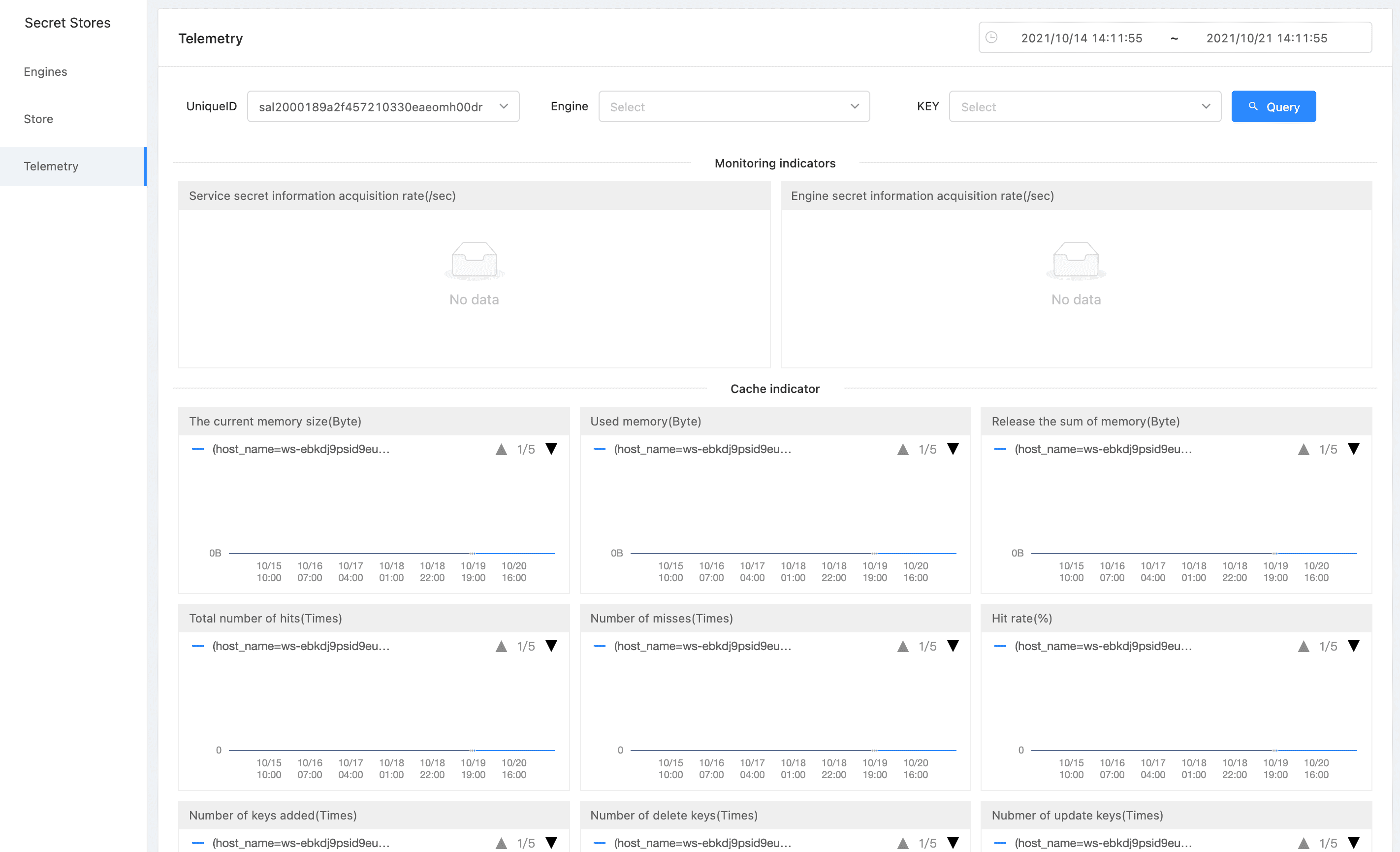
How to get secret content in a service #
Via SDK #
Since the main languages of the current Zhongtai are go and php, and gosdk and phpsdk packages are provided, the corresponding confidential information value can be obtained by means of local function calls.
gosdk example #
  sdk, _ := gosdk.NewKongClient(r.Header)
  // The acquisition engine is vault, and path is the confidential information corresponding to mysql.
  res, err := sdk.GetSecret(context.Background(), "vault", "mysql", nil)
	if err != nil {
		// Handling errors, errors that occur here are generally network errors or configuration errors
		return err
	}
	if !res.Success() {
		// Handling errors. The errors that occur here are generally logical errors, such as not configuring this confidential information and not having permission to obtain this confidential information
		return errors.New(res.Msg) // The error description in msg
	}
	secretMap := res.Data
	fmt.Println(secretMap["db"])
phpsdk example #
// Obtain confidential information via SDK
$client = Client::getInstance();
$res = $client->getSecret('vault', 'mysql');
var_dump($res);
// -------- The res content format is as follows, using the general return format of normal service calls in the Zhongtai -----------
array(3) {
  ["state"]=>
  int(1)
  ["msg"]=>
  string(7) "success"
  ["data"]=>
  array(4) {
    ["db"]=>
    string(2) "db"
    ["host"]=>
    string(4) "host"
    ["password"]=>
    string(8) "password"
    ["user"]=>
    string(4) "user"
  }
}
Via HTTP API #
For other languages, you can access sidecar through http request to obtain confidential information.
GET http://<sidecarAddress>/v1.0/secrets/<secret-store-name>/<name>
URL Params
| Parameter | Description |
|---|---|
| sidecarAddress | Sidecar access address |
| secret-store-name | Get the secret store name of the secret information |
| name | The key of the confidential information to be obtained |