Pub/sub #
Summary #
The asynchronous messaging system uses PubSub, the publish/subscribe mode to allow microservices to communicate with each other using messages. The producer of the message sends the message to Topic without worrying about what application will receive their message. Similarly, the consumer subscribes to the topic and receives messages without knowing the service that generated these messages. Sidecar assumes that the intermediate message broker is responsible for transferring the message from the message producer to all consumers interested in the message. This pattern is particularly useful when microservices need to be separated from each other.
Features #
- At least one consumption, Sidecar ensures that the message will be sent to each consumer program at least once.
- Message Time to Live TTL. When publishing a message, you can set a timeout period for each message, which means that if the message is not read from the PubSub component after the timeout, the message will be discarded. So that the business does not need to care about the processing of expired messages.
- Competing consumers, consumers of the same unique id compete with each other, and only one instance will receive when the subscription message is pushed. Different unique id means different consumers, and the message will be pushed to all consumers when the message is pushed.
- Self-research on the basis of the community has completed support for redis cluster as a message middleware.
- Multi-message middleware support. The sidecar provides unified API rules and unified consumer subscription capabilities for the upper-level business, and the business does not need to care about the details of different message middleware.
- Full link tracking support. The publication and consumption of asynchronous messages can be displayed in the same trace.
Platform Usage #
Engines #
For normal business, the operation of adding engine will not be involved. If it is used by ordinary service in the Zhongtai, you can skip the setting of adding engine.
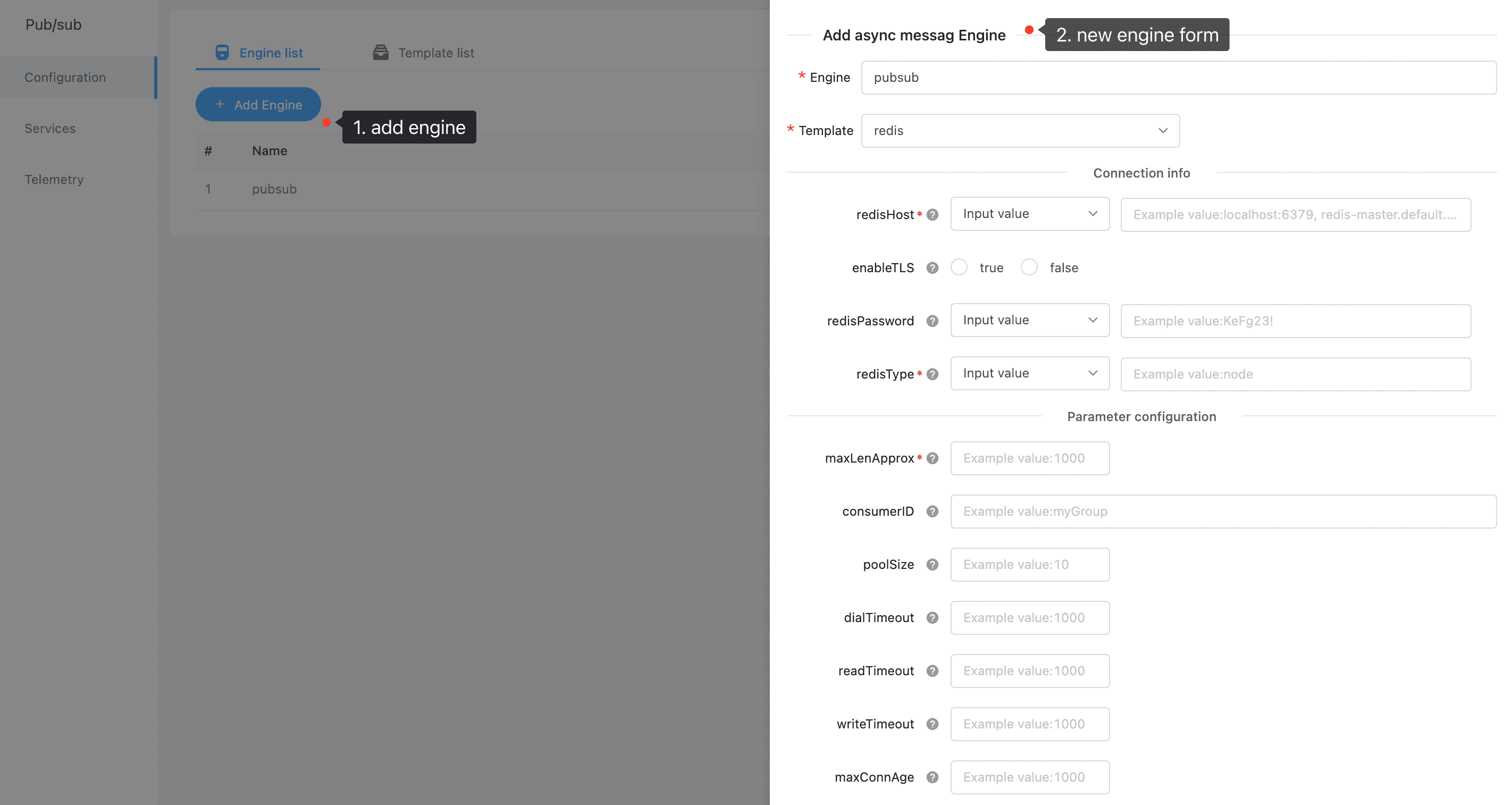
The transmission of messages requires a carrier, which is the so-called message engine. We currently provide four types of message engines, namely kafka, rabbitmq, redis and rediscluster. At the same time, in order to facilitate developers to add engines, we abstract the corresponding four templates for the four engines.
New Engine #
Service Components #
A service component is a collection of all publish and subscribe rules of a service under a specified engine.
New Component #
After the engine is created, the corresponding service component can be created for the developer’s own service.
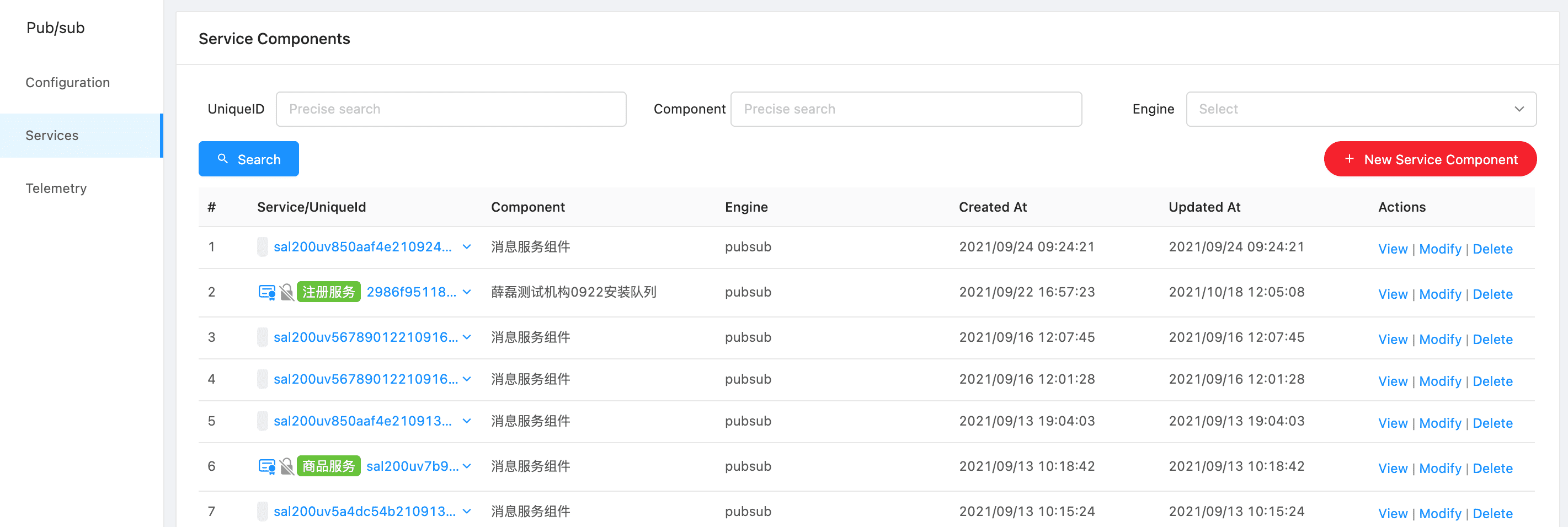
Step1 Click the “New Service Component” button
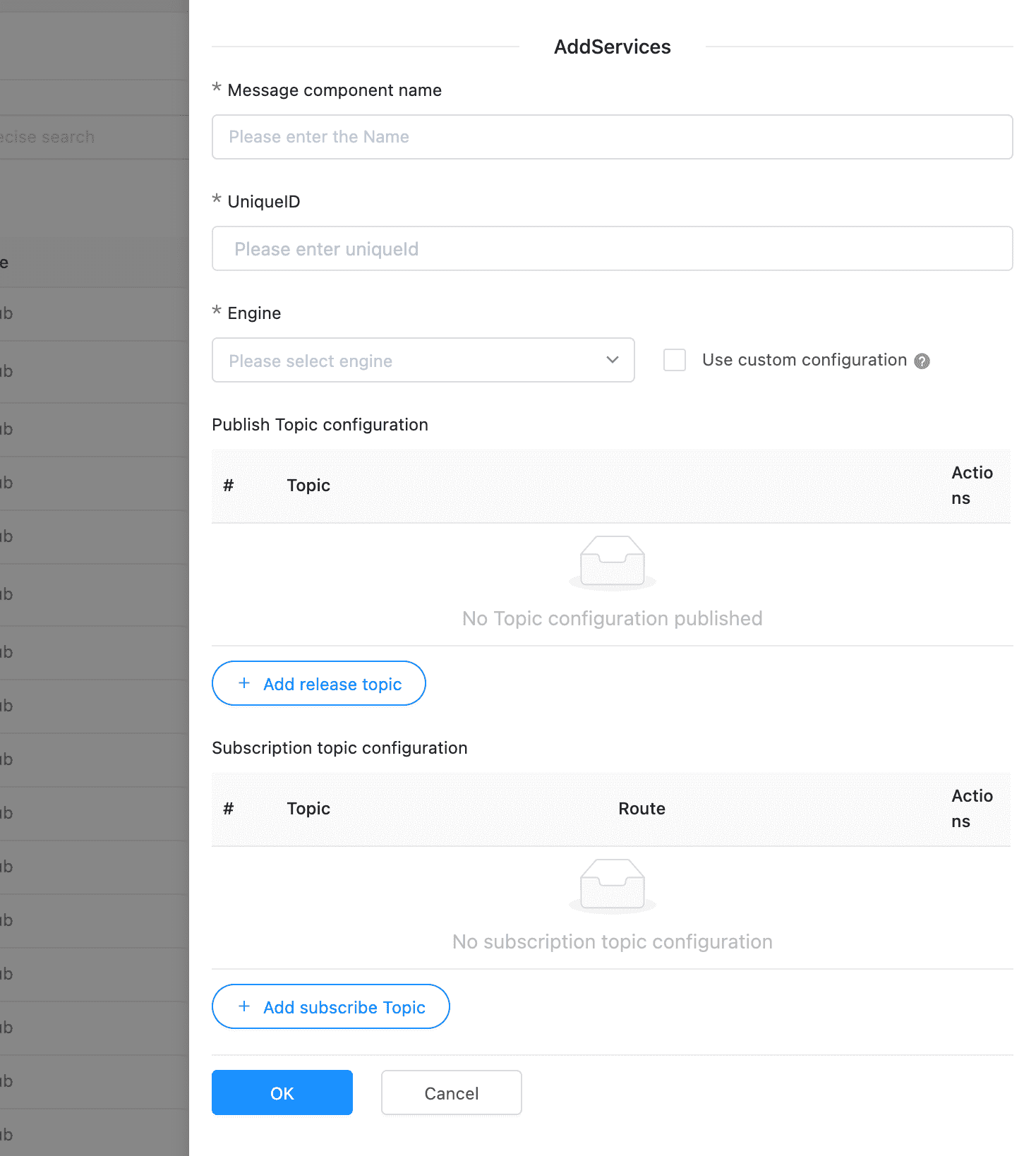
Step2, finish the Form
Component Info #
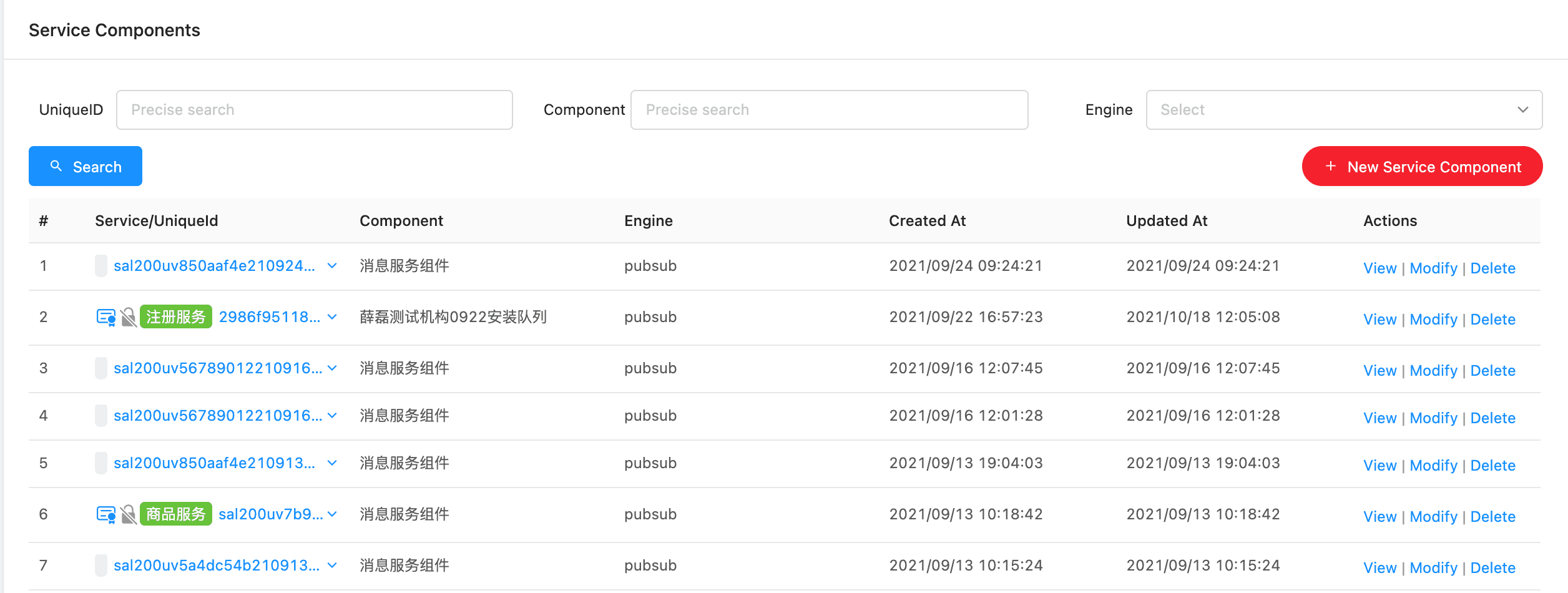
Service components that have been added can be displayed on the list page.
Telemetry #
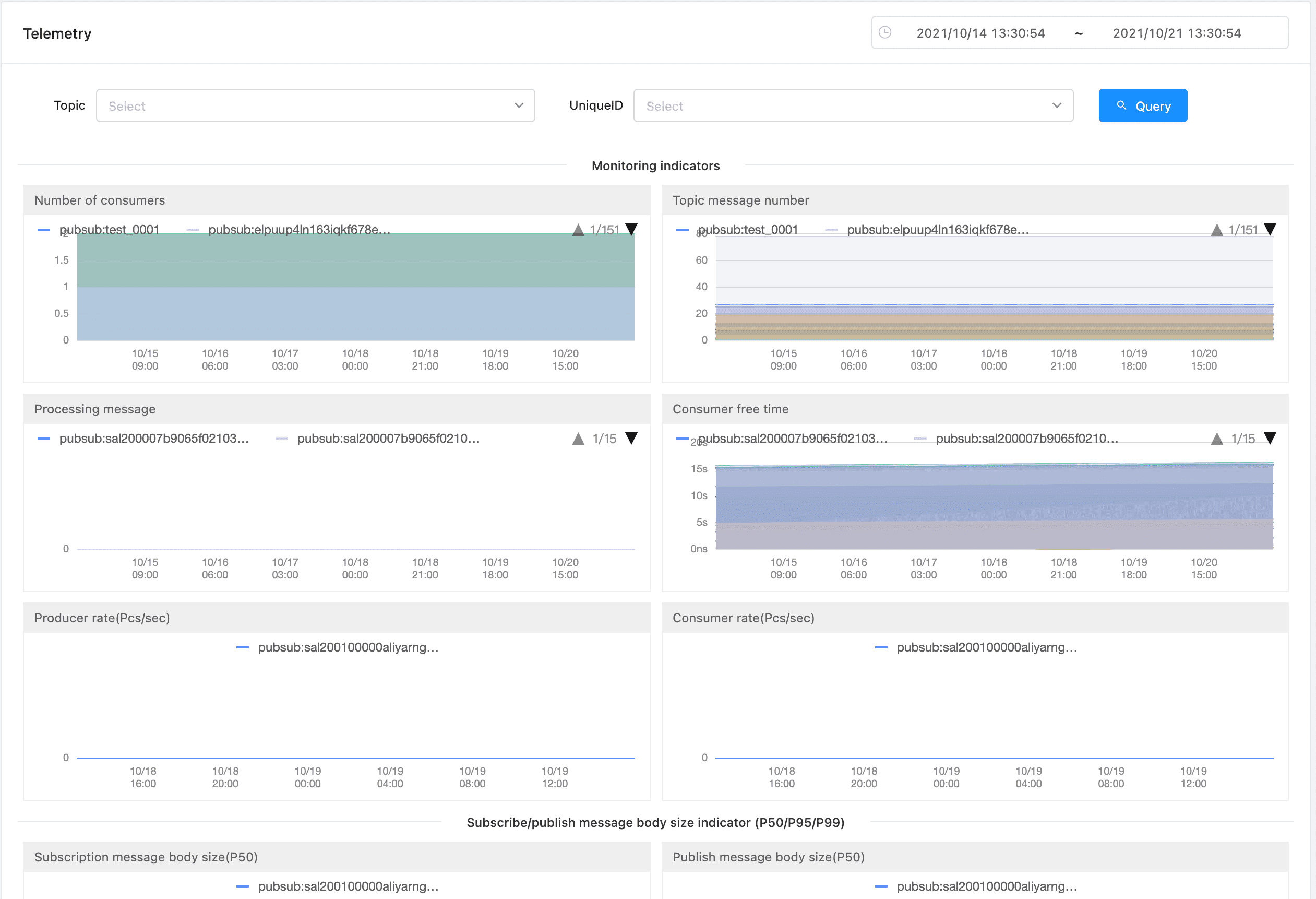
For users who have access to asynchronous messaging services, the msp platform provides telemetry based on topics and services from multiple perspectives. You can see various statuses of a certain service and topic at any time, so that business parties can understand the current message processing Health.
How to publish #
gosdk & phpsdk #
For the go language and php language, the publish and subscribe function has been integrated into the SDK, which is a function call for the user. For example, a call example for the go service is as follows:
client, _ = gosdk.GetNewClient(_header)
res, err := client.PublishEvent("pubsub", "topic", []byte(`{"message":"aaaaa"}`), &RuntimeConfig{TTLInSecond: 13})
var resMap = make(map[string]interface{})
json.Unmarshal(res, &resMap)
if err == nil && resMap["state"] == 1 {
// The message was published successfully...
}
An example of calling for php is as follows (phpsdk version>=0.5.30):
$params = $_POST;
$topic = $params['topic'];
$pubsubName = $params['pubsub_name'];
// Send message via sdk
$client = Client::getInstance();
$client->publishEvent($pubsubName, $topic, $data);
HTTP API #
POST <sidecarAddress>/v1.0/publish/<pubsubname>/<topic>[?<metadata>]
sidecarAddressis the sidecar access address of the service, which is usually obtained through SDK.pubsubnameis the component name.topicis the topic.metadatais an additional control field. The parameter transfer format of query format currently has only one value that can be set.metadata.ttlInSecondsrepresents the effective time of the message in seconds. If there is no expiration time, this field does not need to be set.
Response Code #
{
	"state": int // 1 means success, other representatives fail
	"msg":  string // Success will be "success", if it is failure, it will be a description of the reason for the failure, such as "topic XXX is not allowed for unique id XXX"
}