KV #
In distributed systems, traditional configuration methods face various challenges, such as:
- Various deployment methods. Some read from environment variables, and some need to configure the corresponding file in the specified path, which is a high maintenance mental burden.
- The configuration content is scattered. The traditional configuration content is maintained in various places, possibly in various code repositories or local files.
- The changes cannot be traced back. Configuration changes are not versioned and cannot be traced back
With the help of the MSP configuration(KV) center, we can provide a unified configuration management experience, centrally manage all configurations used in the distributed system, and achieve the effect of one modification and batch delivery. And the entire operation can be traced back and rolled back.
Some basic concepts #
Before introducing the configuration center function in detail, we are familiar with two basic concepts: project and configuration.
- project. The project is the basic isolation unit of the entire configuration center. The configurations of different projects are isolated from each other and do not affect each other. In other words, different projects can have the same configuration name.
- Configuration. The configuration is a KV key-value pair. In addition, it also contains a valueType to mark the current value format. The currently supported valueTypes are: ini, yaml, json, properties, text.
Note: The current valueType is only used to mark the type of value. The original data obtained from the configuration center is in string format, and the client needs to analyze the structure itself.
Platform #
The basic usage logic of the configuration center is: Platform configuration, client apply. That is: the configuration action is performed on the platform, and the acquisition action is obtained in each client (subsystem).
Project #
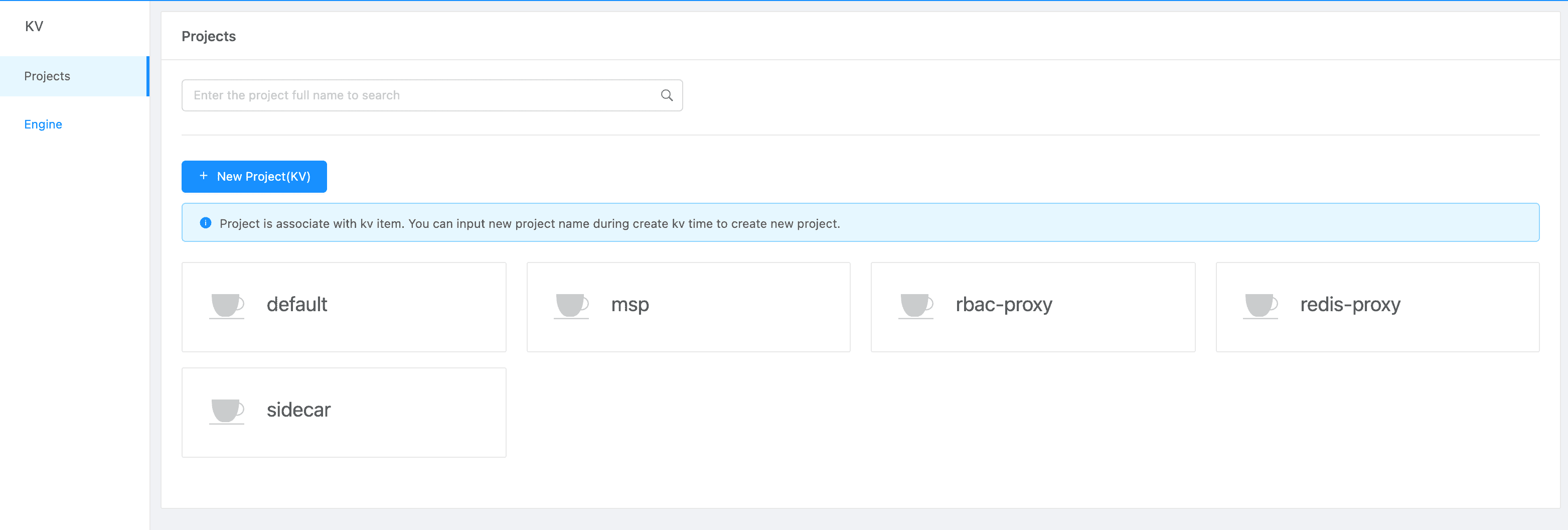
New Project #
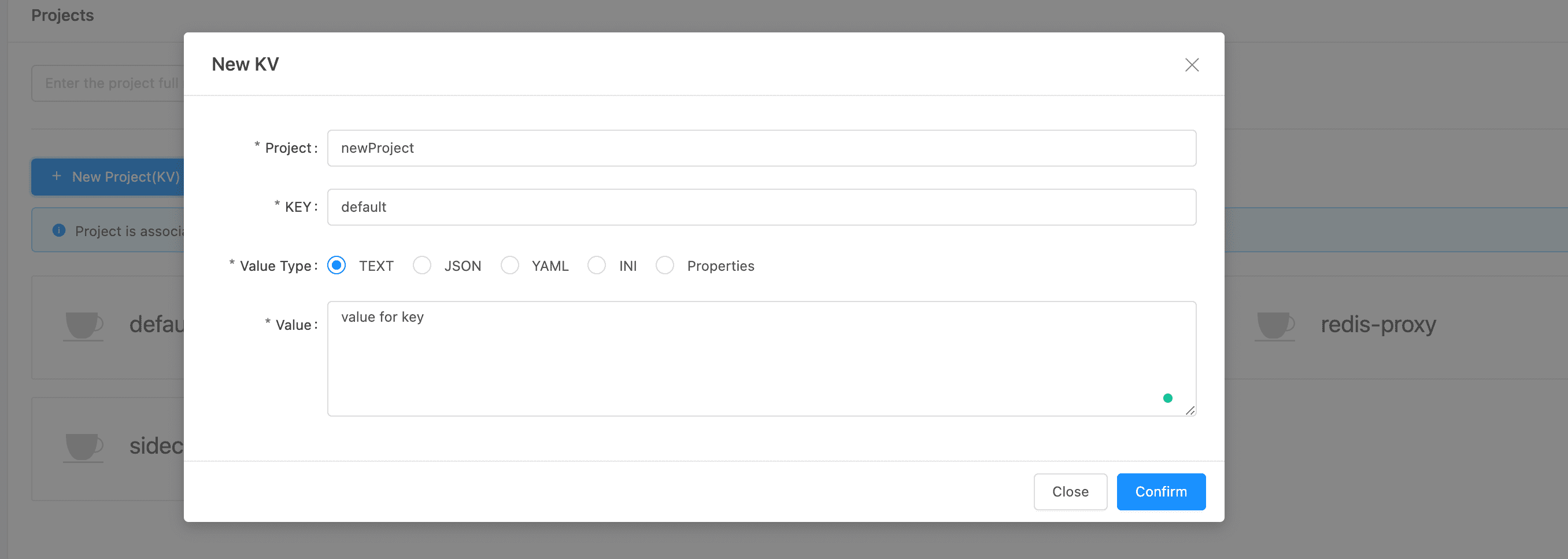
The configuration must belong to a specific project. If you need to create a new project, you only need to create a new configuration and fill in the new project name.
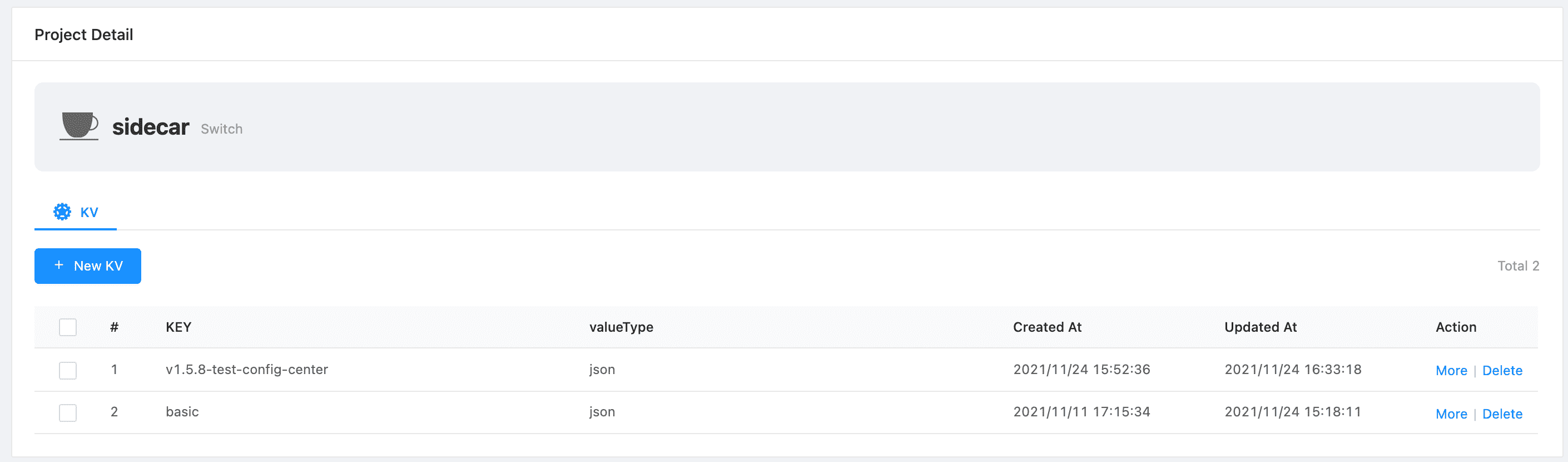
Project Detail #
After clicking on the specific project card, we can enter the details under the project and view the configuration list under the project.
In addition to viewing the project configuration list, here we can also give the project
KV Detail #
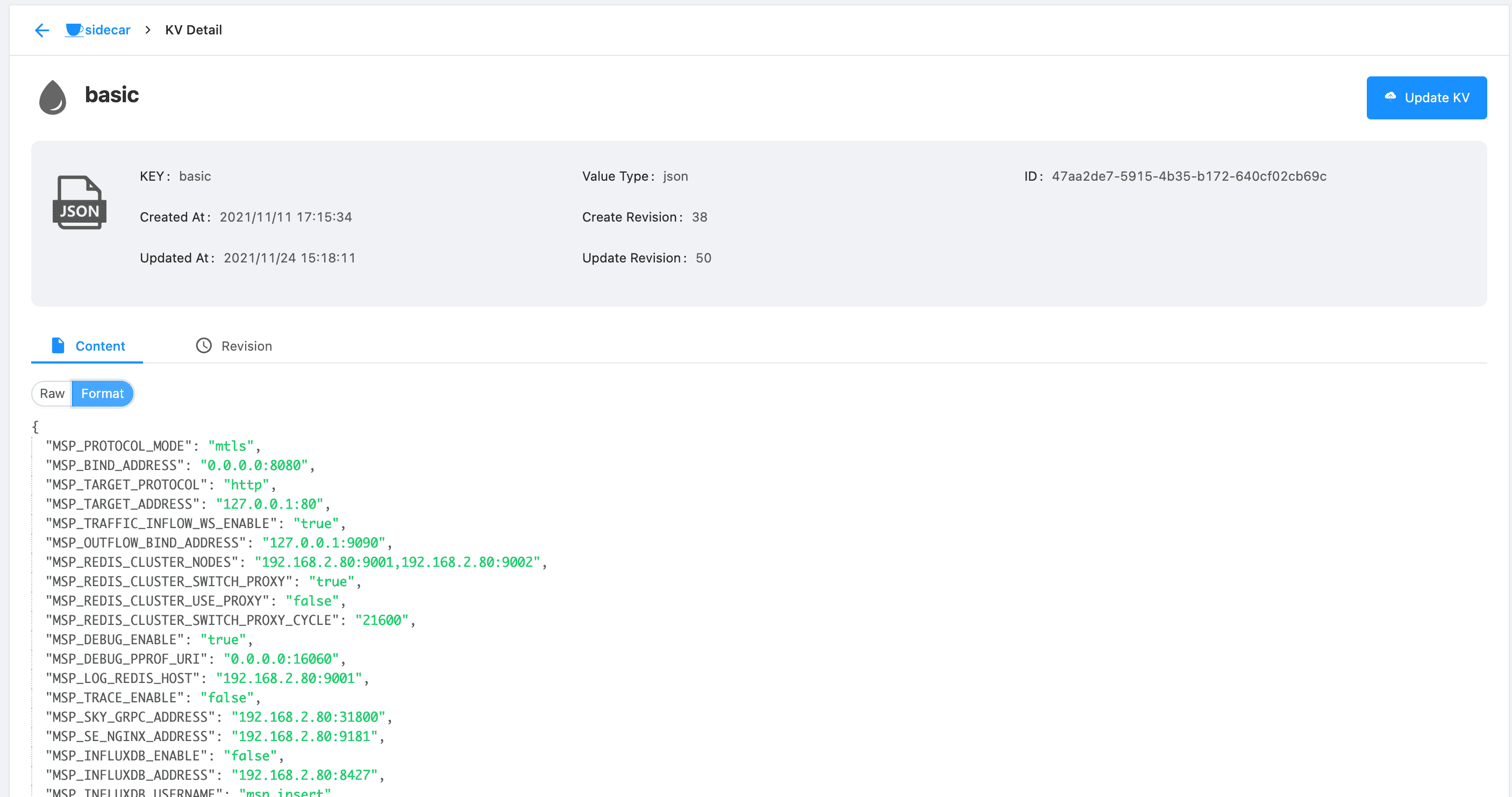
The configuration center displays the current configuration information.
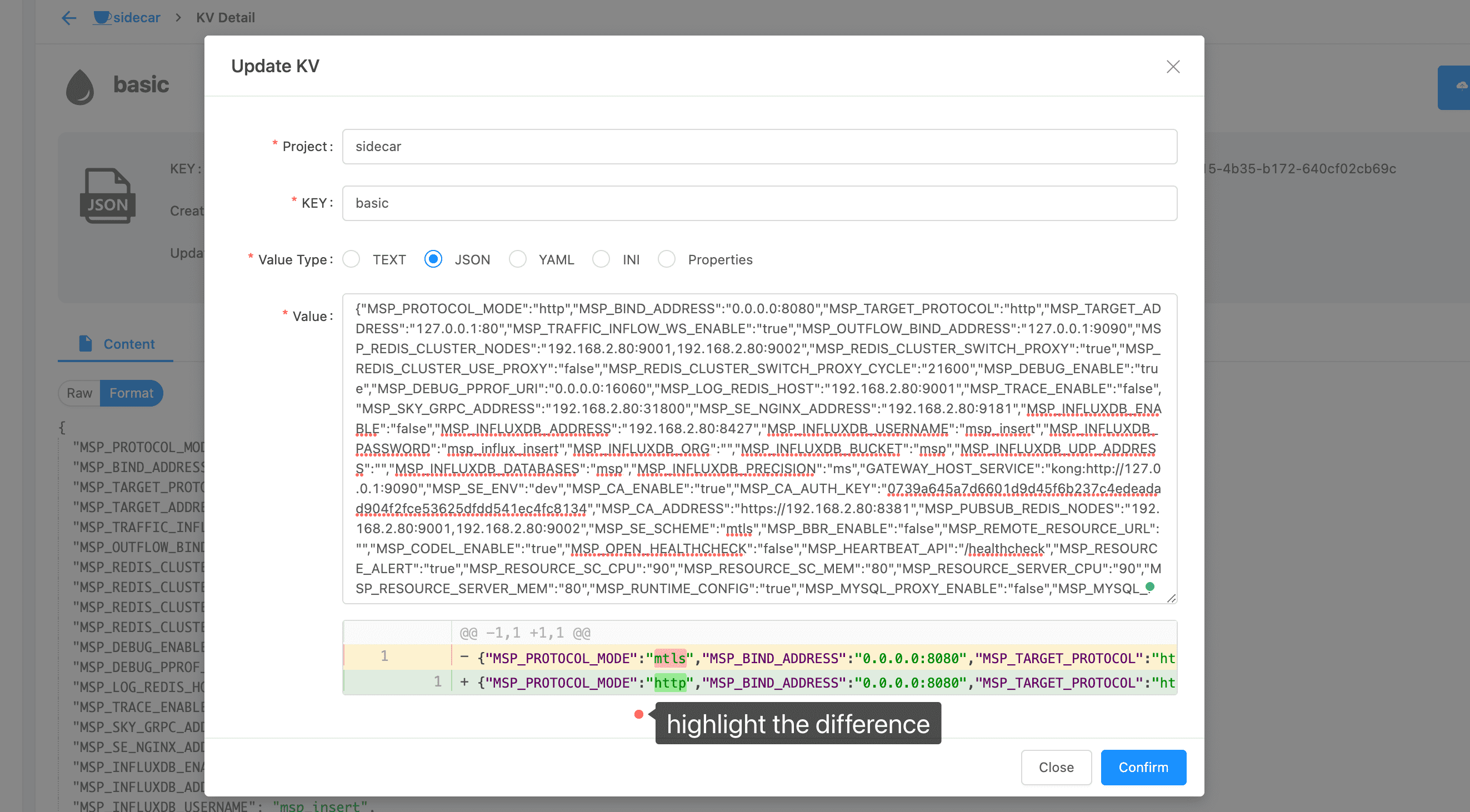
Update KV #
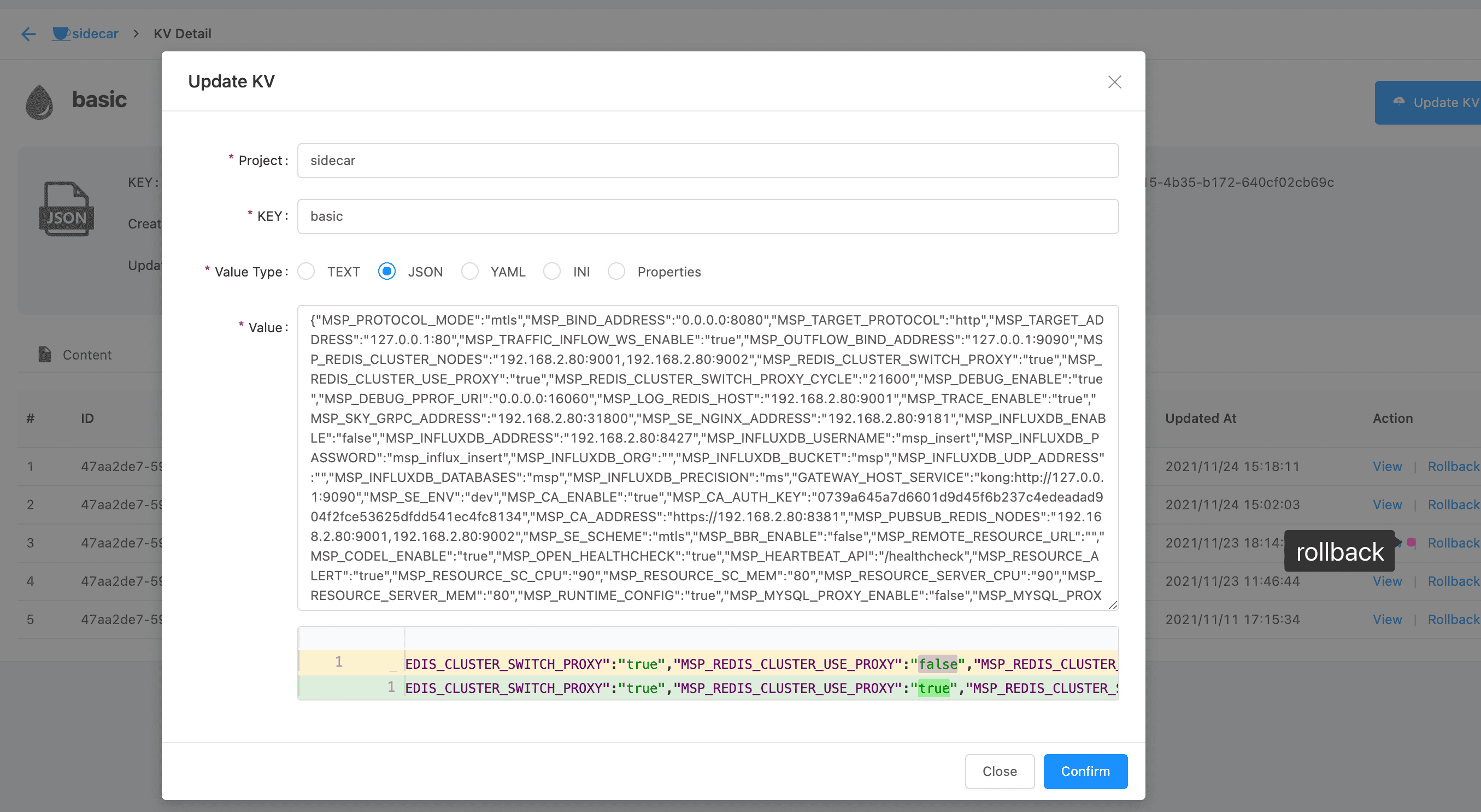
Click “Update KV”, we can make changes to the current configuration. In the process of configuration modification, the platform will highlight the changed content.
Revision #
Through the configuration version, we can see the historical modification status of the configuration, including the specific configuration details of each version. In addition, we can also roll back the configuration to the specified version.
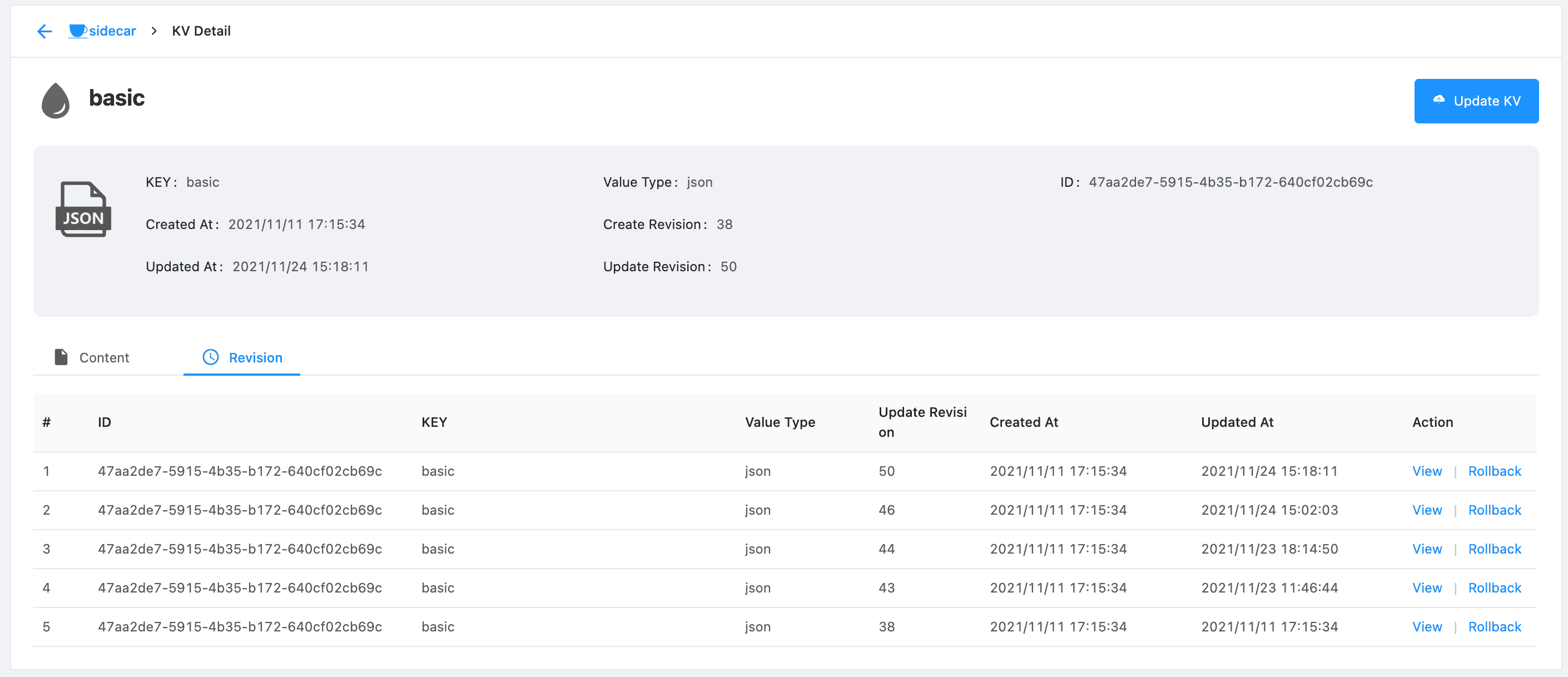
Click “rollback”, we can apply the configuration of this version as the latest configuration.