Traffic Route #
With the help of traffic route, we can carry out different deployment modes.
Canary Deployment #
Description #
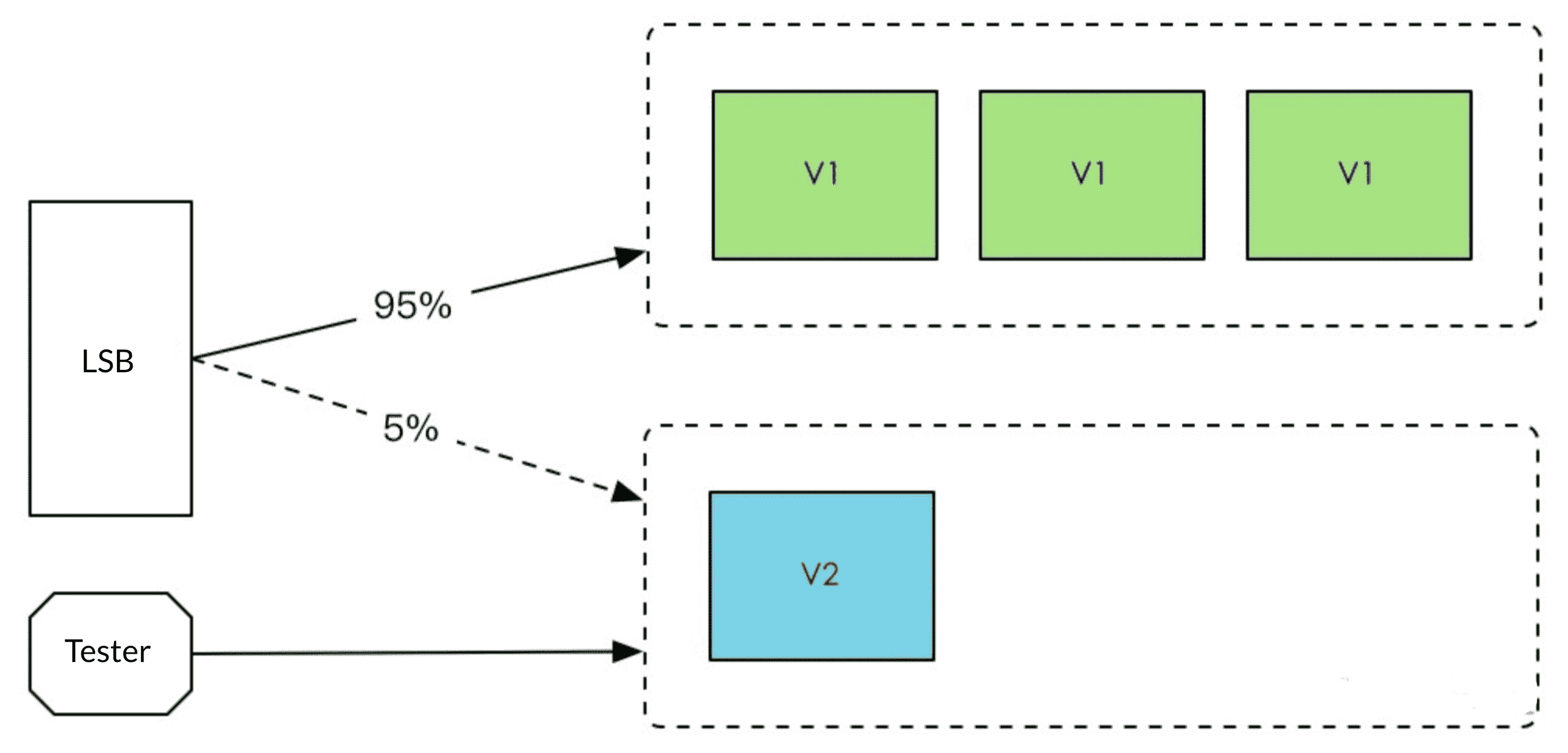
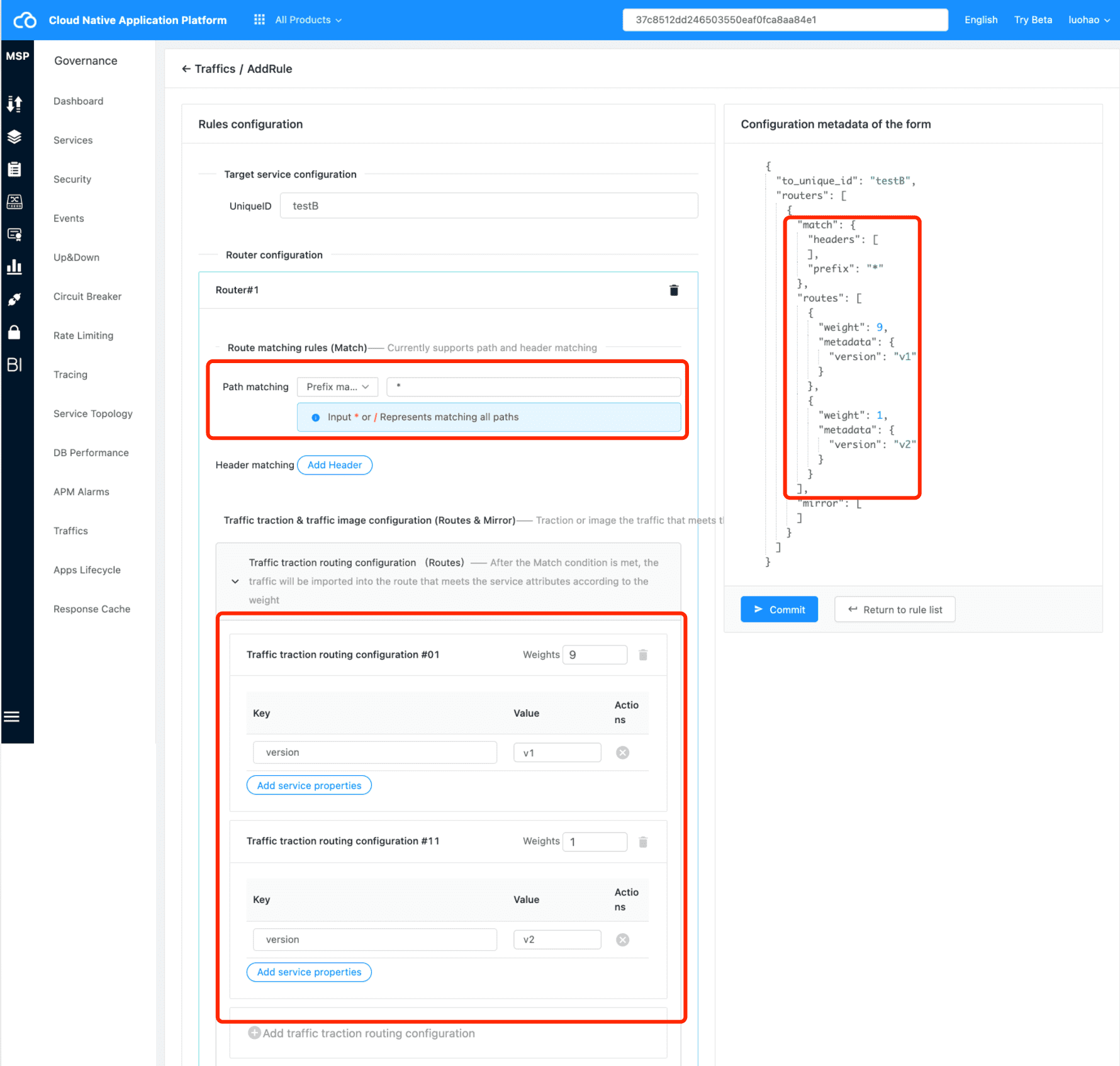
A calls B, and after B release V2, allow 10% traffic to V2. After the 10% traffic runs ok, increase the V2 instances and traffic percent. After all traffics runs ok in V2, we can offline the old version service, and finish the deployment.
Deployment Steps #
- Config traffic route before deploying v2
{
    "to_unique_id": "testBBB",
    "last_update_time": 1618458126111,
    "routers": [
        {
            "match": {
                "prefix": "*" # Match all traffic
            },
            "routes": [
              	{
                    "metadata": {
                        "version": "v1.0"
                    },
                    "weight": 90 # 90% from v1
                },
                {
                    "metadata": {
                        "version": "v2.0"
                    },
                    "weight": 10 # 10% from v2
                }
            ]
        }
    ]
}
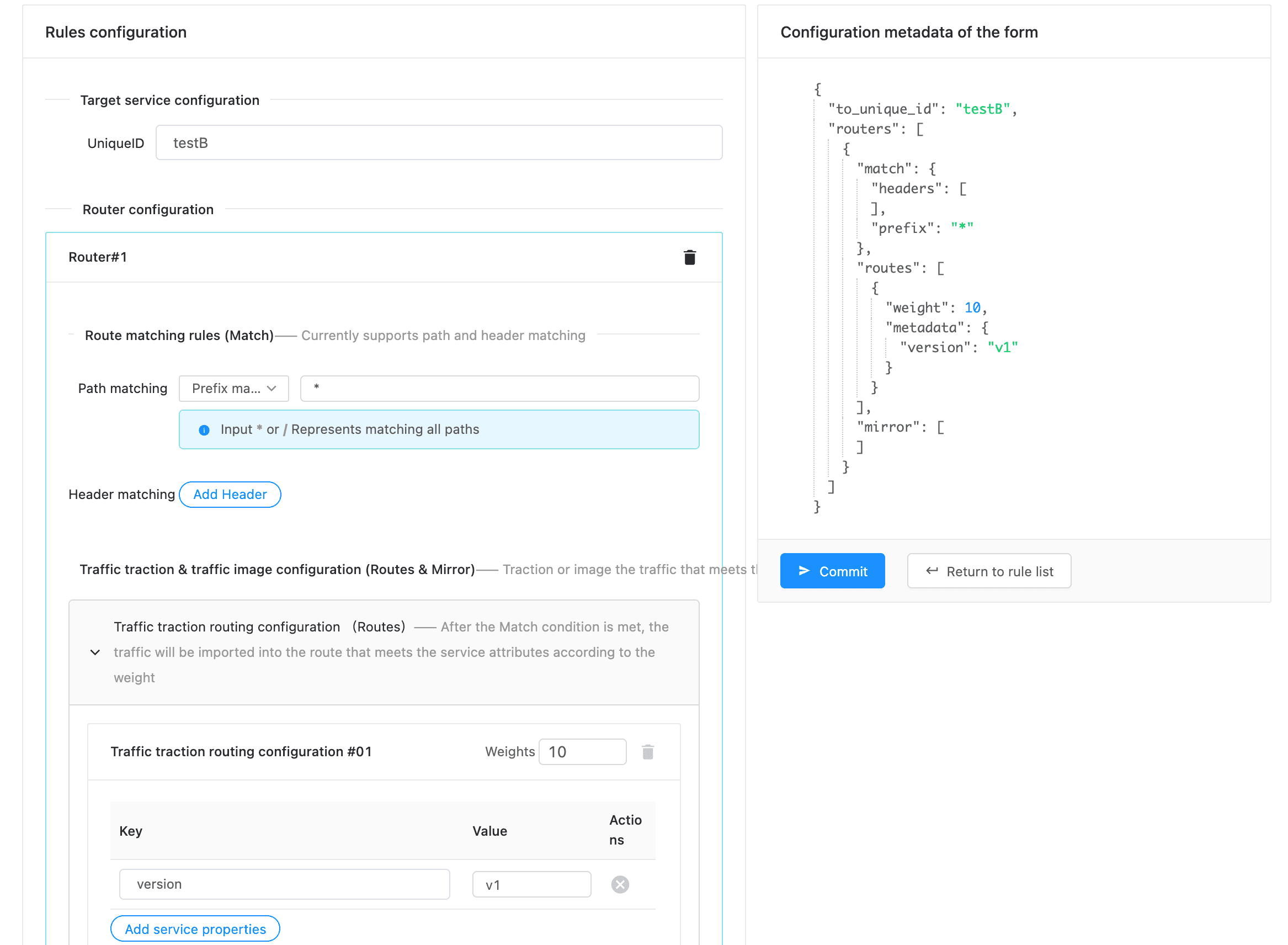
prefix: "*"means match all trafficroute.metadata.versionmatch the specified version ,route.weightmatch the LSB weightroute.metadata.version:v2.0load 10% traffic
- After step1, if we release v2, the v2 will take 10% traffic.
We can increase v2 weight from 10% to 100%.
{
    "to_unique_id": "testBBB",
    "last_update_time": 1618458126111,
    "routers": [
        {
            "match": {
                "prefix": "*" # Match all traffic
            },
            "routes": [
              	{
                    "metadata": {
                        "version": "v1.0"
                    },
                    "weight": 60 # v1 from 100 to 0
                },
                {
                    "metadata": {
                        "version": "v2.0"
                    },
                    "weight": 40 # v2 from 10 to 100
                }
            ]
        }
    ]
}
- After step2, v2 takes all traffic. And we can offline v1, also we can delete the traffic route rule if you like.
- Finish canary deployment
Platform Configuration #
Blue Green Deployment #
Description #
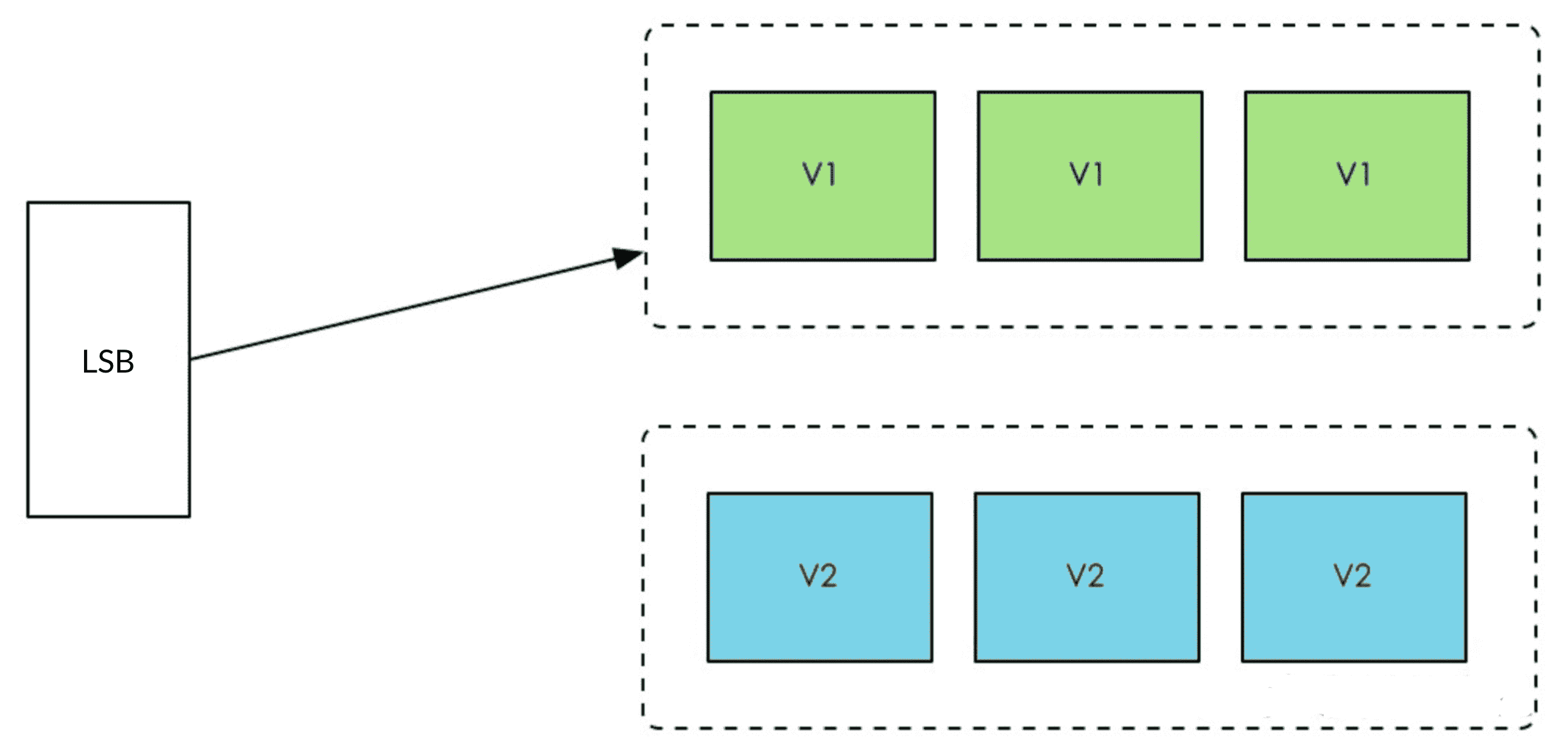
The blue-green deployment refers to running two versions of applications at the same time. As shown in the figure above, during blue-green deployment, the old version is not stopped, but a new version is directly deployed. After the new version runs, the traffic is switched to the new version. In case of abnormal traffic, switch the traffic back to the original version
Deployment Steps #
- Config Traffic Route before deploying v2
{
    "to_unique_id": "testBBB",
    "last_update_time": 1618458126222,
    "routers": [
        {
            "match": {
                "prefix": "*" # Match all traffic
            },
            "routes": [
              	{
                    "metadata": {
                        "version": "v1.0" # switch the version to adjust traffic dynamically
                    },
                    "weight": 100 #  v1.0 takes all traffic(100%)
                }
            ]
        }
    ]
}
prefix: "*"means match all trafficroute.metadata.versionmatch the specified version,route.weightmatch the weight of load
- Configuation after deploying v2, and v2 takes all traffic
{
    "to_unique_id": "testBBB",
    "last_update_time": 1618458126333,
    "routers": [
        {
            "match": {
                "prefix": "*" # Match all traffic
            },
            "routes": [
              	{
                    "metadata": {
                        "version": "v2.0" # switch the version to adjust traffic dynamically
                    },
                    "weight": 100 # v2 takes 100% traffic
                }
            ]
        }
    ]
}
- You can rollback to v1 by configuration if the new version occurs error.
- If new version runs ok, you can offline old version(v1), and also you can delete the rule if you like.
- Finish Blue Green Development.
Platform Configuration #
A/B Test #
Description #
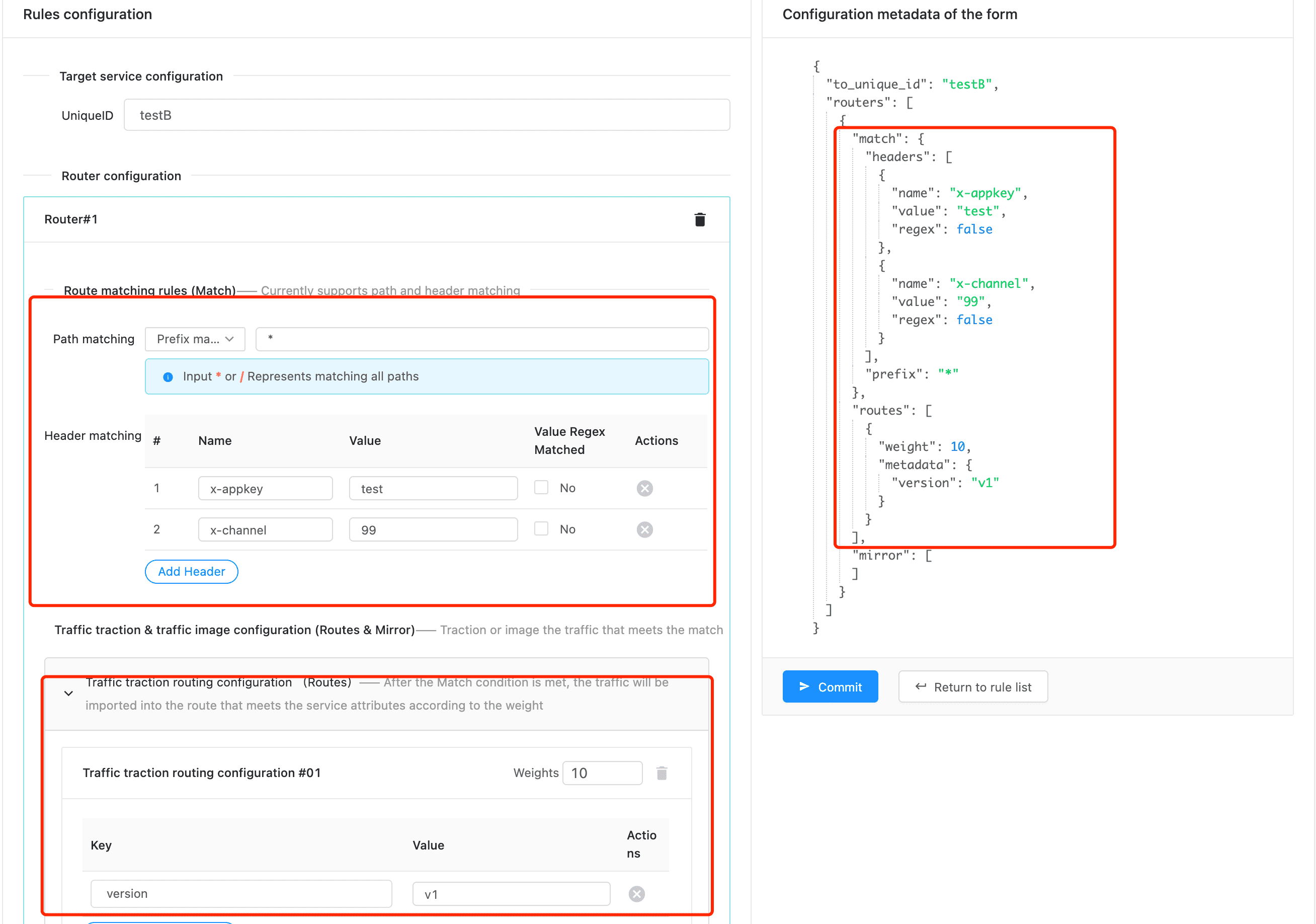
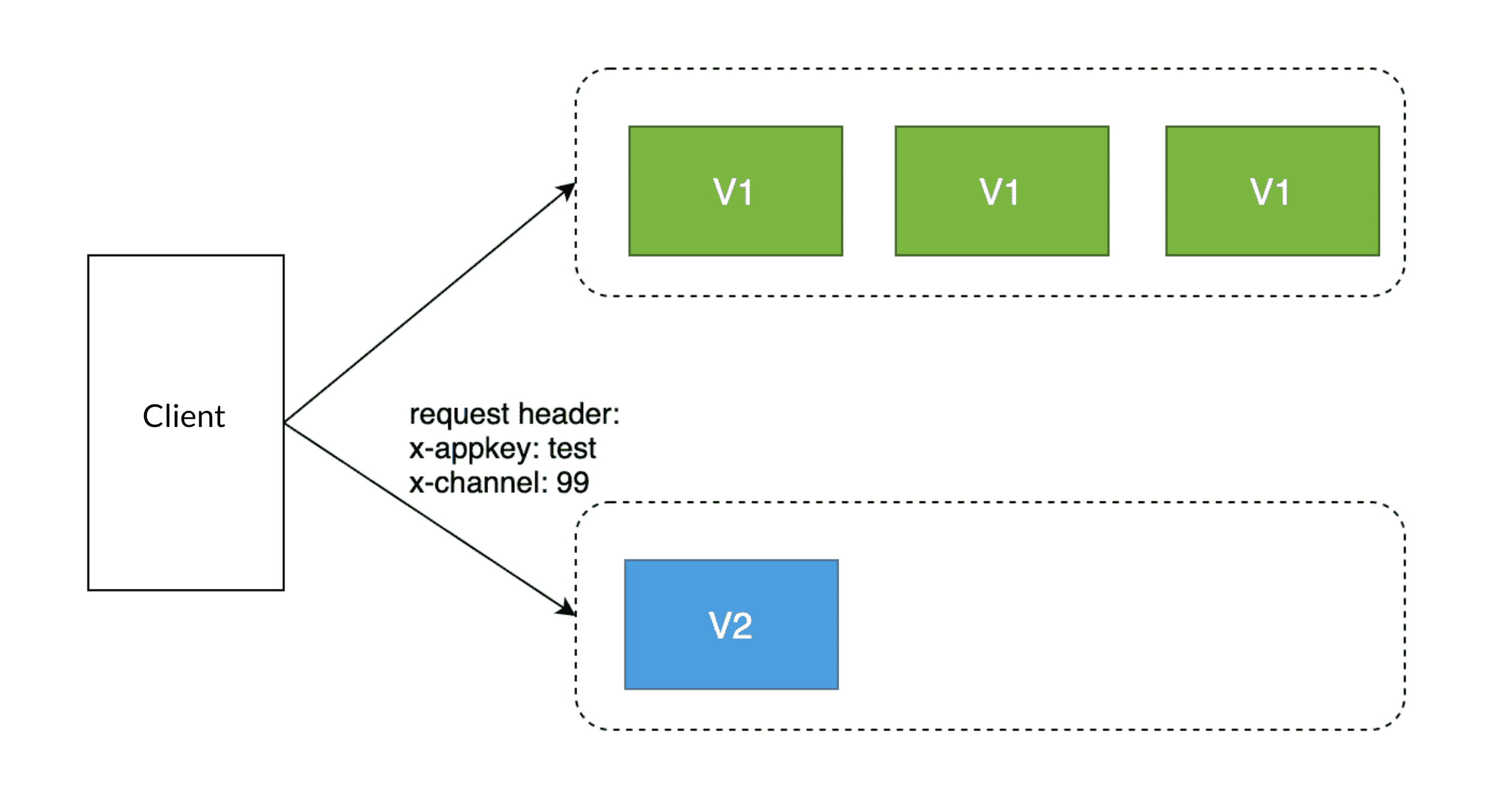
Route specified traffic to v2. In this example, we route the traffic to v2 which appkey=test, channel=99,
and left traffics still route to v1.
Deployment Steps #
- Config Traffic Route before deploying v2
 {
    "to_unique_id":"testBBB",
    "last_update_time": 1600000123123,
    "routers": [
      {
        "match":{
          "prefix": "*"
        },
        "route":[
          {
            "metadata":{
              "version":"v1.0" # v1 takes all traffic
            }
          }
        ]
      }
    ]
  }
- Config Traffic Route after deploying v2
 {
    "to_unique_id":"testBBB",
    "last_update_time": 1600000123123,
    "routers": [
      {
        "match":{
          "headers":[
            {
              "name":  "x-appkey",
              "value": "test", // the value supports regex expression if regex: true
              "regex": false
            },
            {
              "name":  "x-channel",
              "value": "99",
              "regex": false
            },
          ]
        },
        "route":[
          {
            "metadata":{
              "version":"v2.0" # all header matched traffic will route to v2
            }
          }
        ]
      }
    ]
  }
- If the specified traffic tests ok, we can increase more traffic to v2.
- We can offline v1 if all traffic has been routed to v2, and also you can delete the rule if you like.
- Finish A/B test.
Platform Configuration #