Traffic Mirror #
Traffic mirroring can be applied to different deployment scenarios. The following is explained by two common examples.
Example1: Mirror Development Env Traffic #
Description #
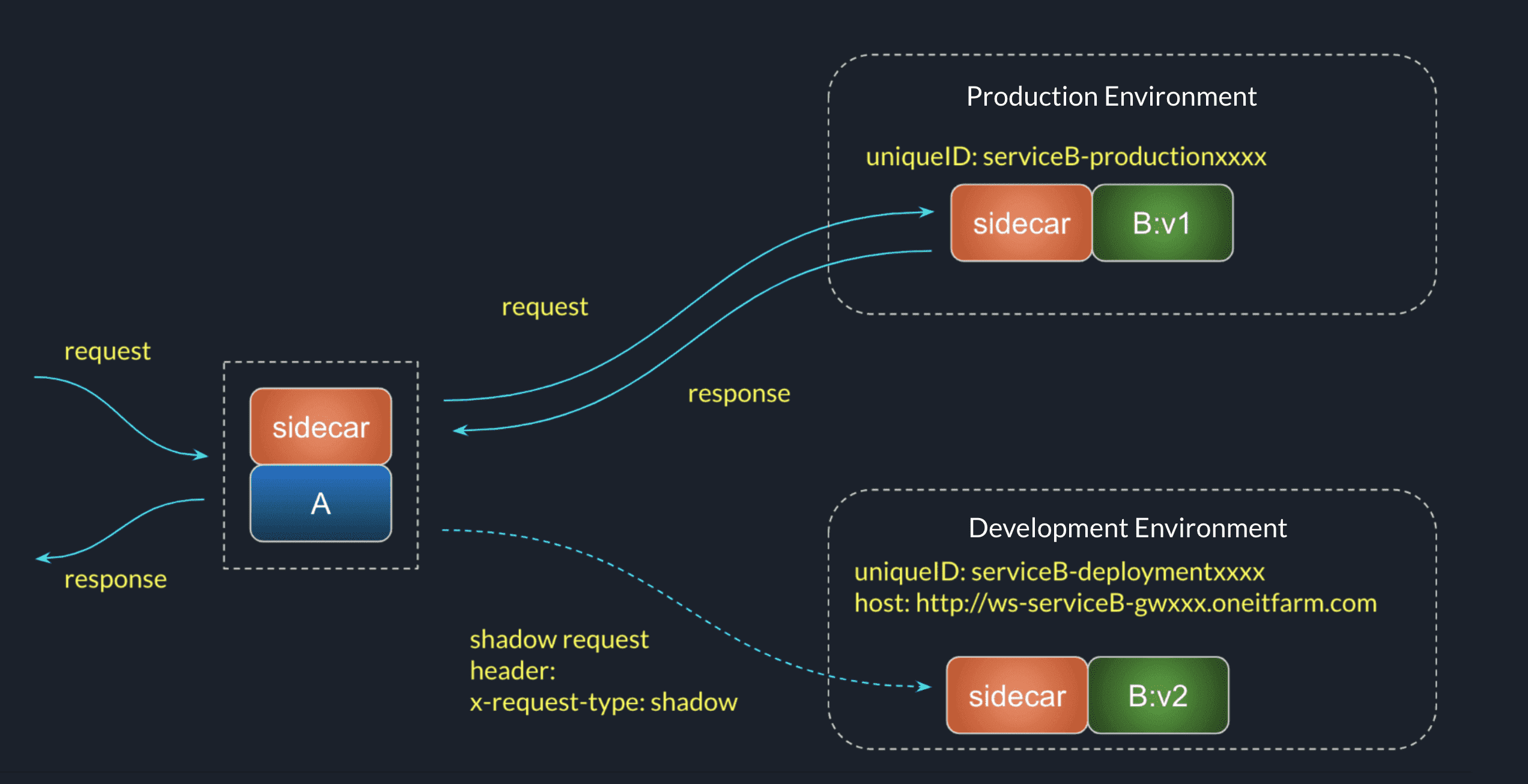
ServiceA calls ServiceB, and we want to upgrade ServiceB from v1 to v2. So, before we release ServiceB v2, we want to test the function in develpment container.
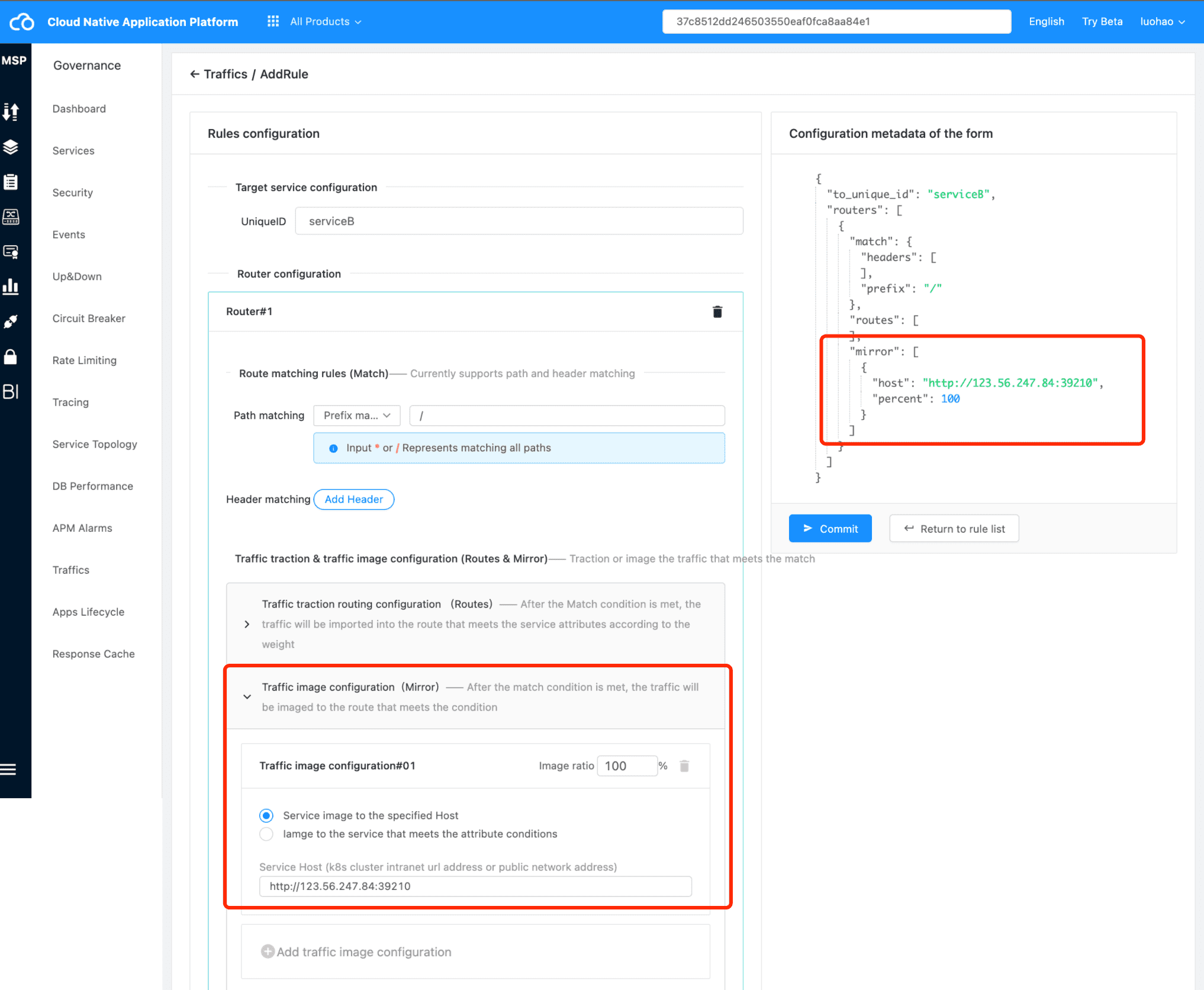
v2 has an public access address http://ws-serviceB-gwxxx.oneitfarm.com, and we can use ’traffic mirror’ to copy traffic from production env to development env container.
Configuration Example #
JSON Example #
{
  "to_unique_id":"sal2000189a2f457210330eaeomi002t", # serviceB uniqueID in production env
  "last_update_time": 1600000123123,
  "routers": [
    {
      "match":{
        "prefix":"*"
      },
      "routes": [
        {
          "weight": 100,
          "metadata": {
            "version": "0.2.17"
          }
        }
      ],
      "mirror":[
        {
          "host":"http://123.56.247.84:39210", # the public address for receiving traffic
          "percent":100 # Mirror All Traffics
        }
      ]
    }
  ]
}
Platform Example #
Example2: Blue Green Deployment #
Description #
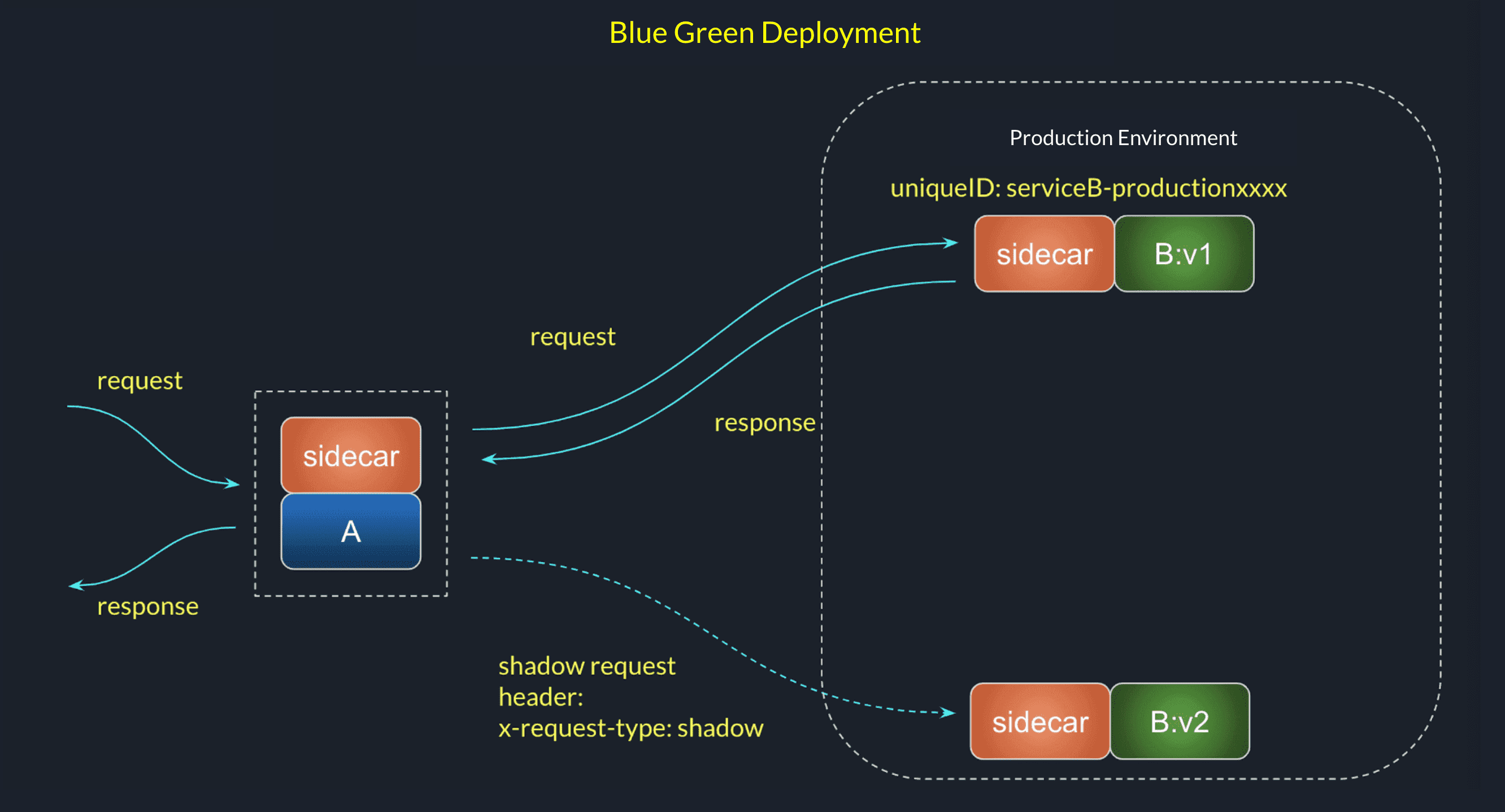
ServiceA calls ServiceB, and we want to upgrade ServiceB from v1 to v2. Firstly, we release V2 to production env, and do not receive bussiness traffic. We check the v2 functions by mirror traffic.
Configuration #
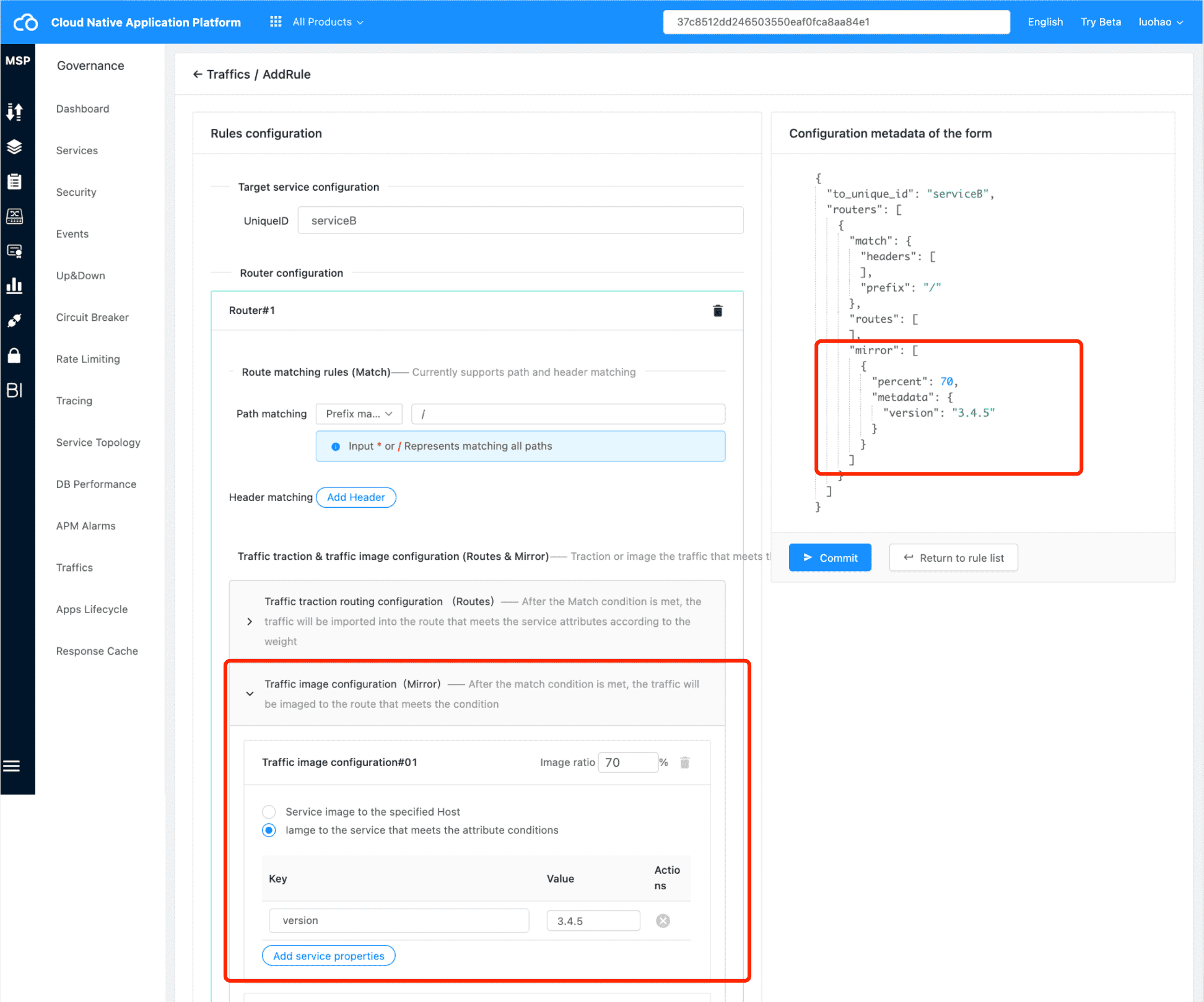
First, configure traffic rules before deploying V2 version. All traffic will follow V1 version to prevent automatic load balancing after V2 goes online; And add image configuration
JSON Example #
{
  "to_unique_id":"sal2000189a2f457210330eaeomi002t",
  "last_update_time": 1600000123123,
  "routers": [
    {
      "match":{
        "prefix":"*"
      },
      "routes": [
        {
          "weight": 100,
          "metadata": {
            "version": "0.2.17"
          }
        }
      ],
      "mirror":[
        {
          "metadata": {
            "version": "3.4.5" # mirror to the same uniqueId, and version 3.4.5
          },
          "percent":70 # 70% mirror traffics
        }
      ]
    }
  ]
}
Platform Example #
Others #
In addition to the above two usage methods, the traffic image can also be used as a way to assist in troubleshooting online problems: when the online service fails to locate the problem in the exception log, the traffic image can be configured to mirror the characteristic traffic to the test address of a public network, and print the request log at the test address; View the interface request data, header header header, etc. sent to the service to locate specific problems. After the problem is located, delete the image configuration, which will not have any impact on online traffic.