Security #
Service security control is used for security access control of services, including
- Management of service certificates (enable, disable, certificate chain)
- Switching of communication mode (HTTP, HTTPS, MTLs)
Through this function, the communication security of the service can be further guaranteed.
Overview #
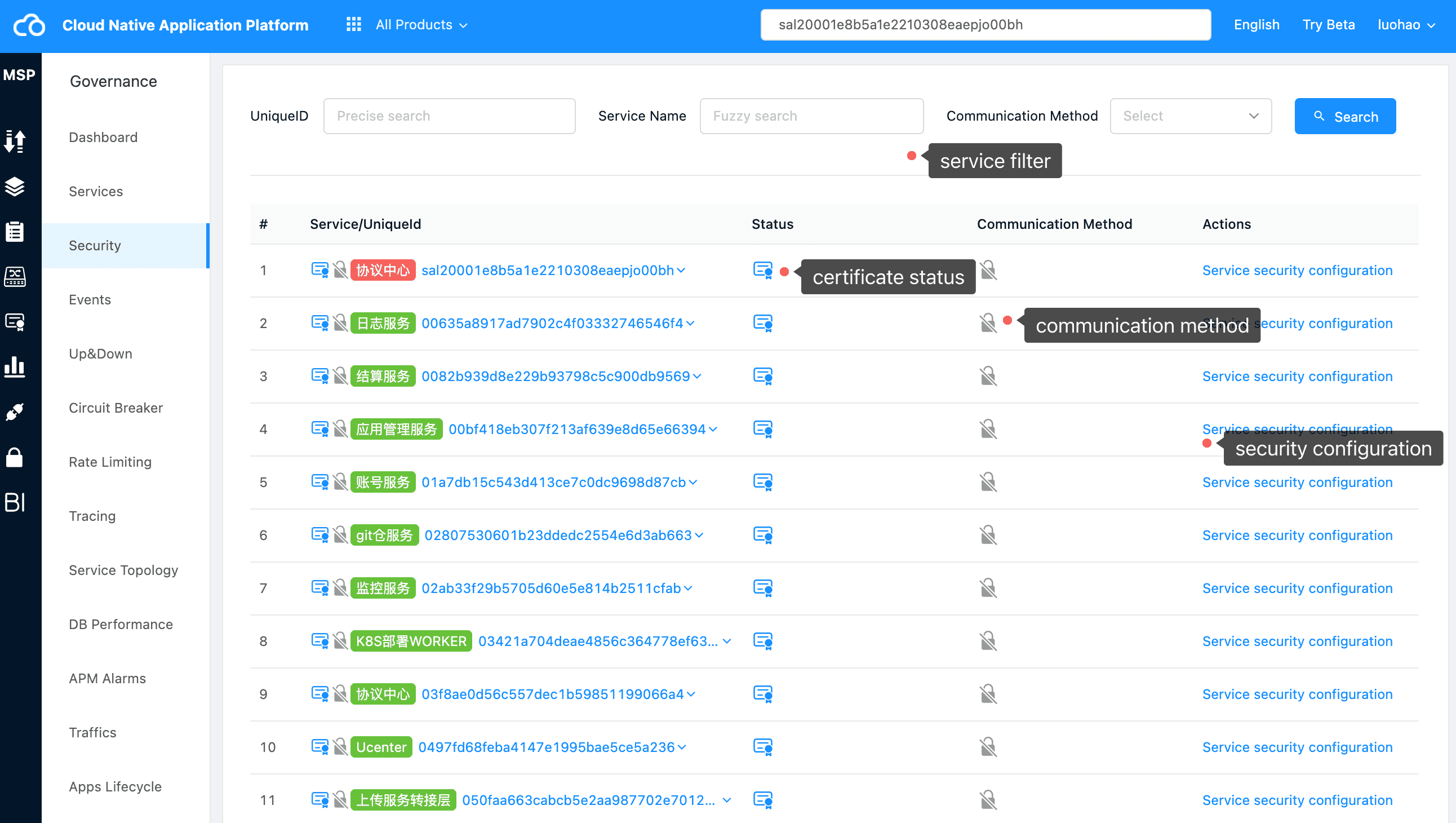
Through this module, we can see the current security configuration of the service. At the same time, we can click “service security configuration” to further configure the security policy of the service.
Tips
In addition to entering this page to view and search the service security information of the platform, the service security information is also displayed on the left side of each service component.
Service Security Configuration #
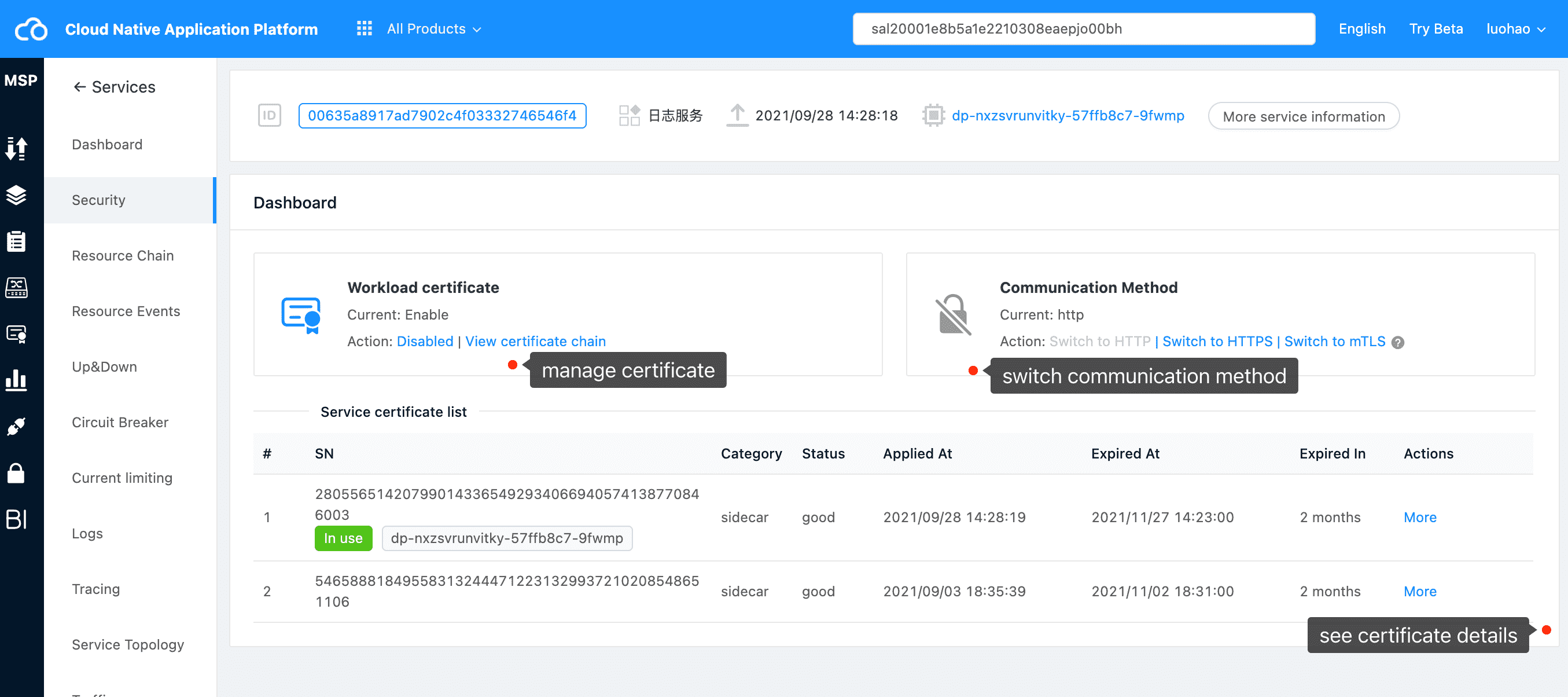
By clicking “service security management” on the “service security control” list page, we can control the security policy of specific services. We can:
- Enable or disable certificates
- Switching communication modes: http, HTTPS, MTLs
- View certificate information, including certificate chain and certificate details
Attention
MTLs communication can be used normally only when the workload certificate is enabled. Using MTLs when the workload certificate is closed will cause communication exceptions.
Certificate Chain #
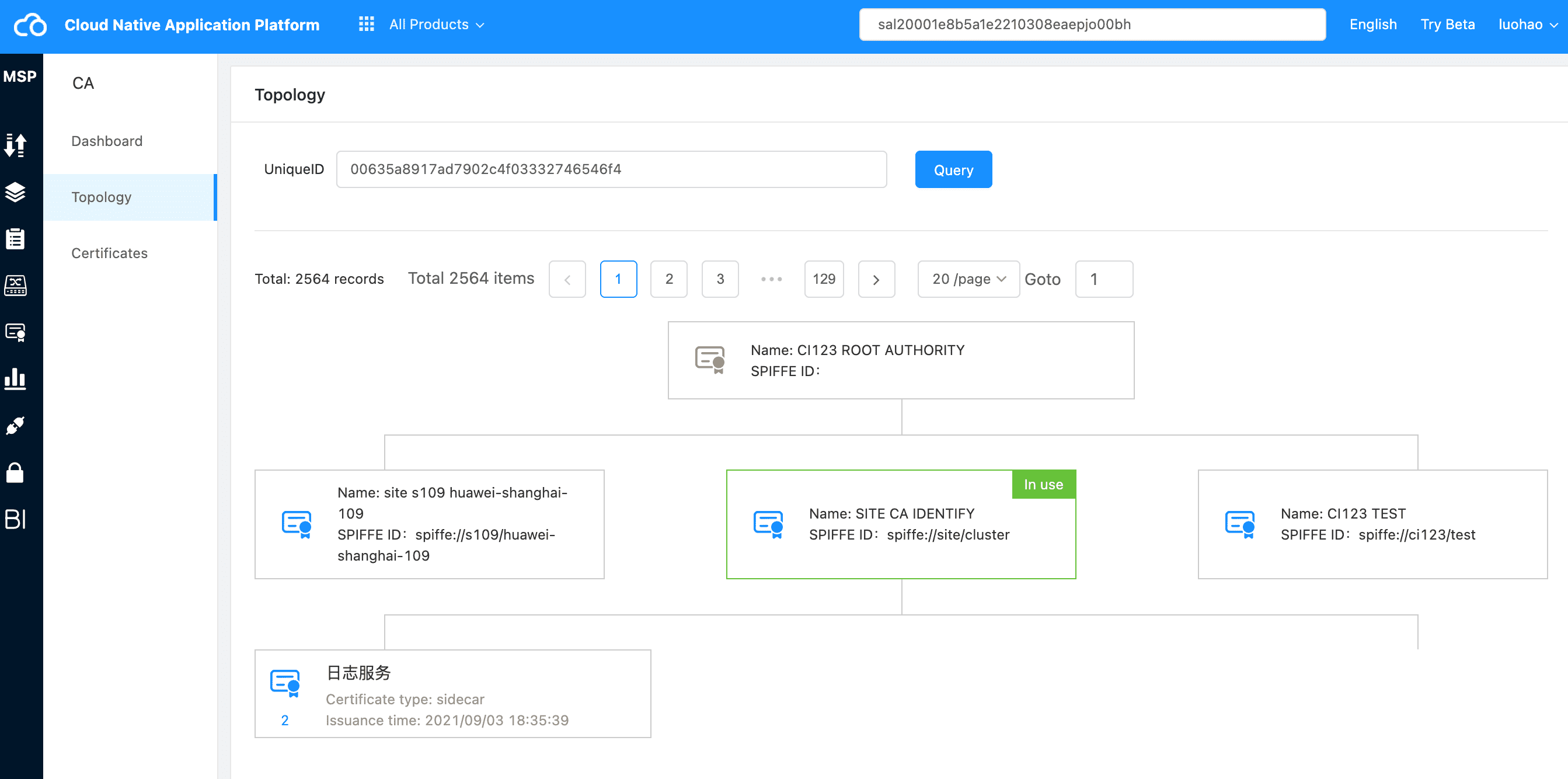
View certificate chain
Certificate Details #
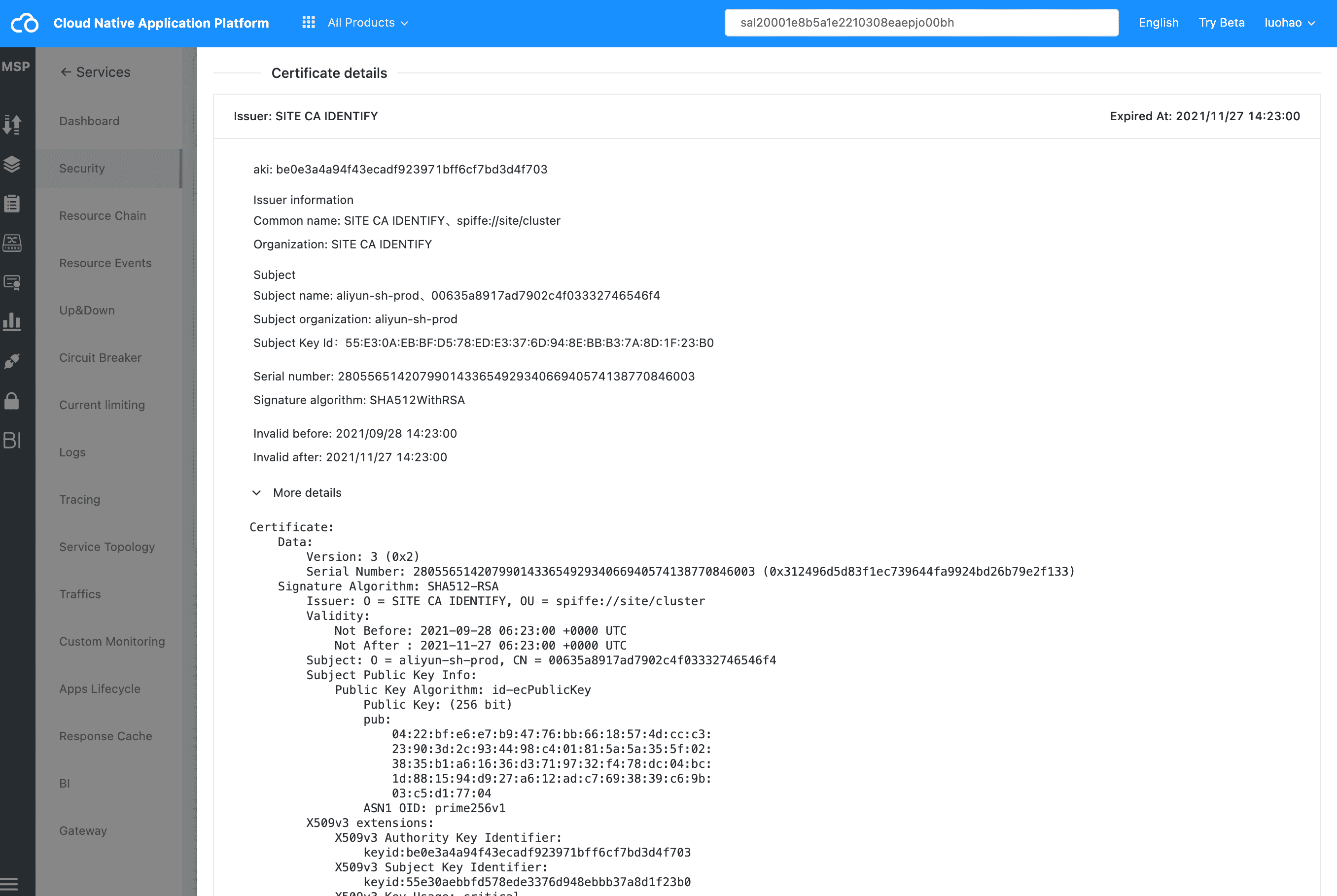
View certificate details
Click the details on the right side of the certificate list or the certificate card of the certificate chain to view the certificate details.