Service Gateway #
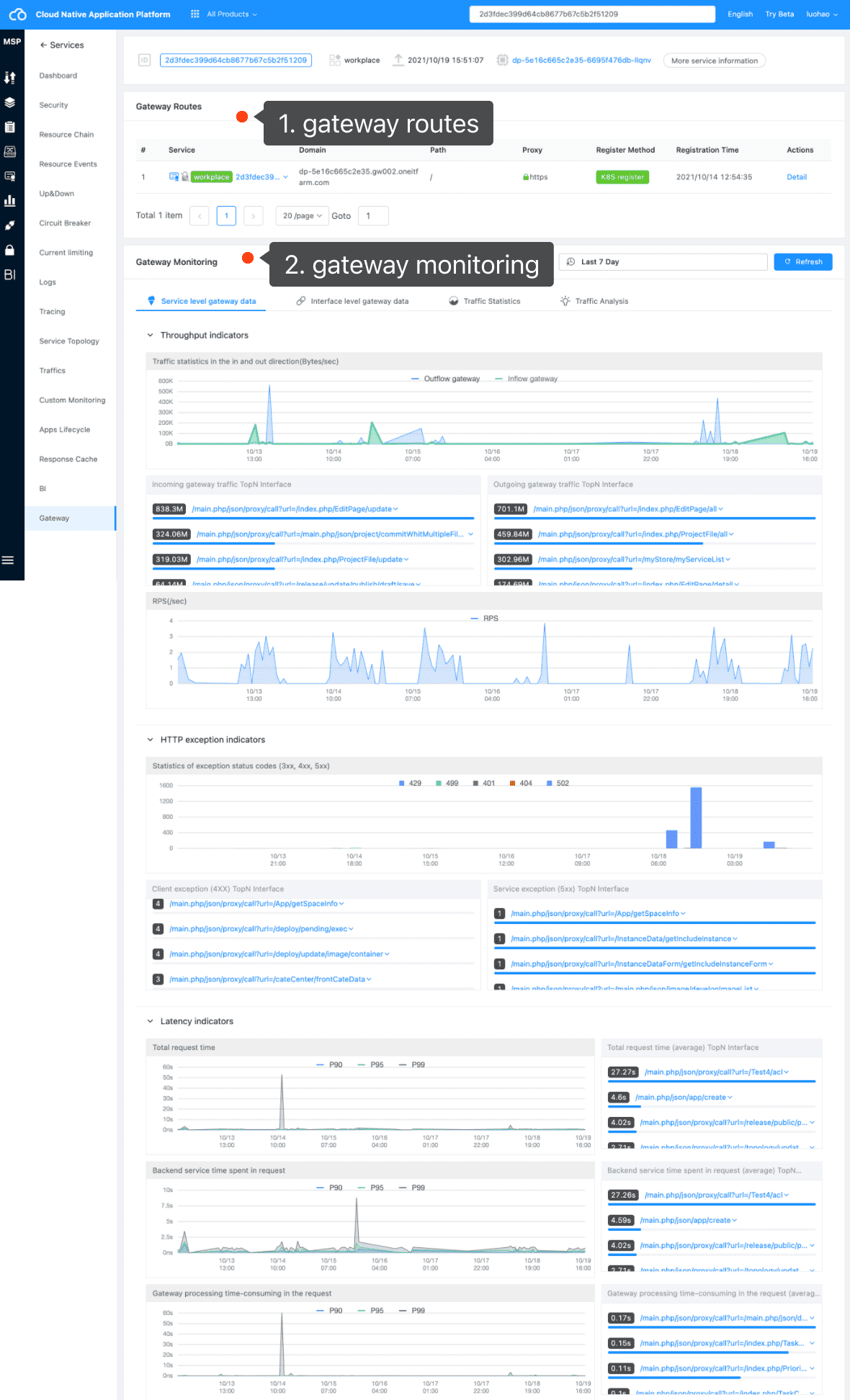
Through “service gateway”, we can observe service related gateway information, including:
- Gateway routing information for service registration
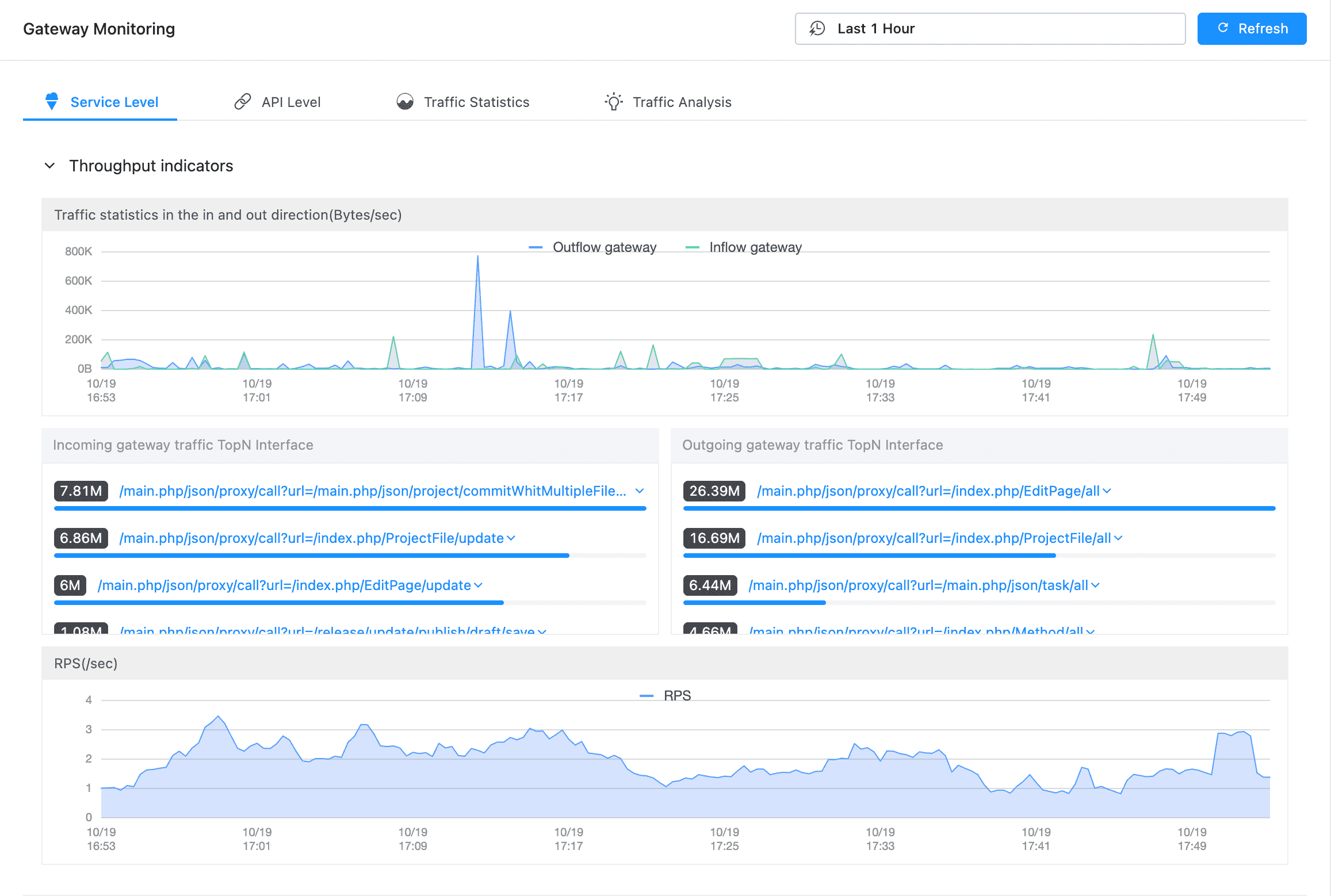
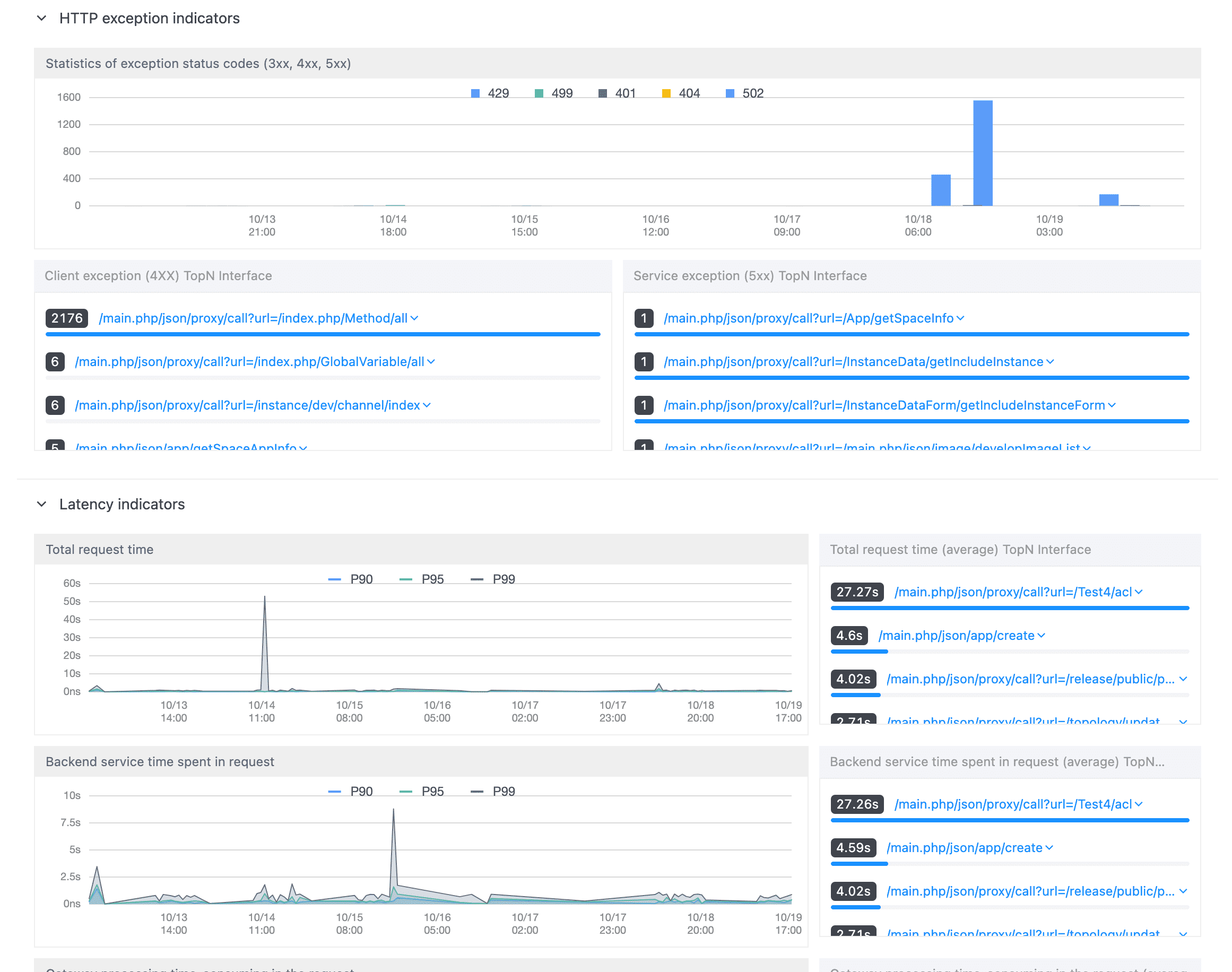
- Gateway monitoring data of the service, including
- Service level data: view data from a service perspective
- Interface level data: view the interface granularity information under the service
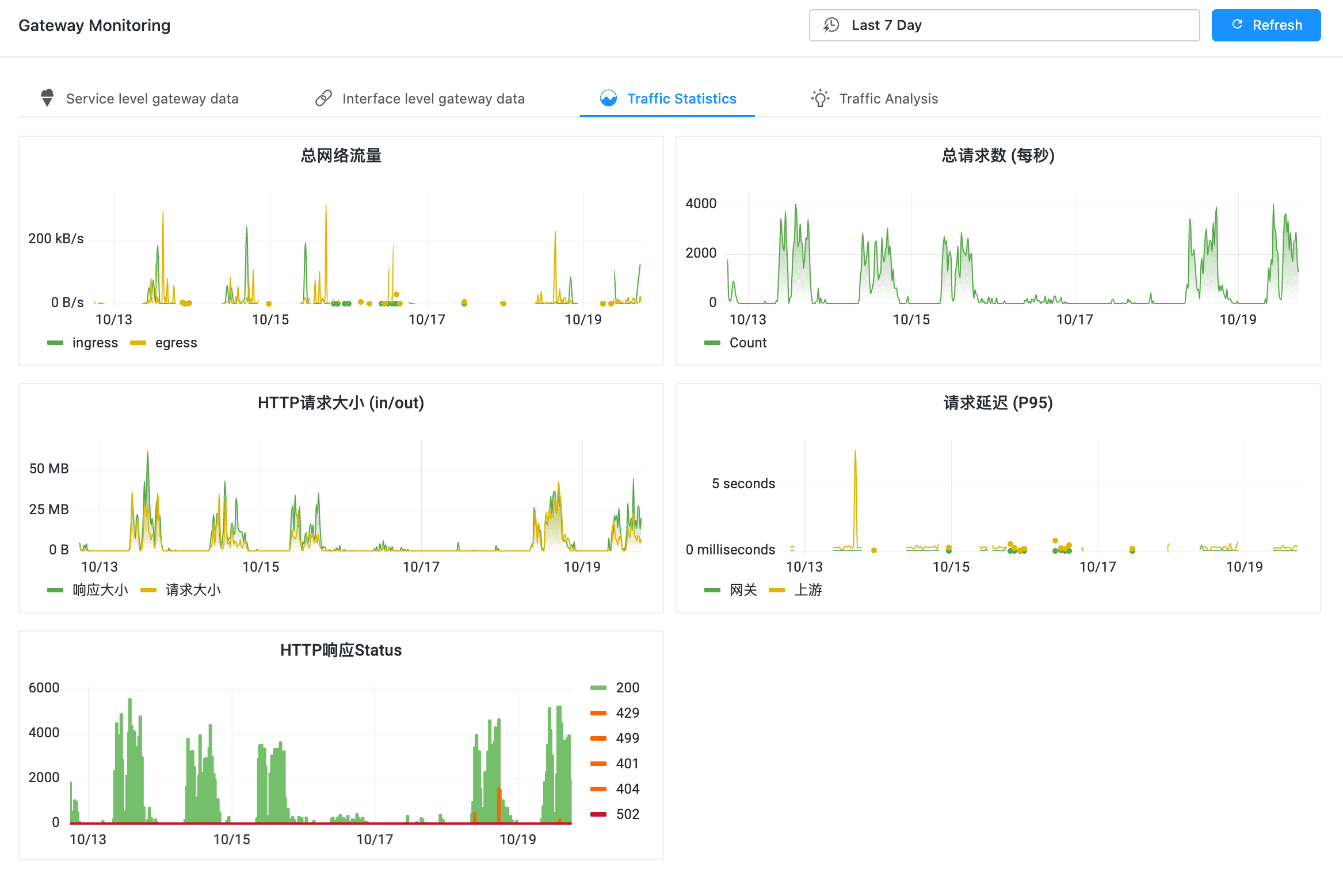
- Traffic statistics: traffic statistics of the service gateway
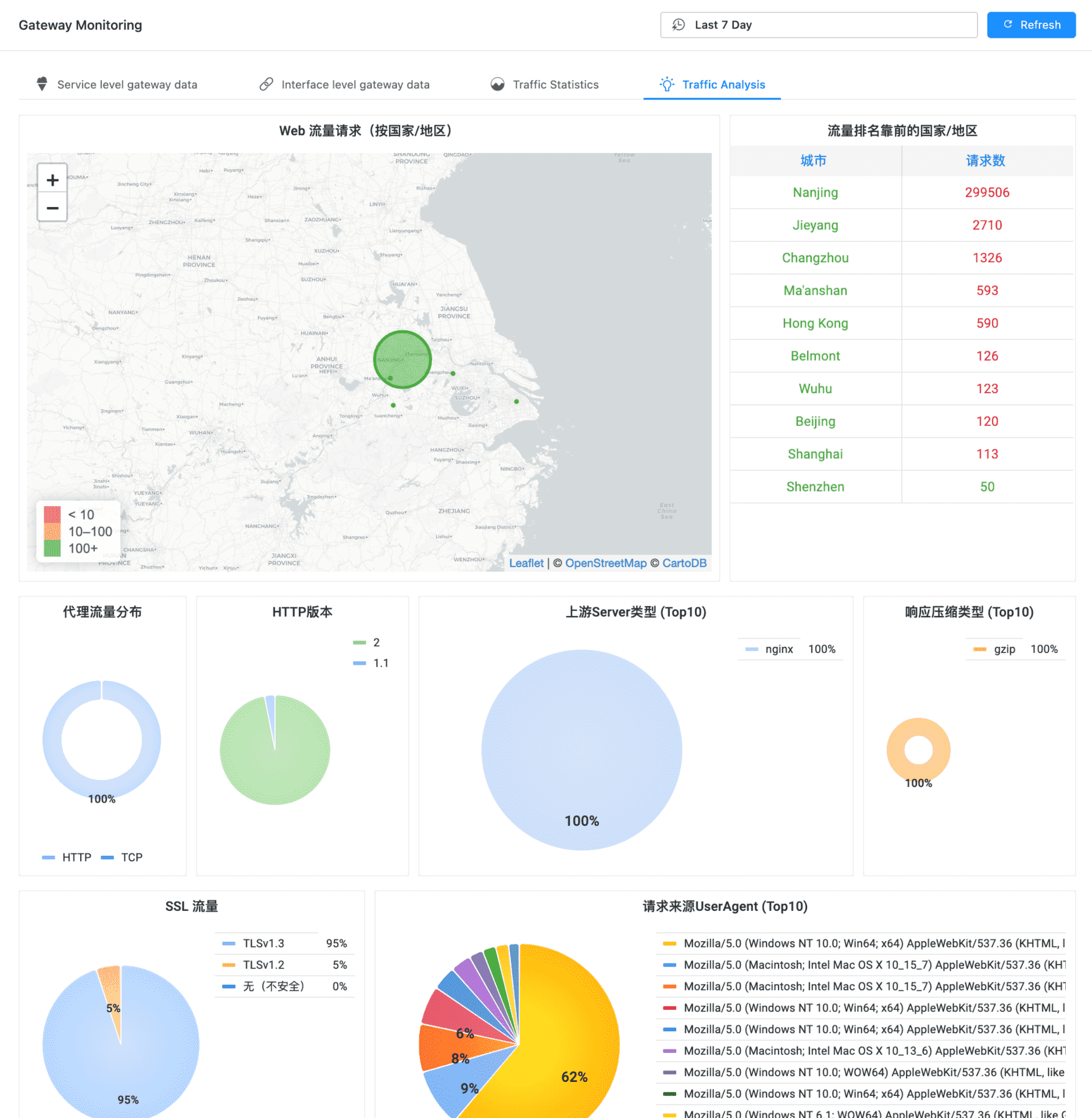
- Traffic analysis: traffic analysis of the service
Gateway Routes #
Route List #
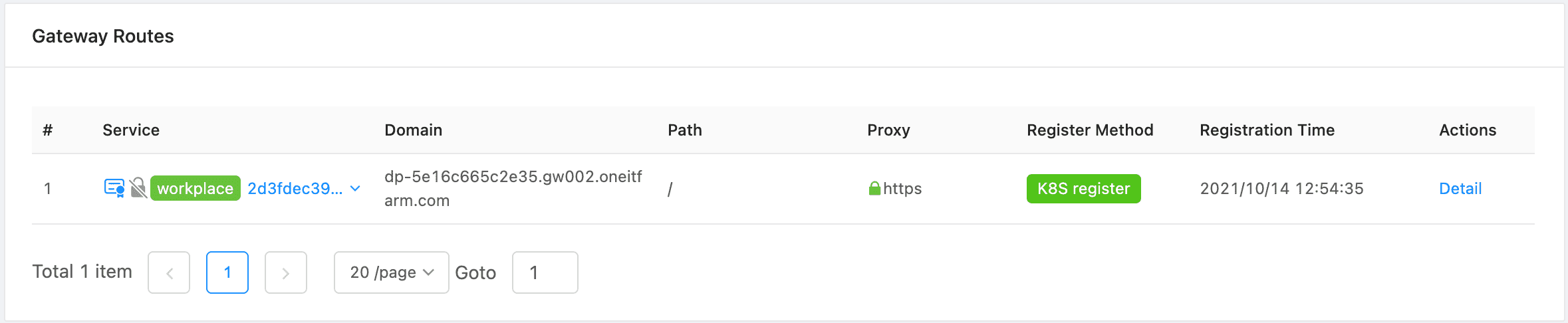
View service routes
Route Detail #
Route Information and Monitoring #
Click “detail” to view the details of the route, including route information and route monitoring information.
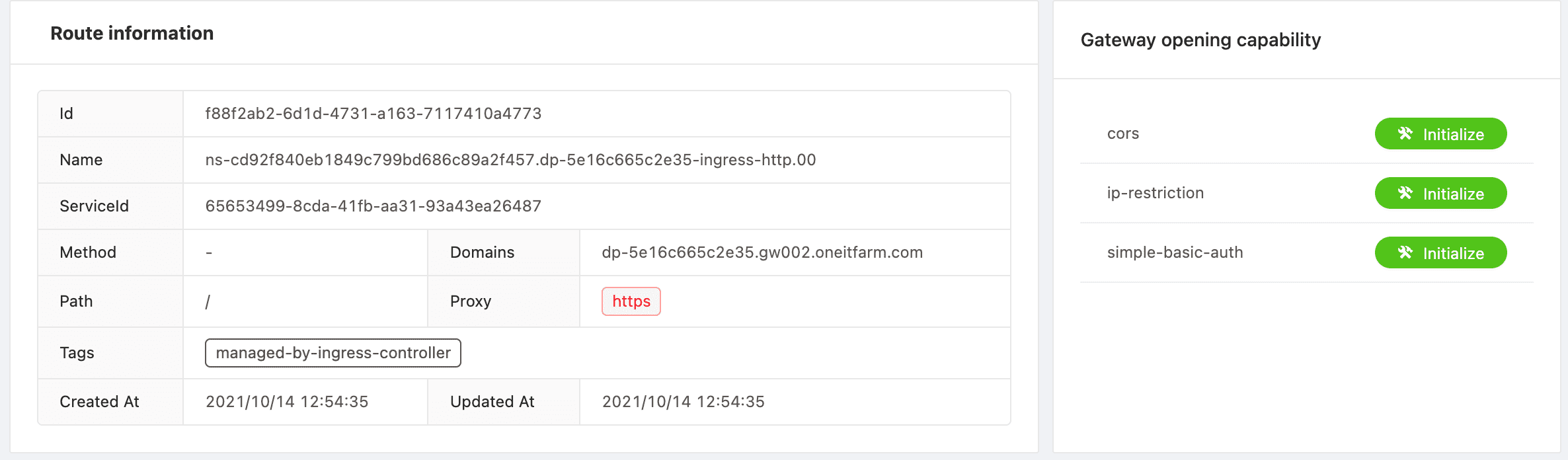
Route detail and monitoring
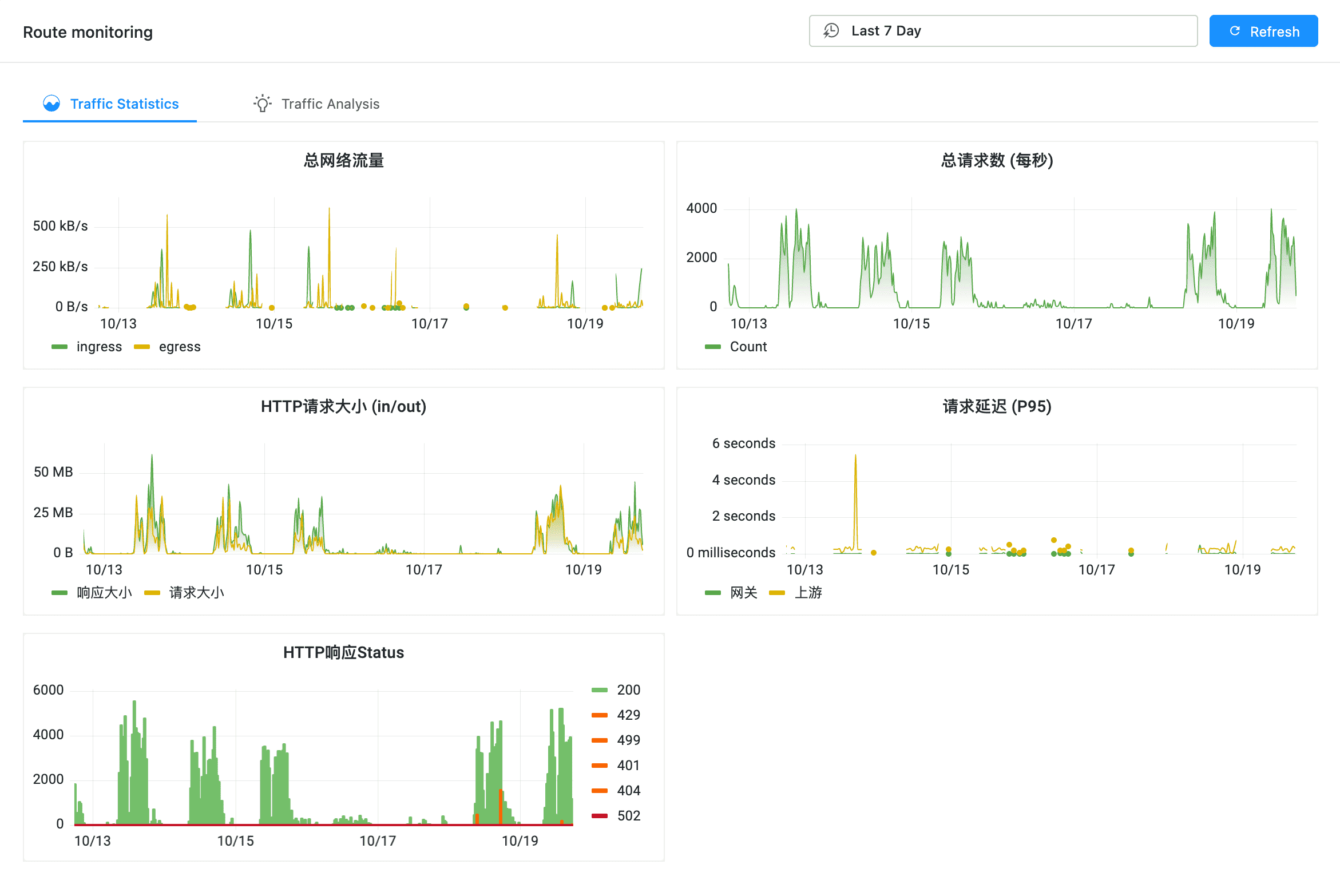
Route Monitoring #
The gateway monitoring Kanban can view the following information:
- Service level gateway data
- Interface domain gateway data
- Flow statistics
- Flow analysis
Tips
The viewing angle of gateway monitoring Kanban information can be “coarse to fine”. That is, first view the service level data. From the service perspective, you can see the interface information contained in the service. Click For a specific interface, you can view the gateway information of the interface.
And also, you can also directly copy the corresponding API address, and then enter the query in “interface level gateway data”.
Service Level #
API Level #
Click the specific API on the statistics page of “service” to view the gateway data of the API.
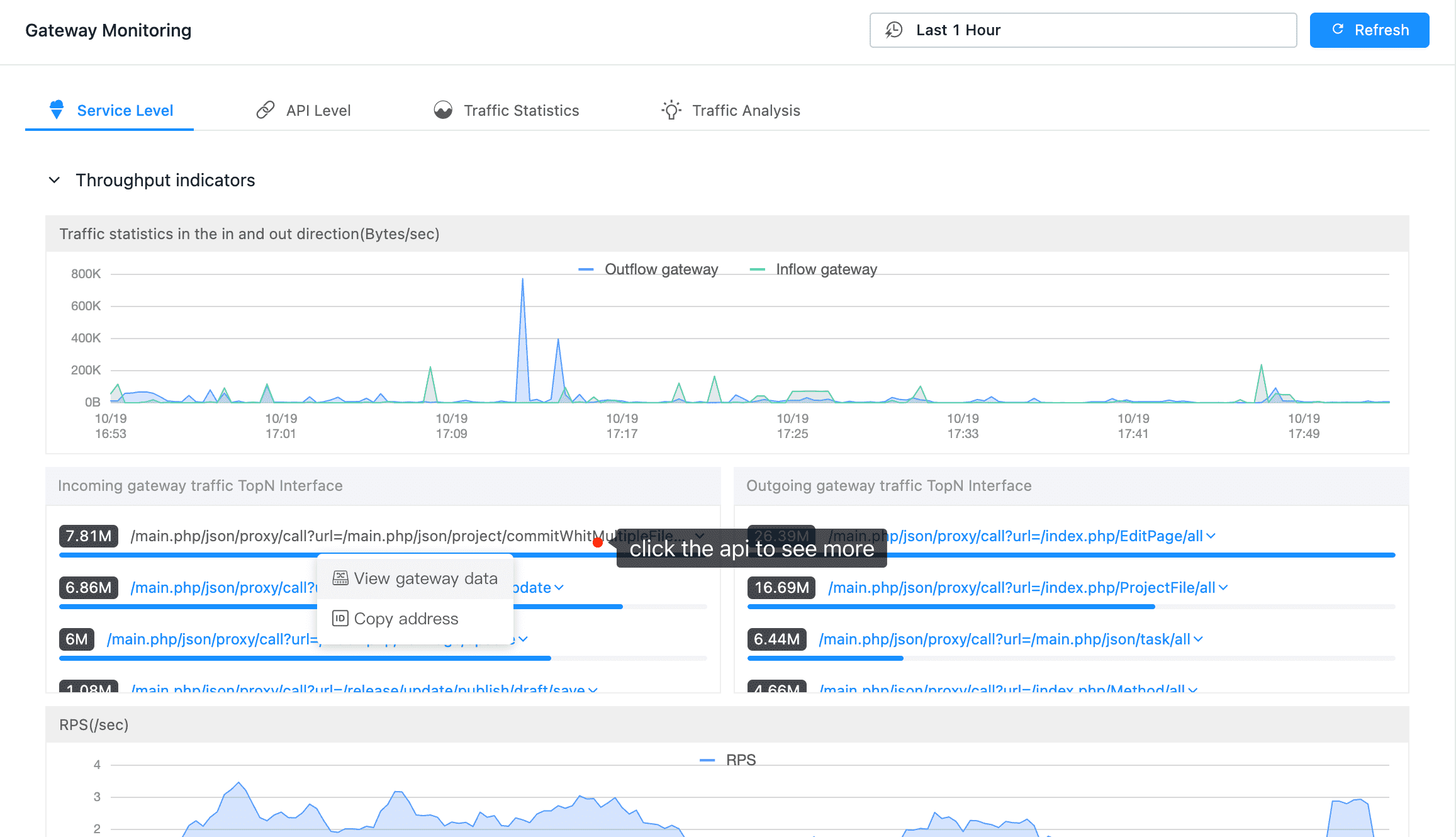
Select an API
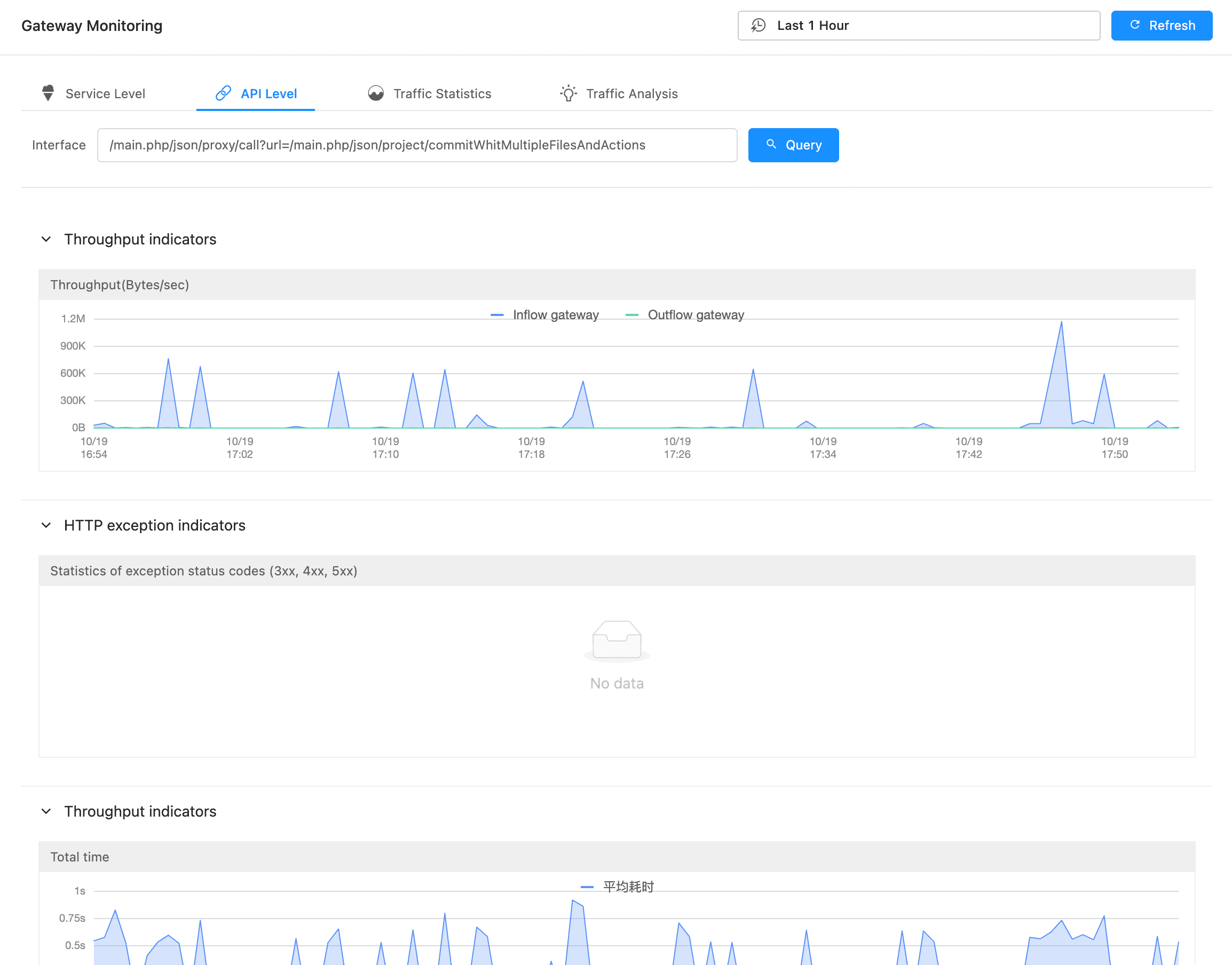
API Level
Traffic Statistics #
Traffic Analysis #