Chaos Engineering #
Through chaos engineering, we can simulate a variety of faults, and then detect the fragile boundaries of the system, and further build confidence in the system.
We call the simulation of each failure an “experiment”. The current platform provides four scenarios and a total of 13 experiments, which basically cover most of the scenarios encountered in the usual development process.
Platform Modules #
Experiments #
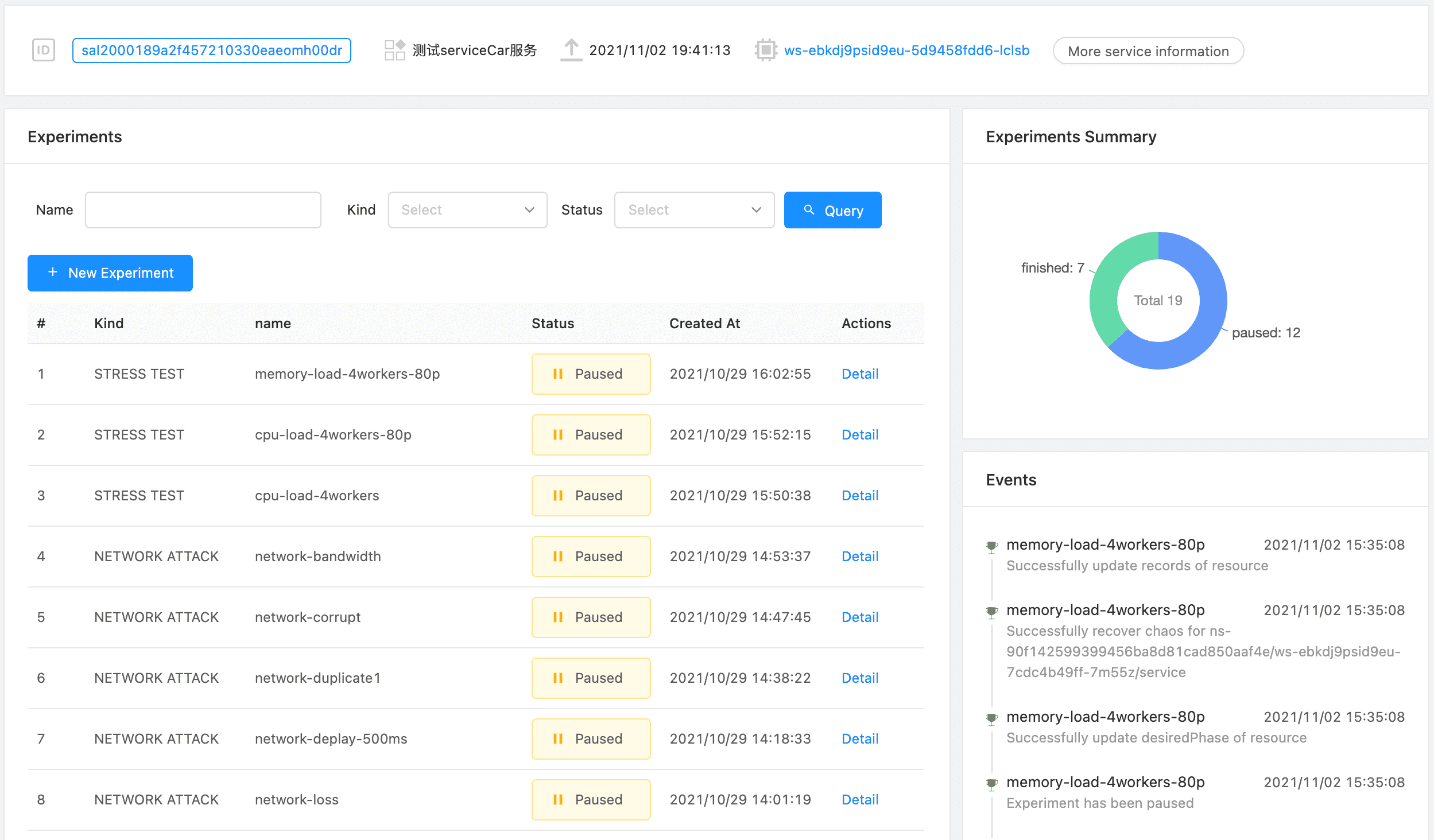
The experiment list shows the experiments and statistics that the service has currently executed.
New Experiment #
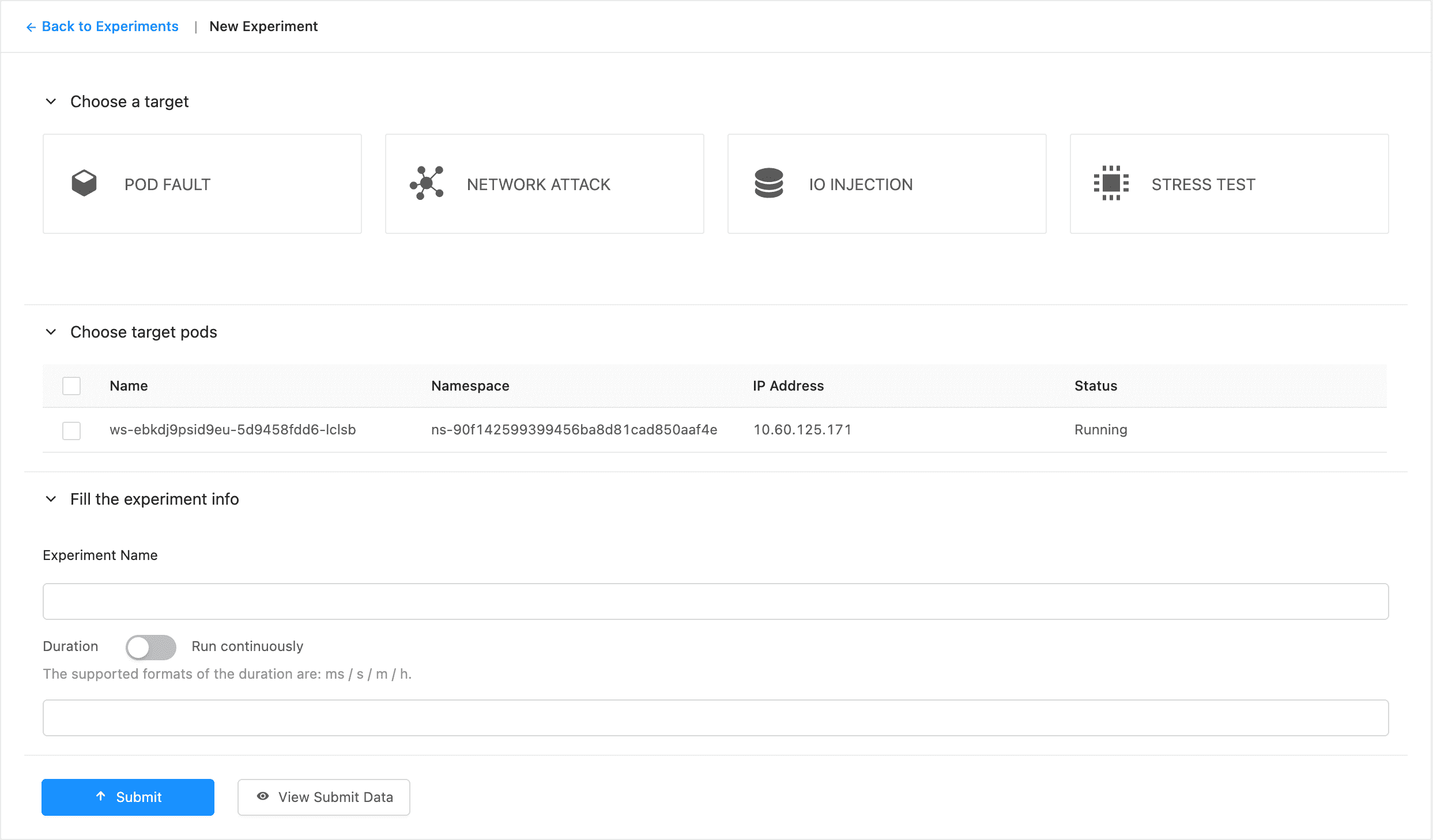
We can create specific experiments for the service to perform chaos engineering. The specific experiment type and parameter description can be seen in sections below.
Experiment Detail #
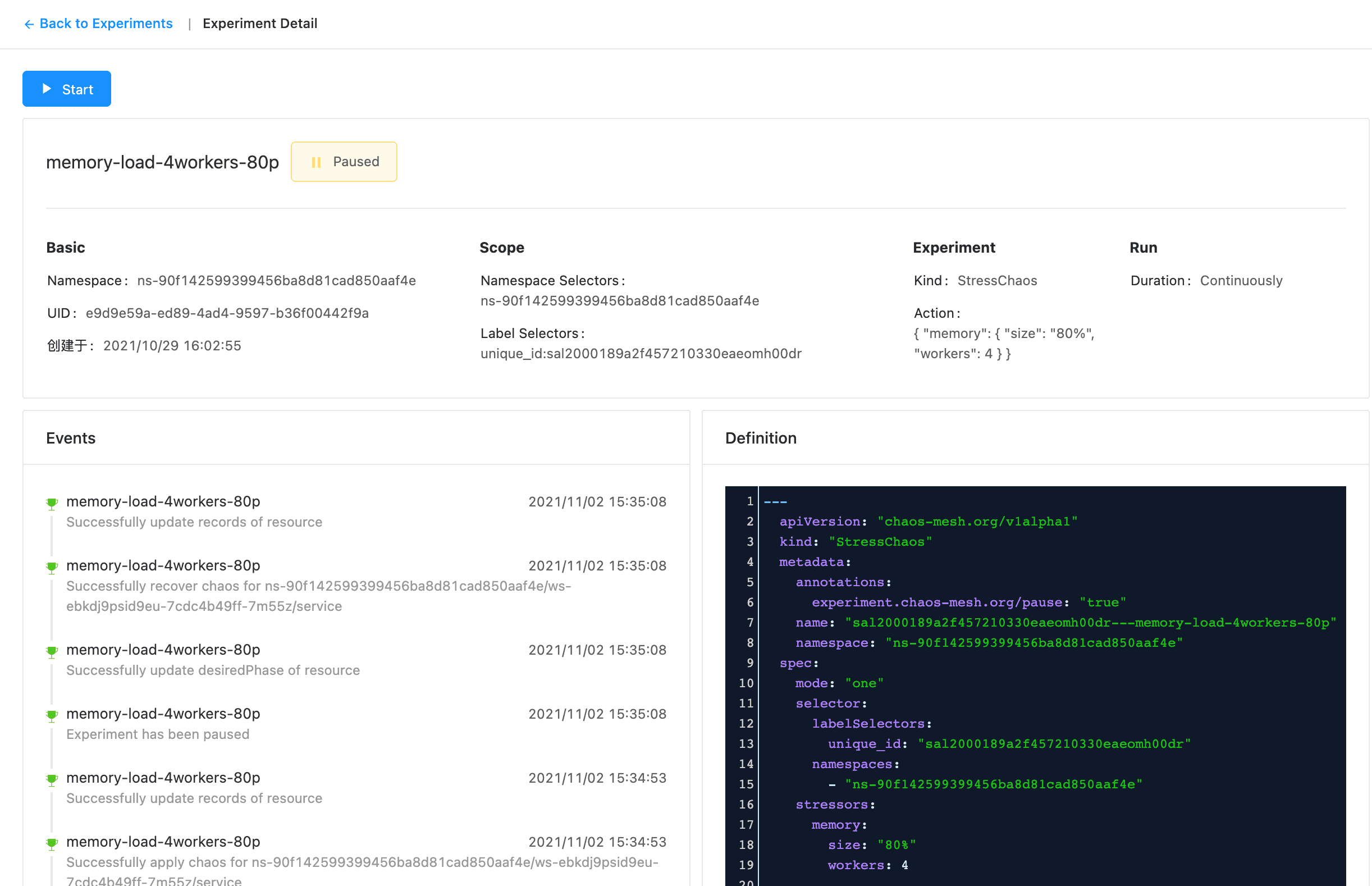
We can see the details of the specific experiment execution. At the same time, you can also start the paused experiment here (or pause a part of the running experiment, depending on the duration of the experiment).
Pod Chaos #
Pod failure is used to simulate possible Pod type failures.
Pod Failure #
In this experiment, gcr.io/google-containers/pause:latest will be used to replace the default pod mirror.
Pod Kill #
The specific implementation of PodKill is actually to send the Kill command by calling the API Server.
| Param | Description |
|---|---|
| Grace period | Optional. Grace period represents the duration in seconds before the pod should be deleted |
Container Kill #
Select the corresponding container to send the kill command.
Network Chaos #
Partition #
A network partition is a division of a computer network into relatively independent subnets, either by design, to optimize them separately, or due to the failure of network devices.
| Param | Description |
|---|---|
| Direction | Specify the network direction |
Loss #
By configuring the loss experiment, we can simulate the network packet loss scenario. The important parameters are explained as follows:
| Param | Description |
|---|---|
| Loss | The percentage of packet loss |
| Direction | Specify the network direction |
Delay #
Through the delay experiment, we can simulate the network delay. The important parameters are explained as follows:
| Param | Description |
|---|---|
| Latency | The latency of delay。Such as 10ms、1s |
| Direction | Specify the network direction |
Duplicate #
Through this experiment, we can simulate the repetition of network packets. Some important parameters are explained as follows:
| Param | Description |
|---|---|
| Duplicate | The percentage of packet duplication |
| Direction | Specify the network direction |
Corrupt #
通过该实验,我们可以模拟出网络包故障的问题,部分重要参数解释如下:
| Param | Description |
|---|---|
| Corrupt | The percentage of packet corruption |
| Direction | Specify the network direction |
Bandwidth #
Through this experiment, we can simulate the situation when the network bandwidth is restricted. Some important parameters are explained as follows:
| Param | Description |
|---|---|
| Rate | The rate allows bps, kbps, mbps, gbps, tbps unit. For example, bps means bytes per second |
| Direction | Specify the network direction |
IO Chaos #
Latency #
Simulate file IO delay. Some important parameters are explained as follows:
| Param | Description |
|---|---|
| Delay | The value of delay of I/O operations. If it’s empty, the operator will generate a value for it randomly. |
Fault #
This experiment is used to simulate file system errors. Some important parameters are explained as follows:
| Param | Description |
|---|---|
| Errno | The error code returned by I/O operators. By default, it returns a random error code |
AttrOverride #
Part of the parameter description
| Param | Description |
|---|---|
| Errno | The error code returned by I/O operators. By default, it returns a random error code |
Stress Chaos #
The stress test is used to simulate the pressure of the CPU and memory.
CPU #
| Param | Description |
|---|---|
| Workers | start N workers exercising the CPU by sequentially working through all the different CPU stress methods. |
| Load | load CPU with P percent loading for the CPU stress workers. 0 is effectively a sleep (no load) and 100 is full loading. |
内存 #
| Param | Description |
|---|---|
| Workers | start N workers continuously calling mmap(2)/munmap(2) and writing to the allocated memory. |
| Size | mmap N bytes per vm worker, the default is 256MB. One can specify the size as % of total available memory or in units of Bytes, KBytes, MBytes and GBytes using the suffix b, k, m or g. |