Route WAF #
By clicking the “WAF” button in the “route list”, we can control the WAF information of the route.
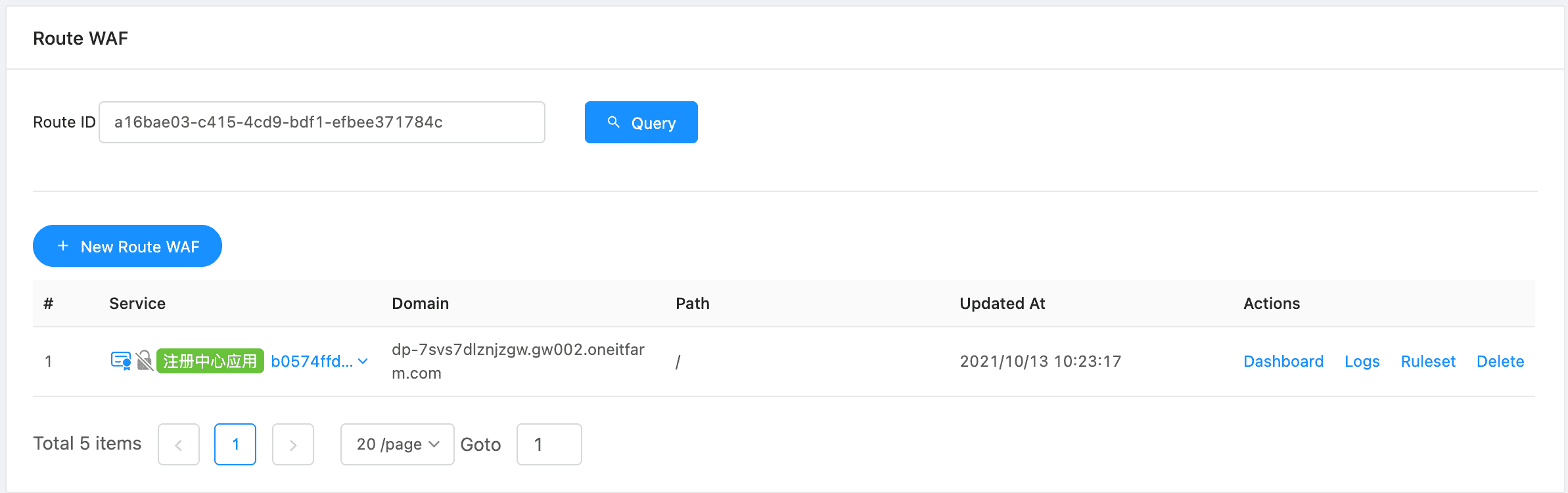
WAF Dashboard #
Through the routing WAF overview, we can observe the WAF operation information of the current route, such as event summary.
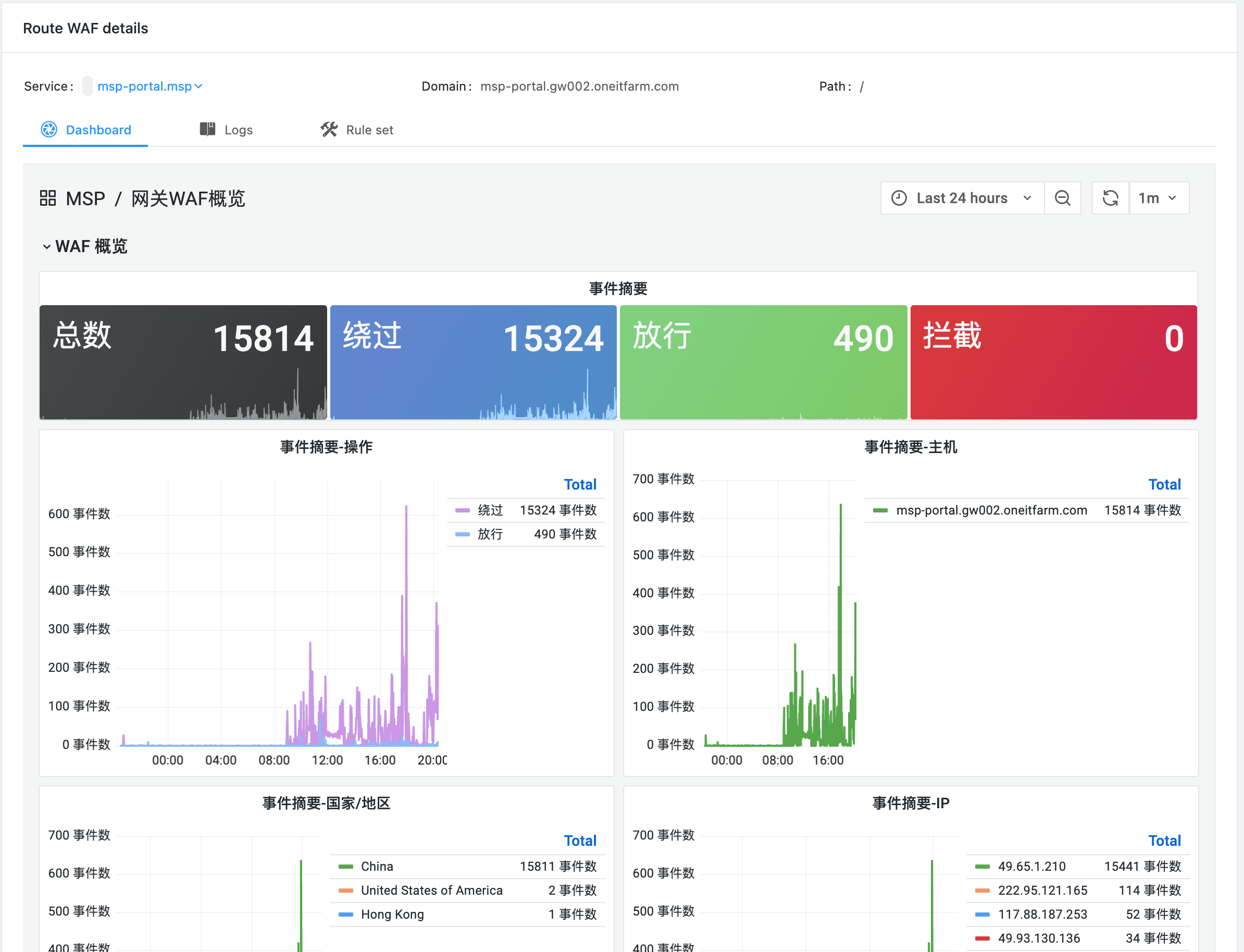
Route waf overview
Logs #
Through the log, we can see the details of a record, where you can see how WAF handles the corresponding request.
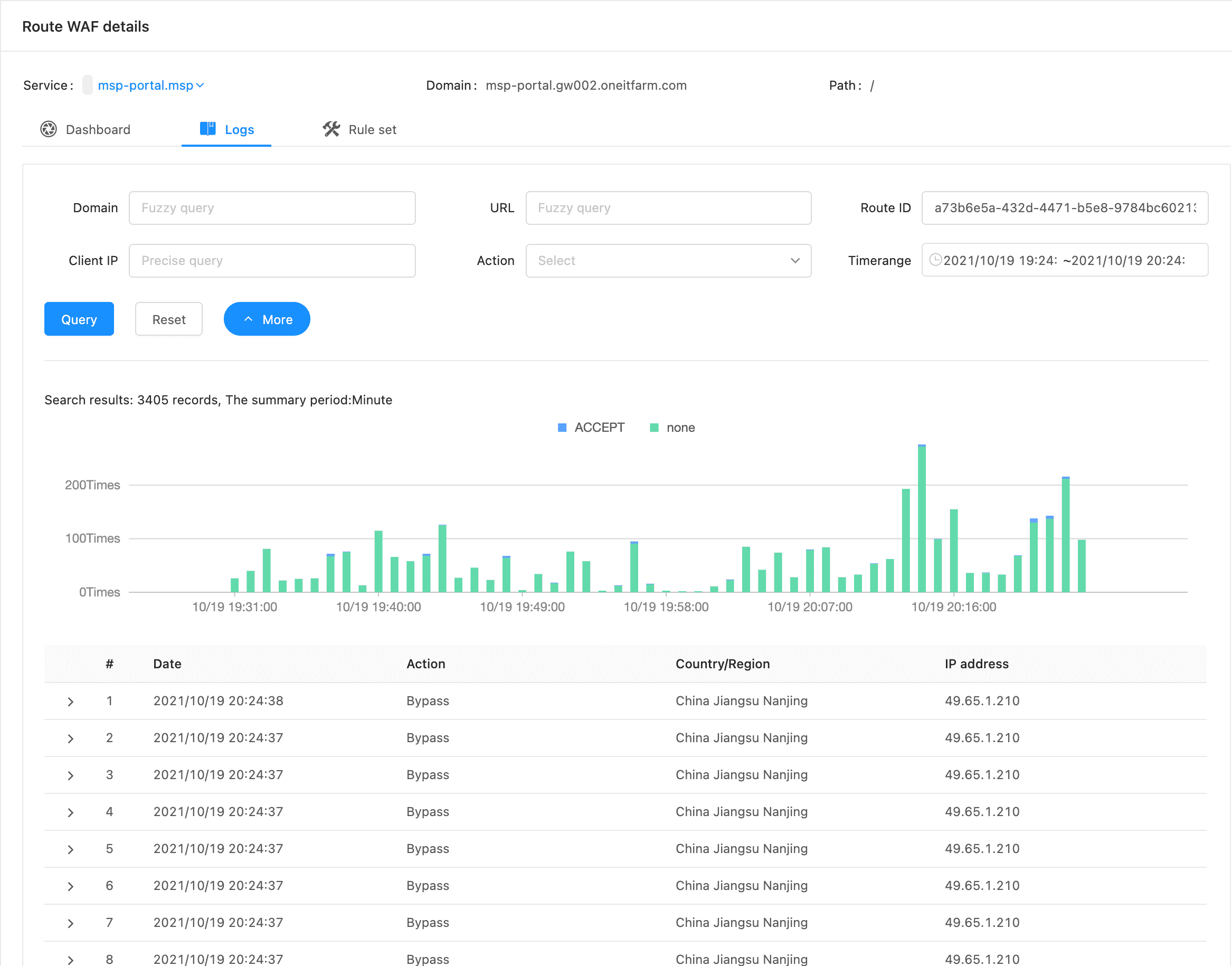
Log Detail #
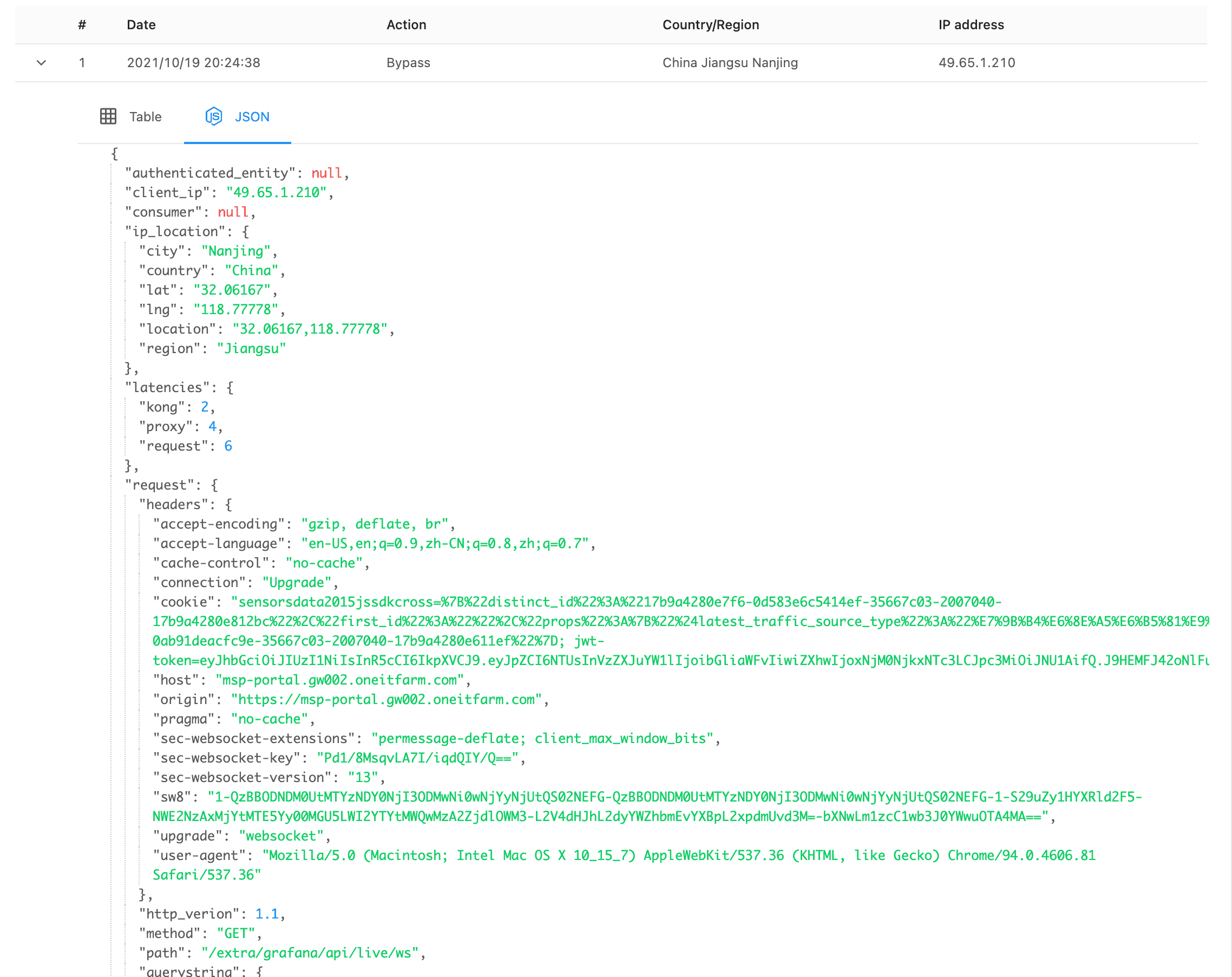
By clicking the arrow on the left side of the form, we can see more information:
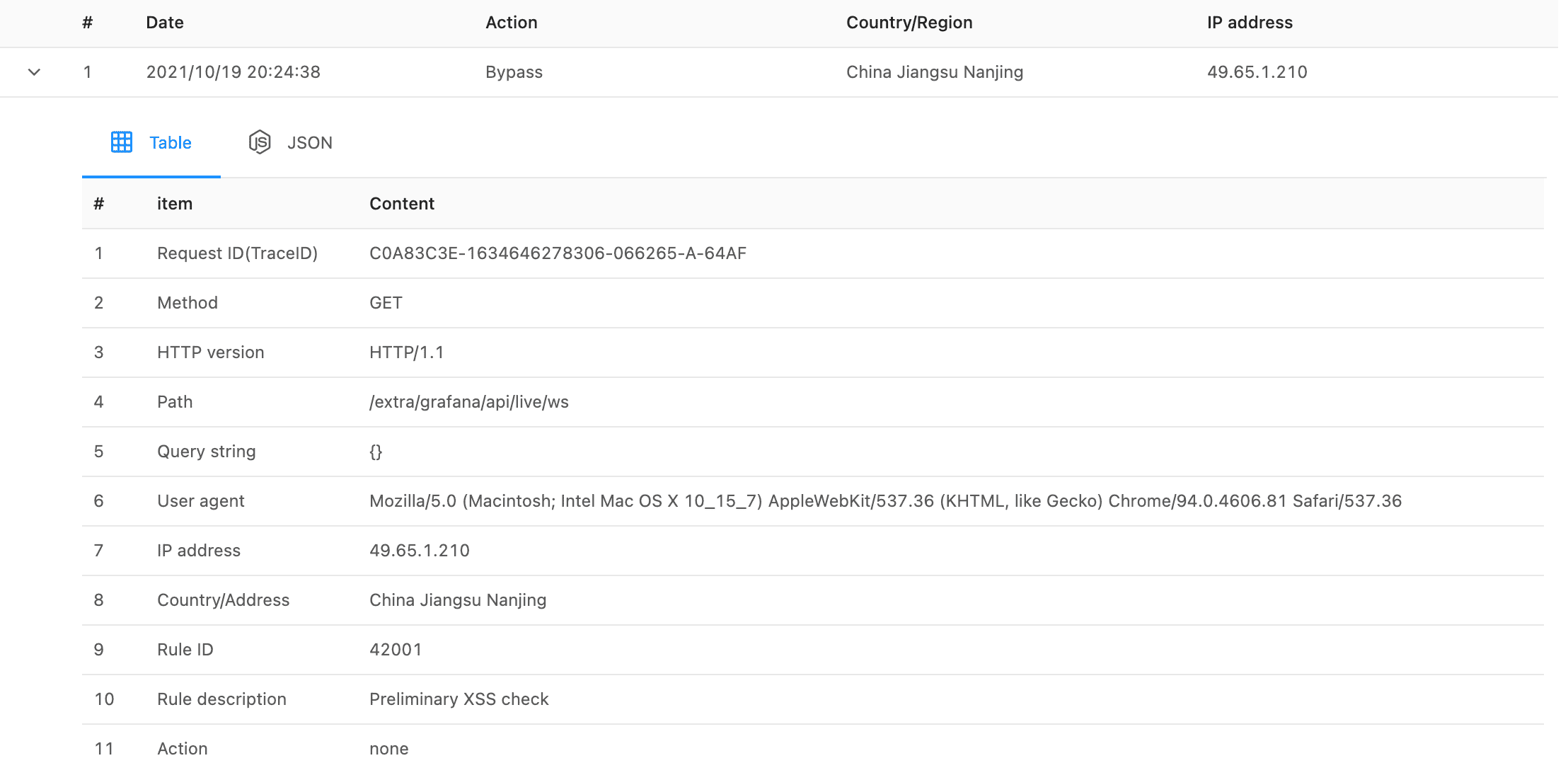
Full JSON Data #
Through JSON, we can view the complete data to help us further understand the details of WAF processing.
Ruleset #
We can adjust the WAF execution strategy according to the actual needs of the service (or routing).
In addition to using OWASP and the built-in rule set of the platform, we can also configure “custom ruleset” for routing.
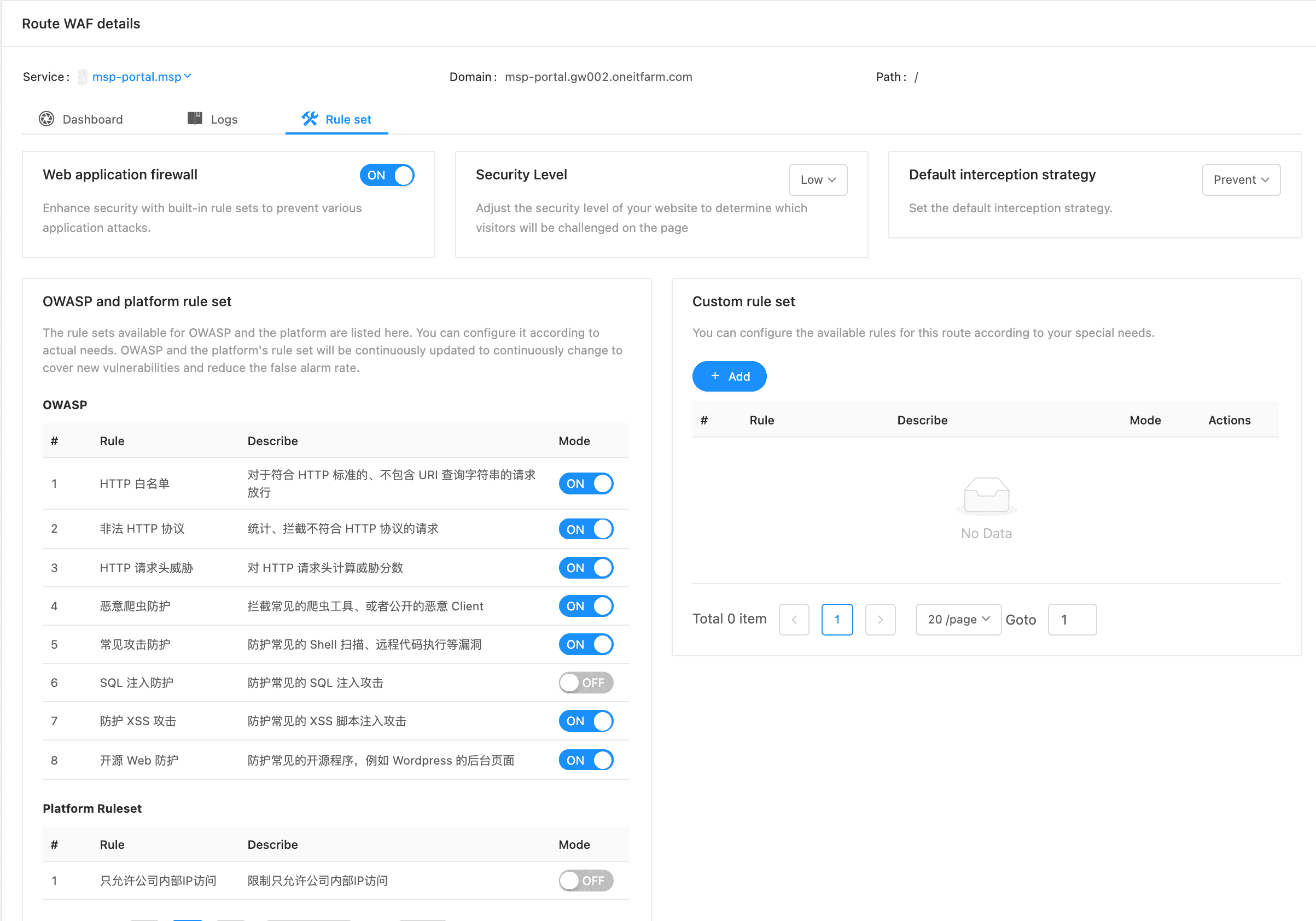
Platform Ruleset #
Platform rules are managed in the “platform rule set” of the “WAF firewall” module.
Route Ruleset #
In addition to using OWASP or the built-in rule set of the platform, we can also customize the rule set according to the characteristics of the service (or route). Custom rule sets are only valid for this route.
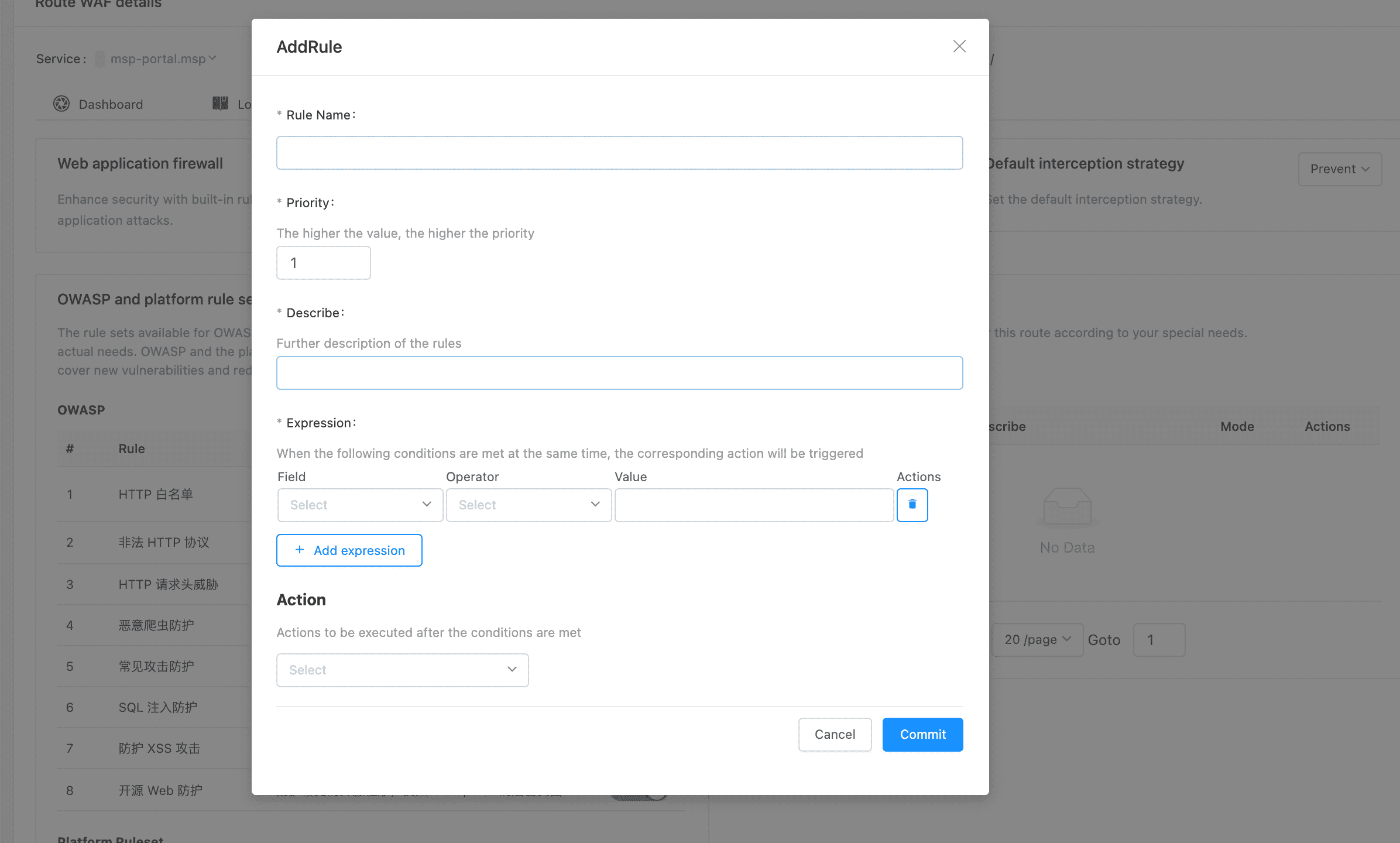
Route Ruleset