StatefulSet Management #
StatefulSet Overview #
StatefulSet is primarily used to manage stateful applications.Pods are created with persistent identifiers created according to the specification.The identifiers are retained after a Pod migration or destruction restart.
Check StatefulSet List #
Operating steps:
Log in the MSP Platform
In the MSP Platform “All Products” navigation bar,click the Workload under the Container Cloud Platform module
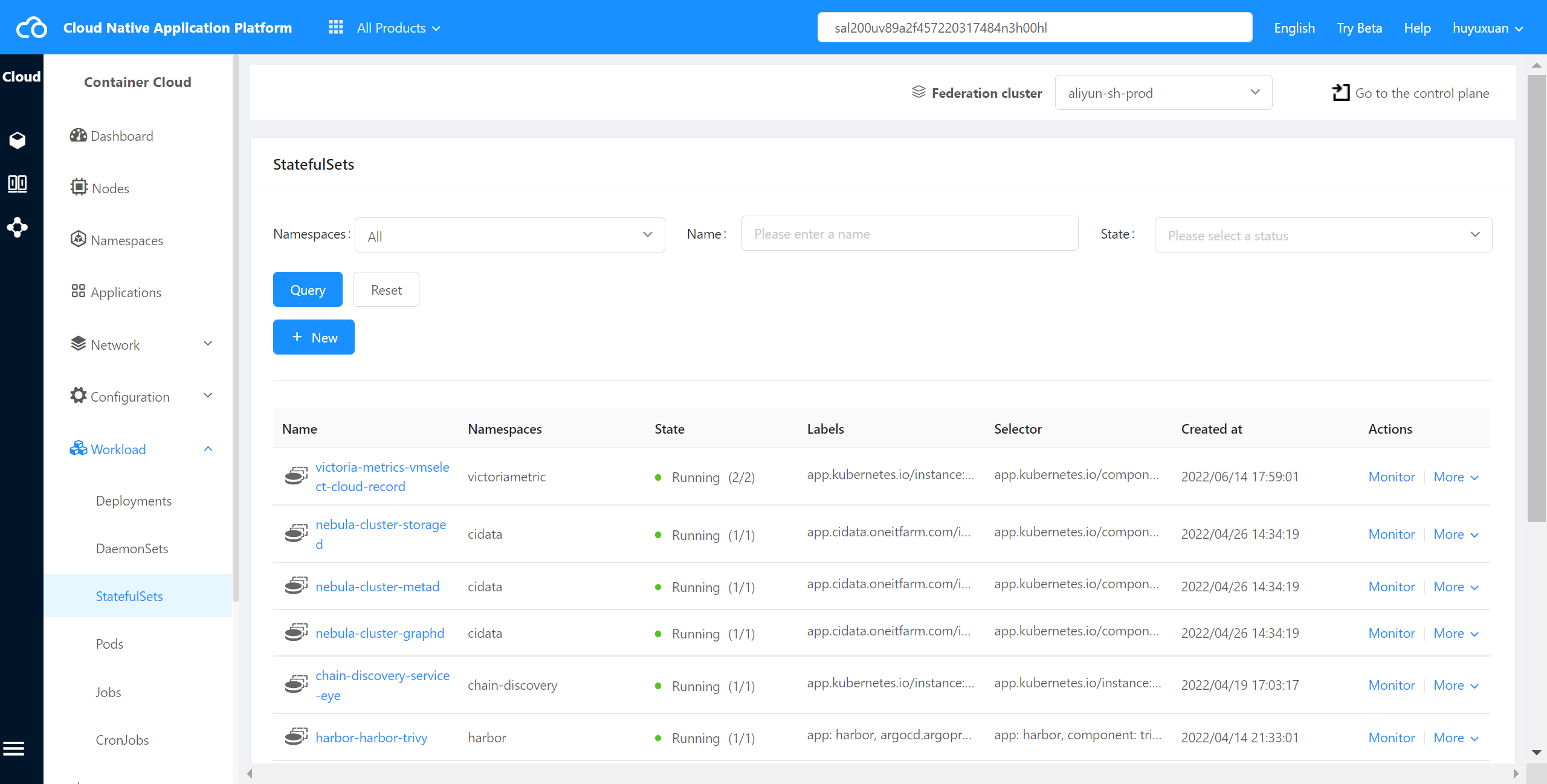
Click select “StatefulSet"and enter StatefulSet list page,as shown in the following figure:
Check StatefulSet Monitoring #
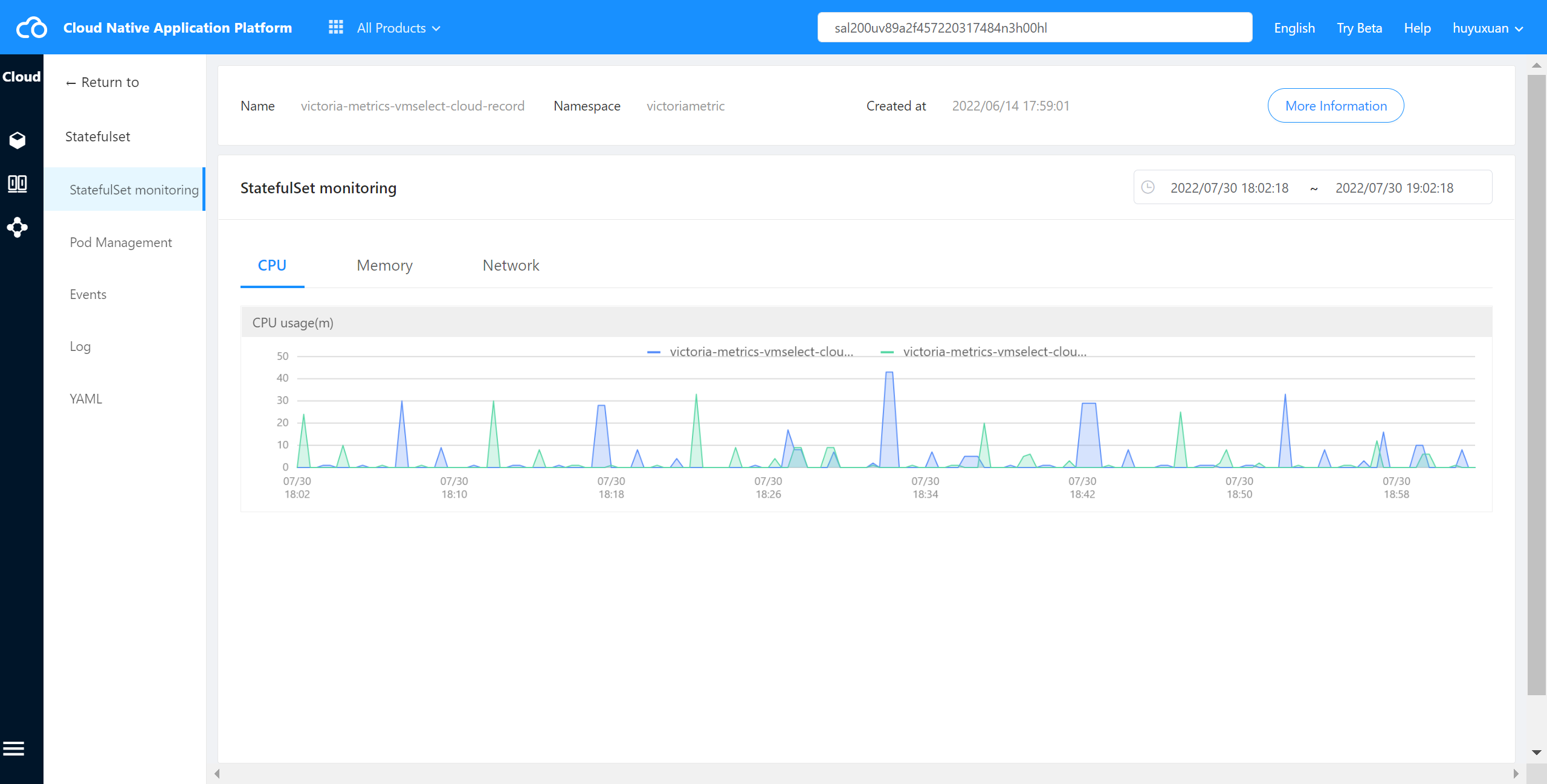
The container cloud platform can view the monitoring of all Pods under StatefulSet in the cluster,including CPU usage, memory usage, network outflow rate, and network inflow rate.
Operating steps:
Log in the MSP Platform
In the MSP Platform “All Products” navigation bar,click the Workload under the Container Cloud Platform module
Click select “StatefulSet"and enter StatefulSet list page,select the desired StatefulSet,click Monitor to access the monitor page,as shown in the following figure:
Check StatefulSet Event #
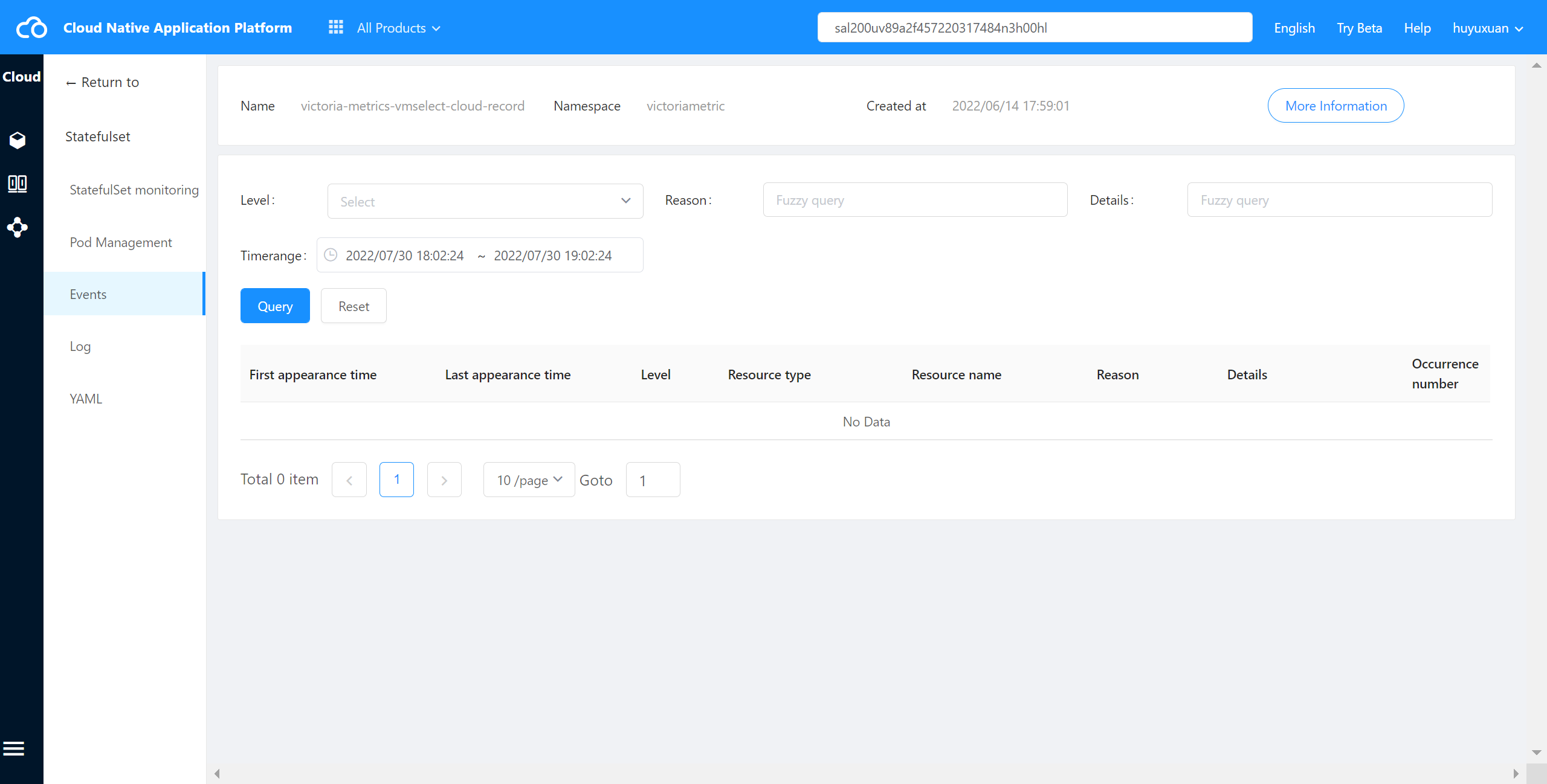
The container cloud platform supports viewing events at StatefulSet in the cluster.
Operating steps:
Log in the MSP Platform
In the MSP Platform “All Products” navigation bar,click the Workload under the Container Cloud Platform module
Click select “StatefulSet"and enter StatefulSet list page,select the desired StatefulSet,click Name to access the Pod management page
On the Pod management page, click “Event” in the left navigation to enter the event page,as shown in the following figure:
Check StatefulSet YAML #
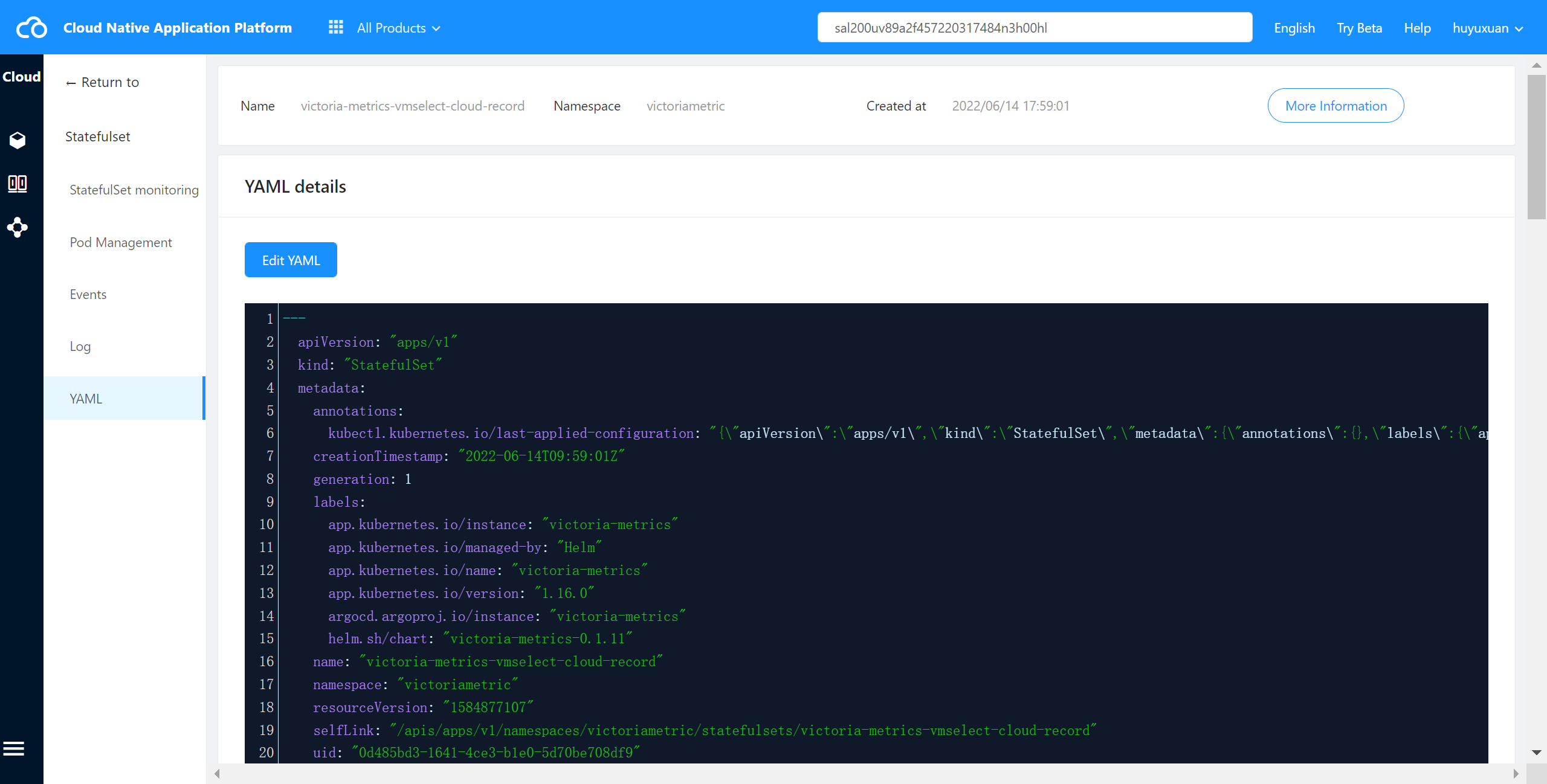
The container cloud platform supports viewing the YAML files of StatefulSet in cluster.
Operating steps:
Log in the MSP Platform
In the MSP Platform “All Products” navigation bar,click the Workload under the Container Cloud Platform module
Click select “StatefulSet"and enter StatefulSet list page,select the desired StatefulSet,click Name to access the Pod management page
On the Pod management page, click “YAML” in the left navigation to enter the YAML page,as shown in the following figure:
Delete StatefulSet #
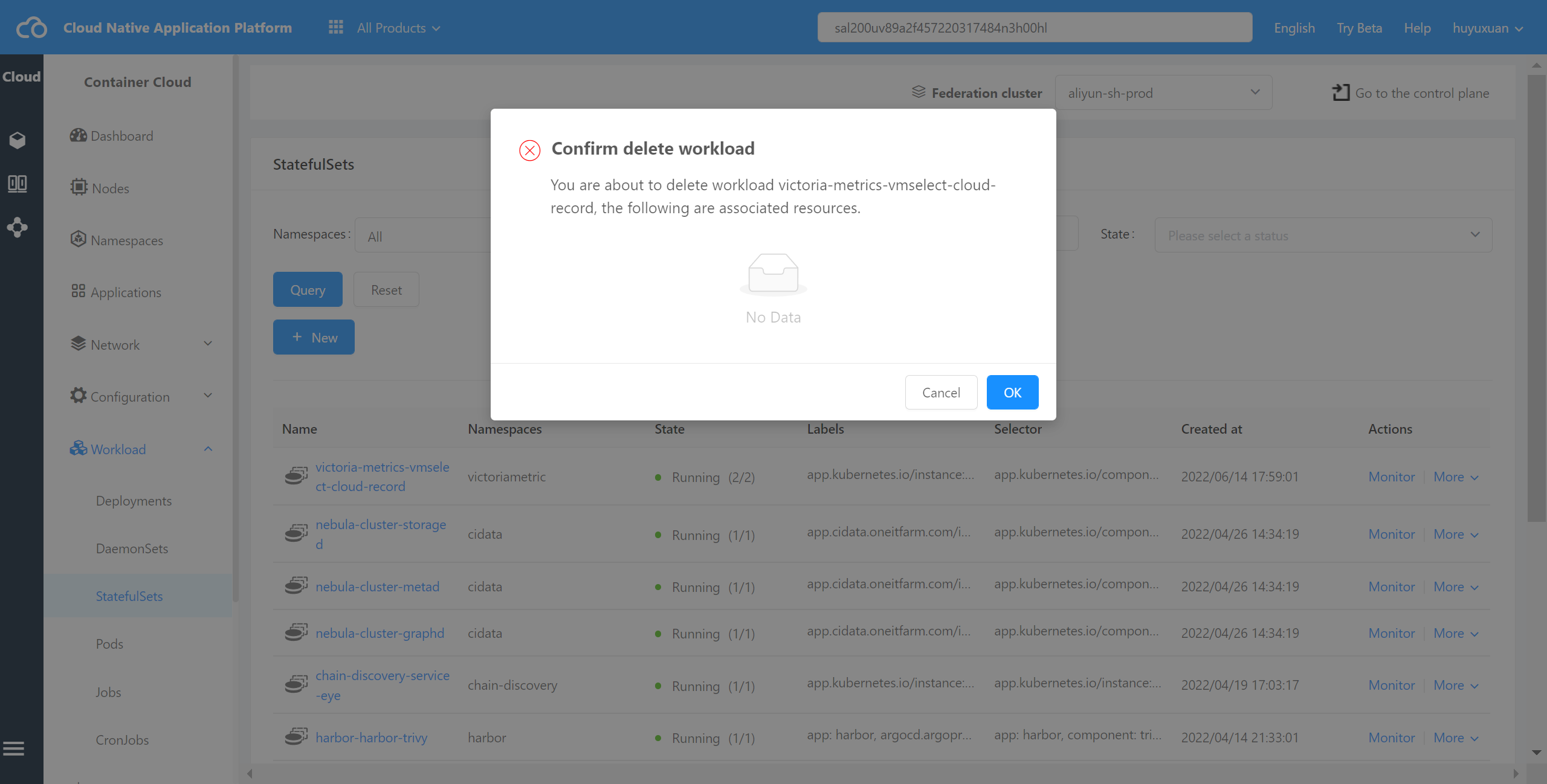
The container cloud platform can delete a StatefulSet from a cluster,which will display other resources in the cluster associated with the resource,such as Service and ConfigMap.
Operating steps:
Log in the MSP Platform
In the MSP Platform “All Products” navigation bar,click the Workload under the Container Cloud Platform module
Click select “StatefulSet"and enter StatefulSet list page,select the desired StatefulSet and click Delete,as shown in the following figure: