Deployment Management #
Deployment Overview #
Deployment declares the template for Pod and the running strategy that controls Pod and is suitable for deploying stateless applications.
Check Deployment List #
Operating steps:
Log in the MSP Platform
In the MSP Platform “All Products” navigation bar,click the Workload under the Container Cloud Platform module
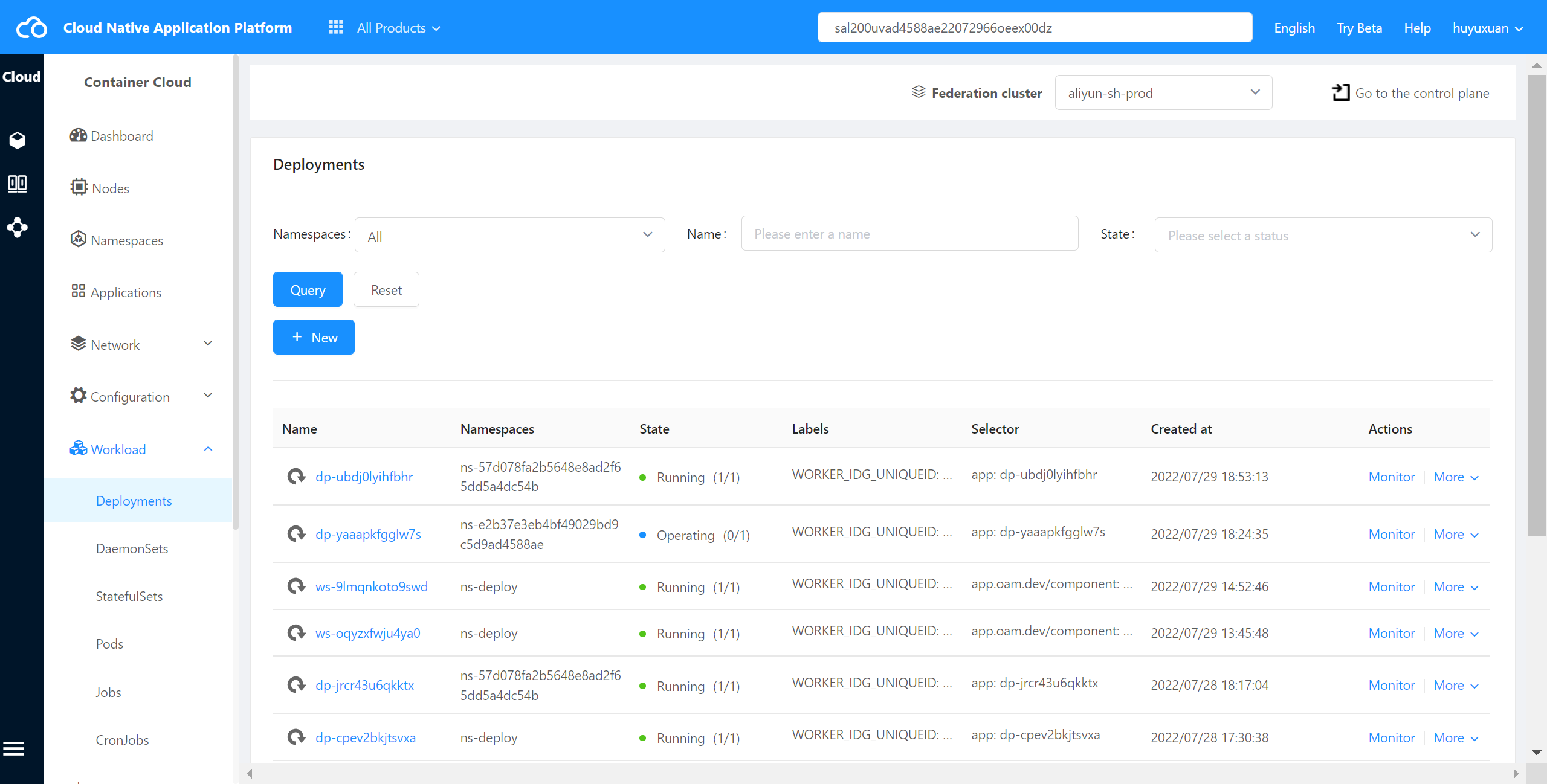
Click select “Deployments” and enter Deployments list page,as shown in the following figure:
Check Deployment Monitoring #
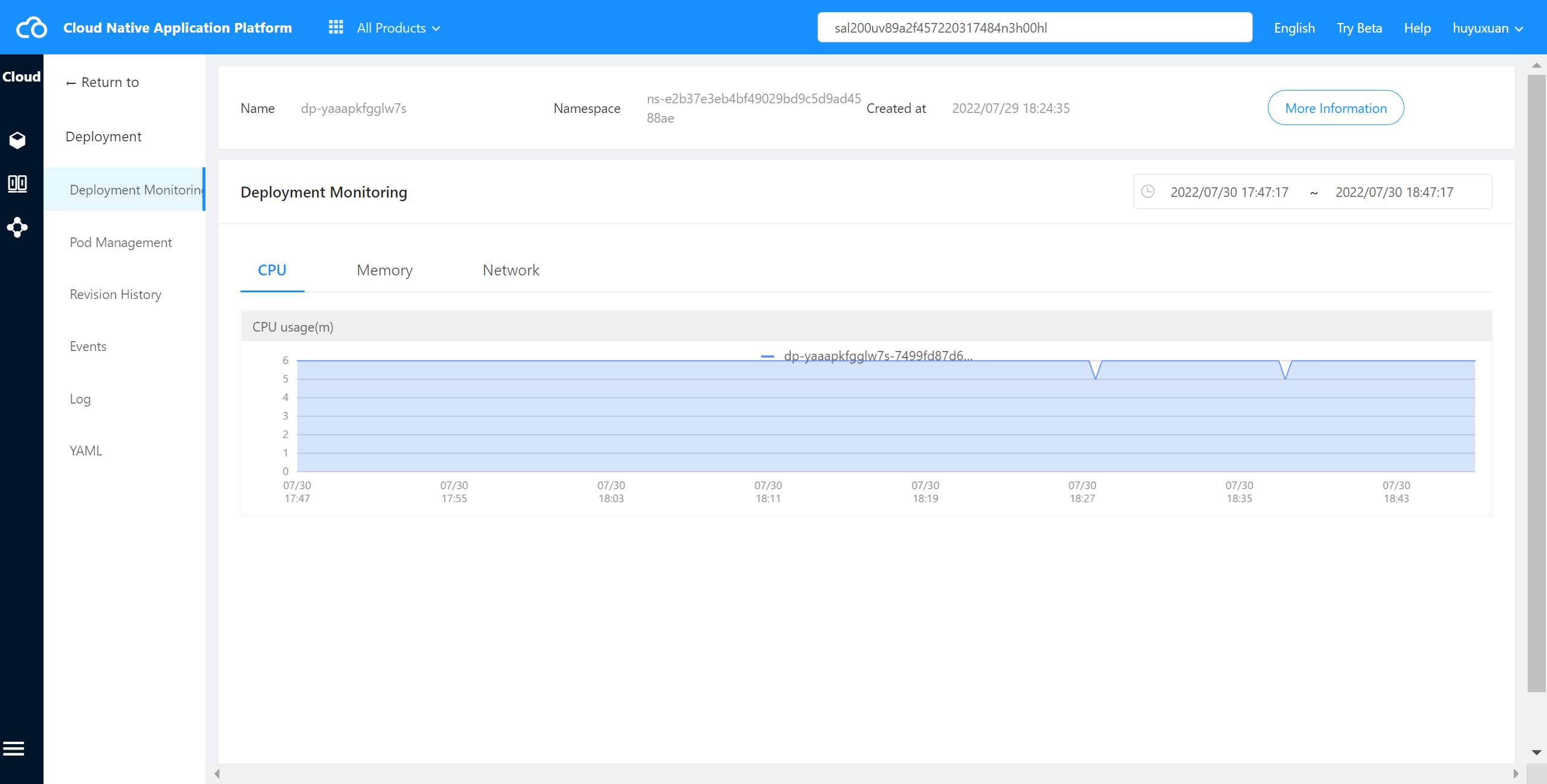
The container cloud platform supports viewing the monitoring of all the Pods in the intra-cluster Deployment, including CPU usage,memory usage,network outflow rate,network inflow rate.
Operating steps:
Log in the MSP Platform
In the MSP Platform “All Products” navigation bar,click the Workload under the Container Cloud Platform module
Click select “Deployments” and enter Deployments list page,select the required Deployment and click Monitor to enter the monitoring page,as shown in the following figure:
Check Deployment Event #
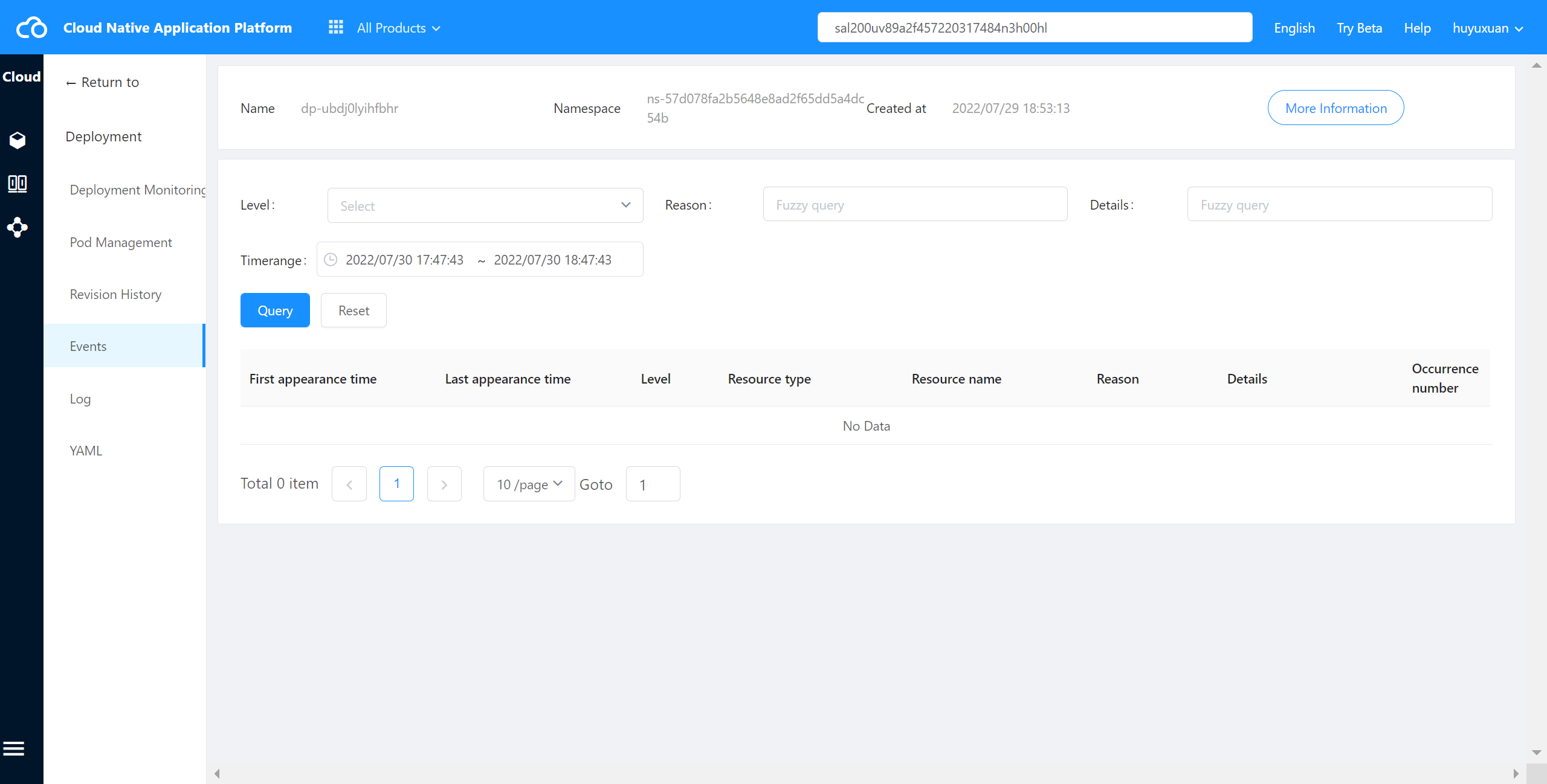
The container cloud platform supports viewing events in cluster Deployment.
Operating steps:
Log in the MSP Platform
In the MSP Platform “All Products” navigation bar,click the Workload under the Container Cloud Platform module
Click select “Deployments” and enter Deployments list page,select the required Deployment and click Name to access the Pod management page
On the Pod management page, click “Event” in the left navigation to enter the event page,as shown in the following figure:
Check Deployment YAML #
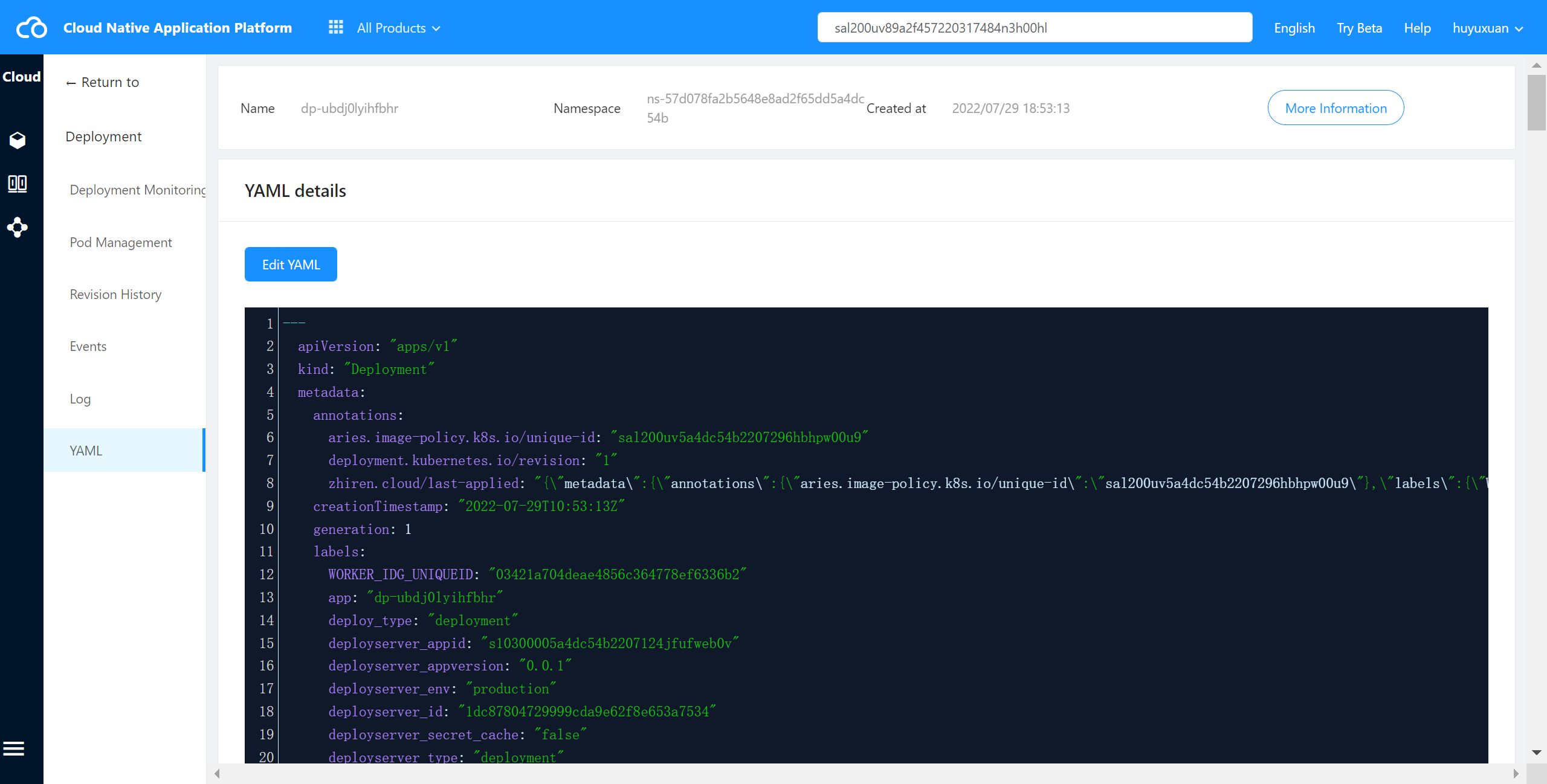
The container cloud platform supports viewing the YAML files of Deployment in cluster.
Operating steps:
Log in the MSP Platform
In the MSP Platform “All Products” navigation bar,click the Workload under the Container Cloud Platform module
Click select “Deployments” and enter Deployments list page,select the required Deployment and click Name to access the Pod management page
On the Pod management page, click “YAML” in the left navigation to enter the YAML page,as shown in the following figure:
Rollback Deployment #
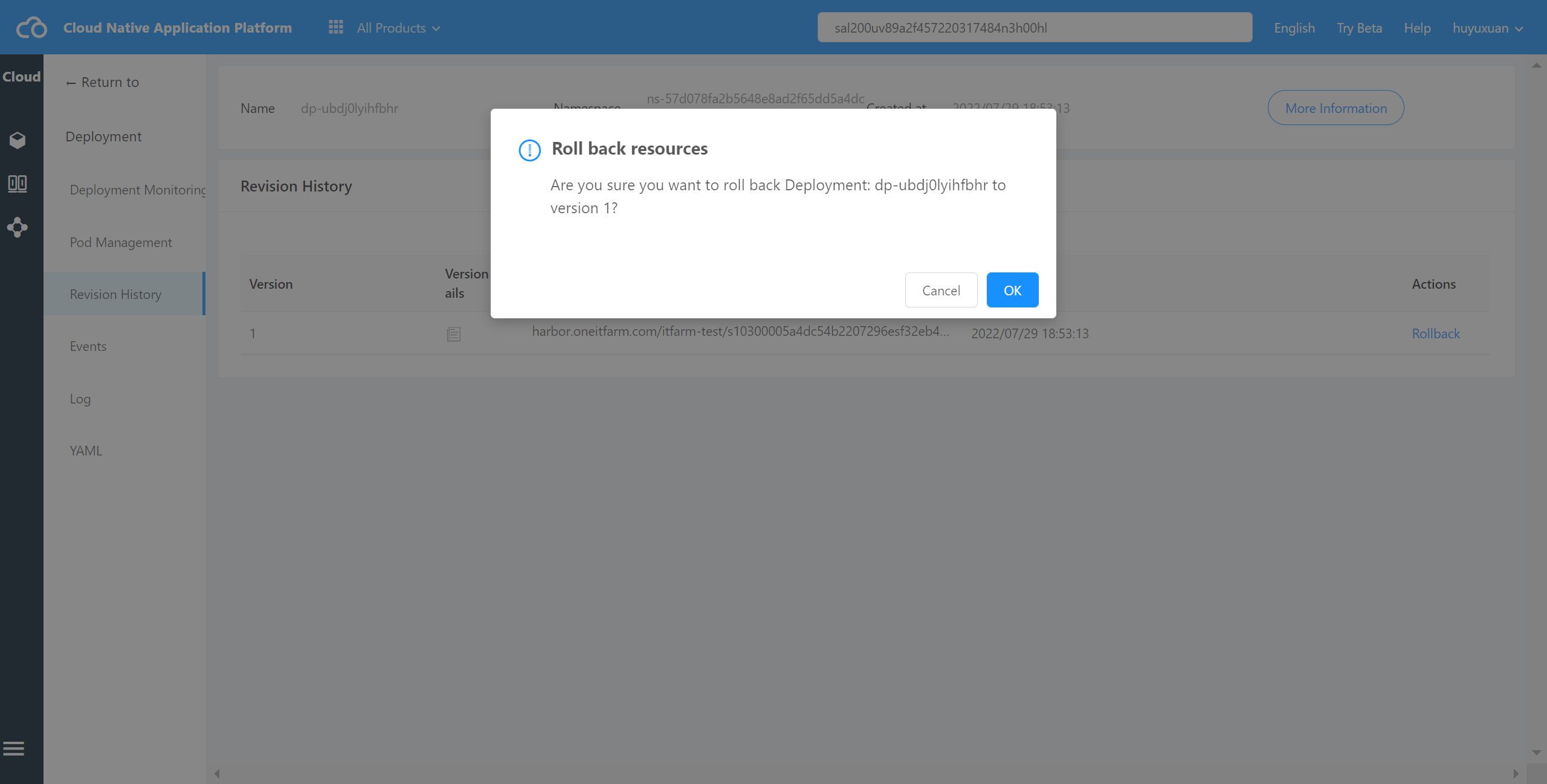
The container cloud platform supports rolling back the version of the intra-cluster Deployment.
Operating steps:
Log in the MSP Platform
In the MSP Platform “All Products” navigation bar,click the Workload under the Container Cloud Platform module
Click select “Deployments” and enter Deployments list page,select the required Deployment and click Name to access the Pod management page
On the Pod management page, click “Revision History” in the left navigation to enter the revision history page,select the desired version and click Rollback,as shown in the following figure:
Delete Deployment #
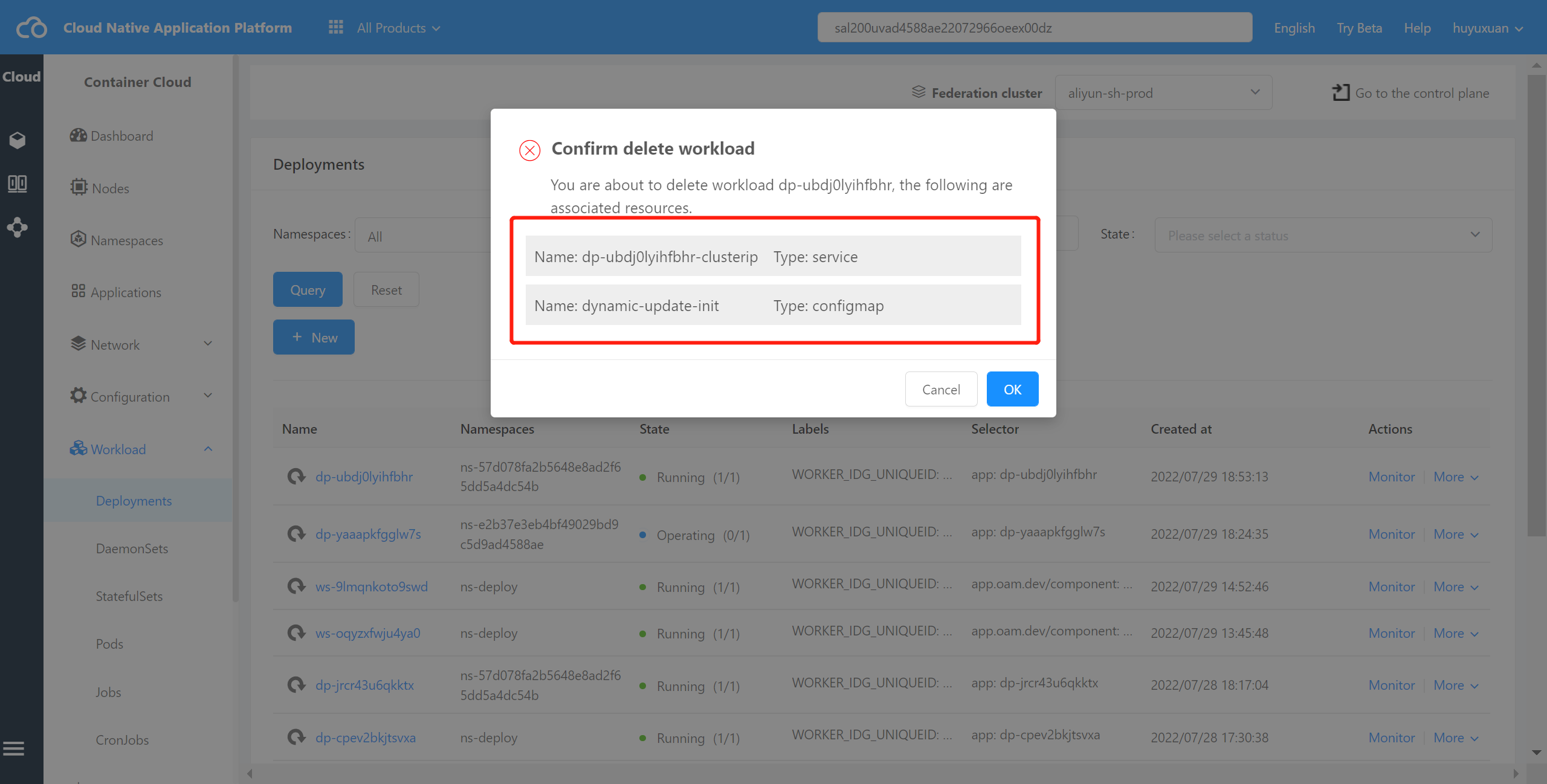
The container cloud platform supports the deletion of intra-cluster Deployment,which will display other resources in the cluster associated with the resource,such as Service and ConfigMap.
Operating steps:
Log in the MSP Platform
In the MSP Platform “All Products” navigation bar,click the Workload under the Container Cloud Platform module
Click select “Deployments” and enter Deployments list page,select the required Deployment and click Delete