Services #
Service Overview #
Users can deploy various containers in Kubernetes.One of them provides Layer 7 network services through HTTP and HTTPS,and the other provides layer 4 network services through TCP and UDP.The Service resource defined by Kubernetes is used to manage the Service access of the tier 4 network in the cluster.
View the list of Service #
Operating steps:
Log in the MSP Platform
In the MSP Platform “All Products” navigation bar,click the Service and Route under the Container Cloud Platform module
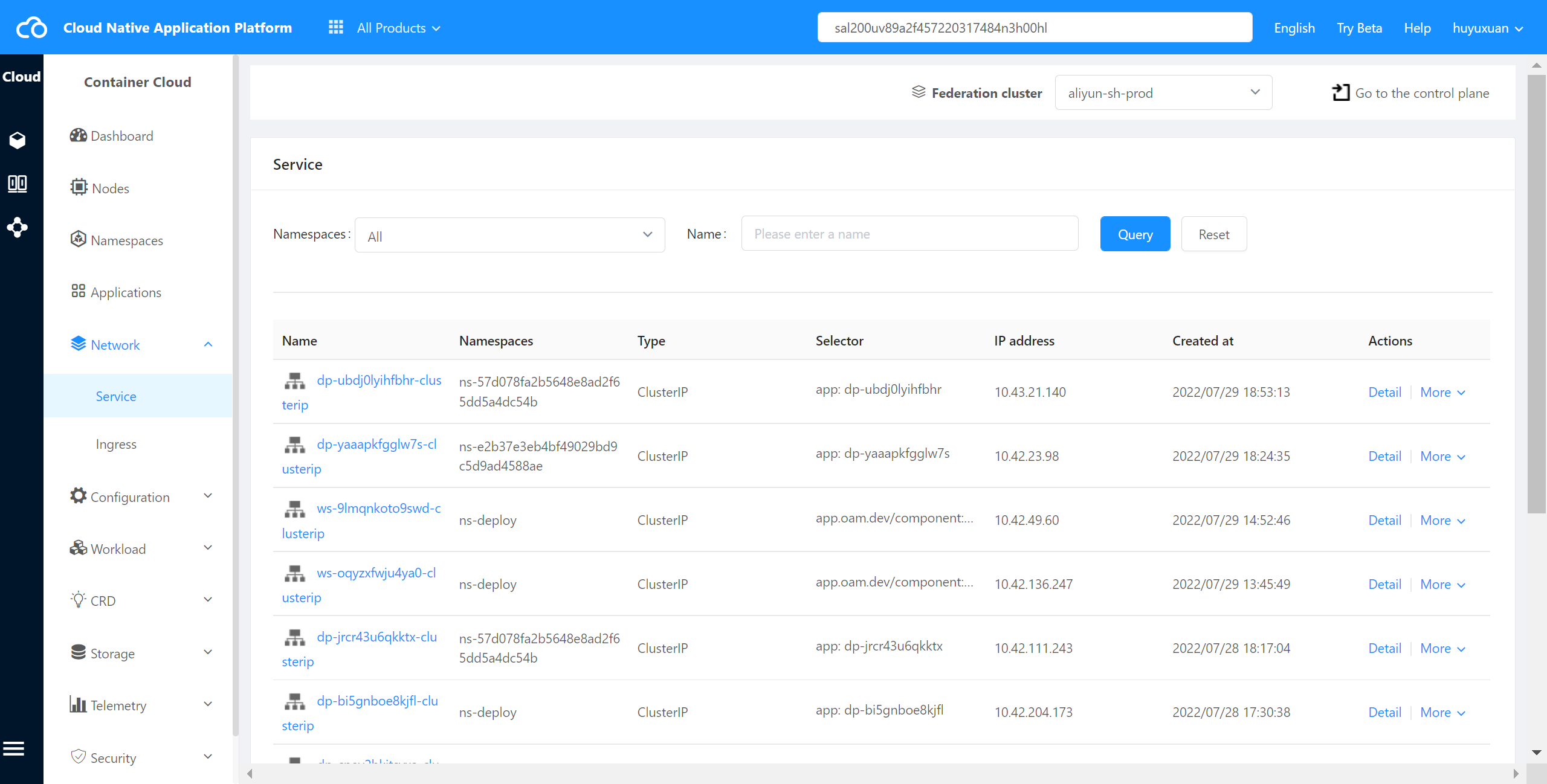
Click and select Service,and the Service list page is displayed,as shown in the following figure:
View Service Details #
The container cloud platform supports viewing events about services in a cluster.
Operating steps:
Log in the MSP Platform
In the MSP Platform “All Products” navigation bar,click the Service and Route under the Container Cloud Platform module
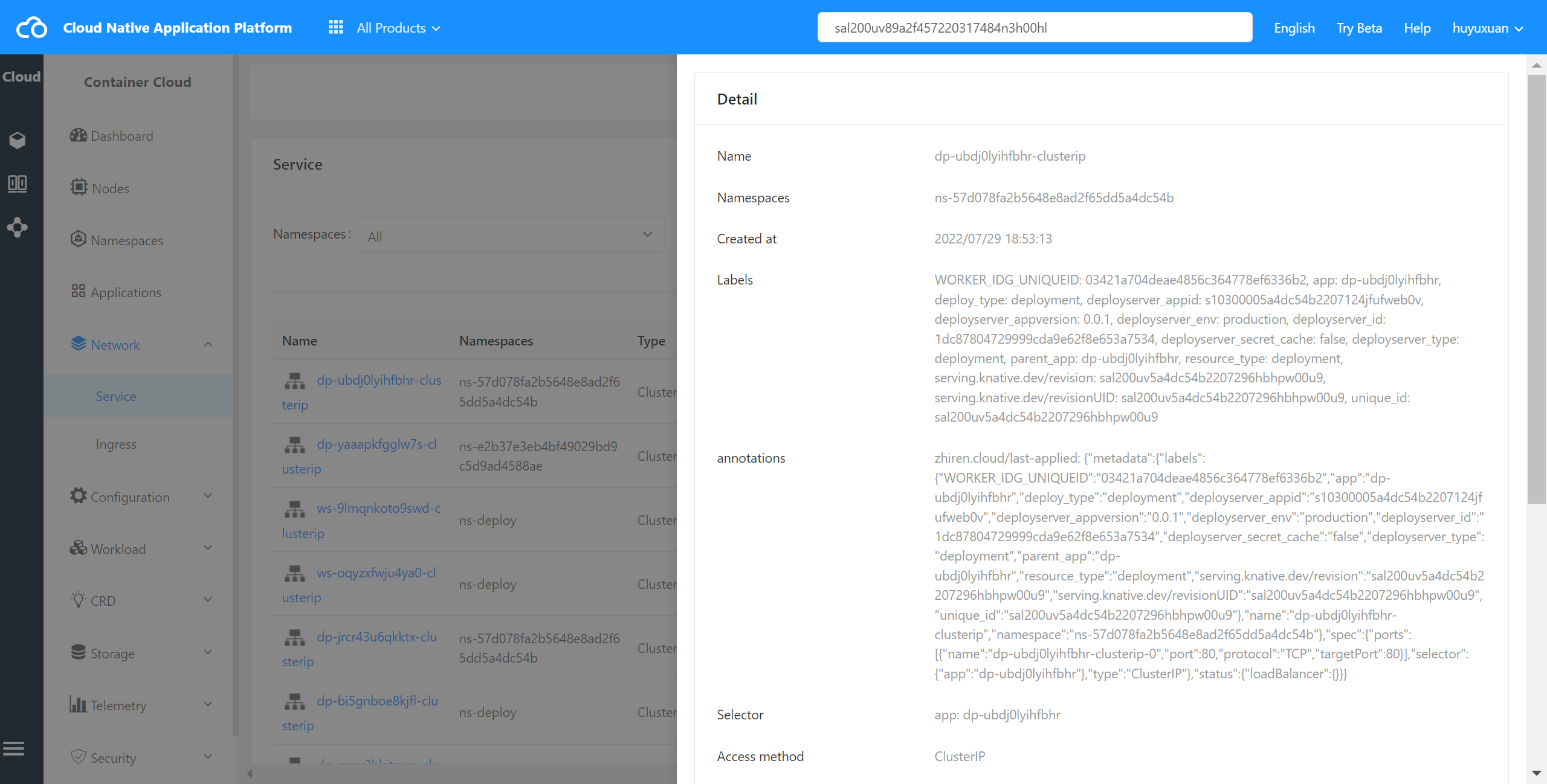
Click and select Service,and the Service list page is displayed,select the desired Service and click its name to enter the details page,as shown in the following figure:
Check Service YAML #
The container cloud platform supports viewing YAML files on services in a cluster.
Operating steps:
Log in the MSP Platform
In the MSP Platform “All Products” navigation bar,click the Service and Route under the Container Cloud Platform module
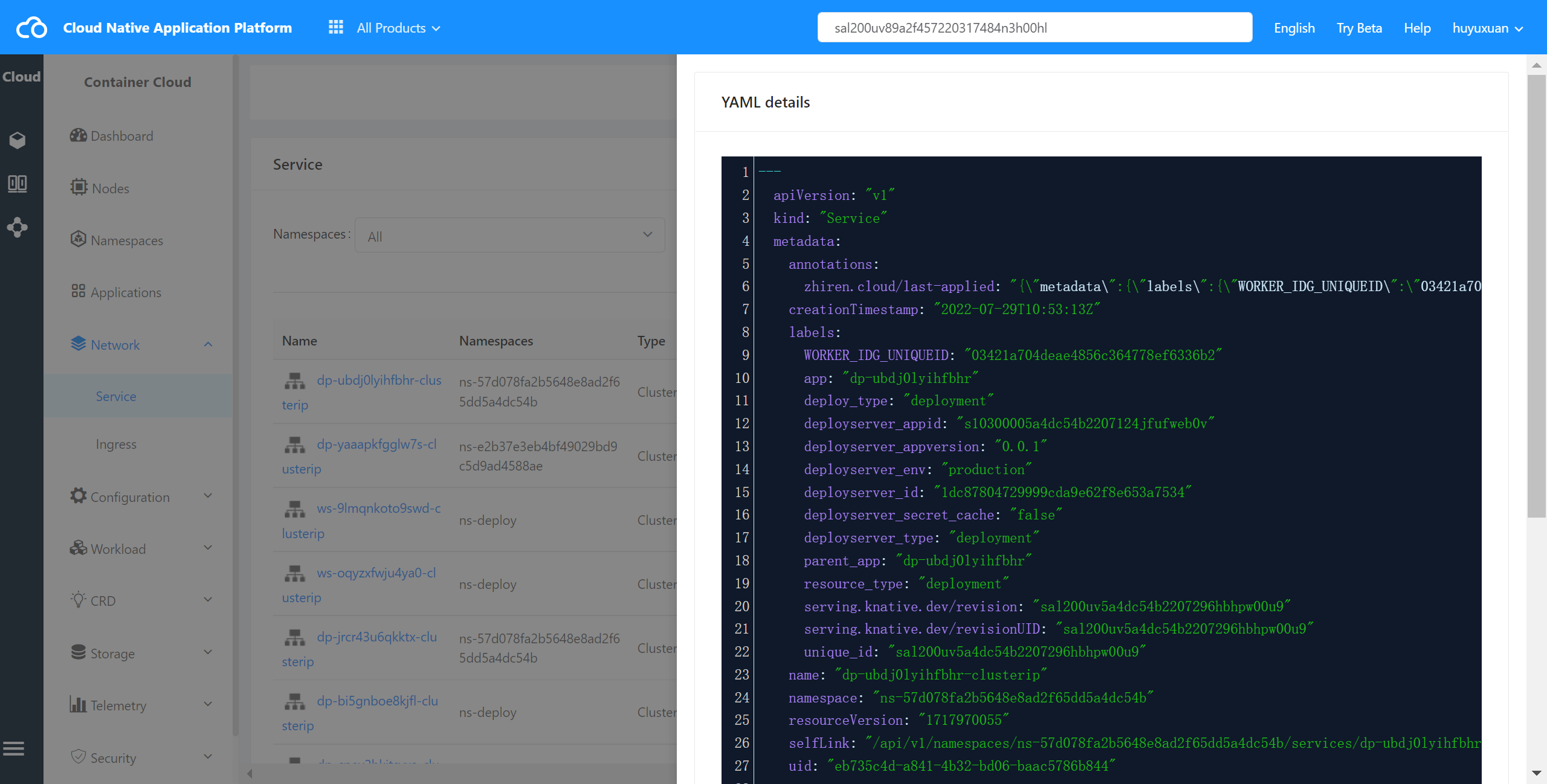
Click and select Service,and the Service list page is displayed,select the desired Service and click view YAML to go to the YAML page,as shown in the following figure:
Delete Service #
The container cloud platform supports deleting a Service from a cluster.
Operating steps:
Log in the MSP Platform
In the MSP Platform “All Products” navigation bar,click the Service and Route under the Container Cloud Platform module
Click and select Service,and the Service list page is displayed,select the desired Service and click Delete