PersistentVolumeClaim #
PVC Overview #
PVC expresses a request for storage,conceptually similar to Pod.Pod will consume node resources,while PVC application will consume PV resources.
Operating steps:
Log in the MSP Platform
In the MSP Platform “All Products” navigation bar,click the Storage under the Container Cloud Platform module
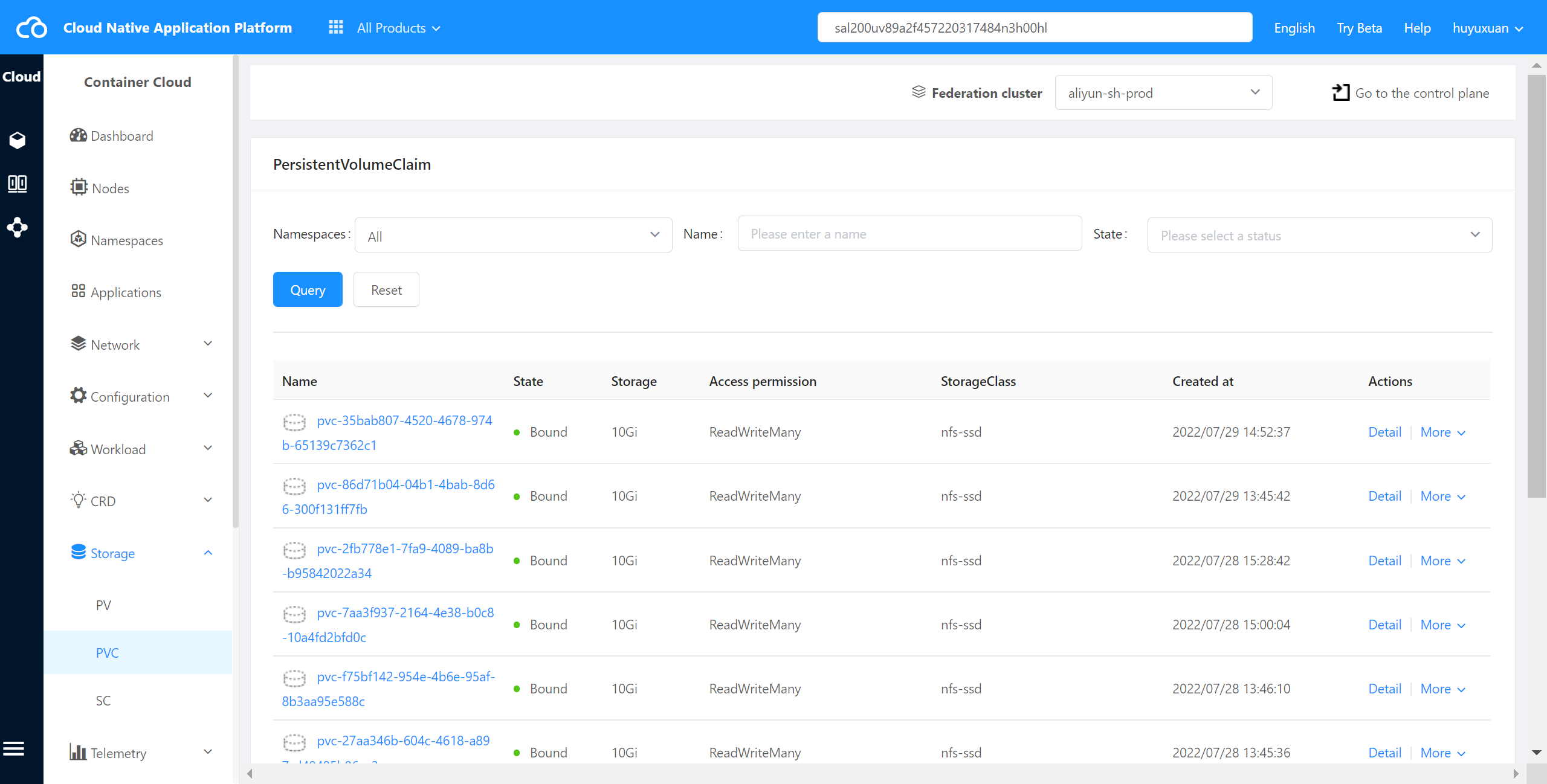
Click “PVC” to enter the PVC list page,as shown in the following figure:
PVC State Description #
| State | Description |
|---|---|
| Pending | When no qualified PV can be bound to PVC, PVC will be in a Pending state |
| Bound | When a PV is Bound to PVC, PVC will enter the bound state |
Check PVC Details #
The container cloud platform supports viewing PVC details in the cluster.
Operating steps:
Log in the MSP Platform
In the MSP Platform “All Products” navigation bar,click the Storage under the Container Cloud Platform module
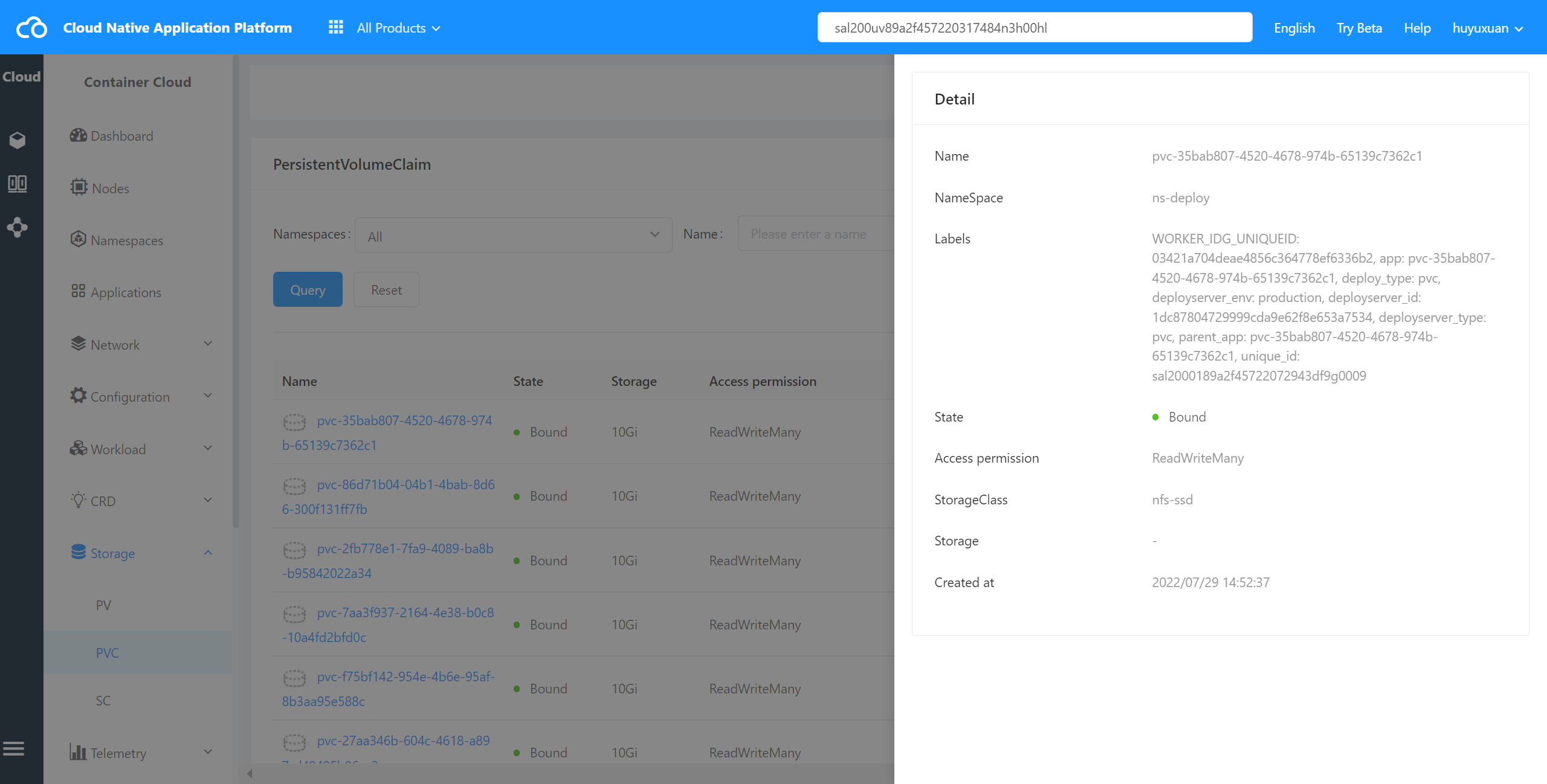
Click select “PVC” and enter PVC list page,select the desired PVC,click Name to go to the details page,as shown in the following figure:
Check PVC Event #
The container cloud platform supports viewing the events of PVC in the cluster.
Operating steps:
Log in the MSP Platform
In the MSP Platform “All Products” navigation bar,click the Storage under the Container Cloud Platform module
Click select “PVC” and enter PVC list page,select the desired PVC,click the action column View Event to go to the details page
Check PVC YAML #
The container cloud platform supports viewing YAML files of PVC in cluster.
Operating steps:
Log in the MSP Platform
In the MSP Platform “All Products” navigation bar,click the Storage under the Container Cloud Platform module
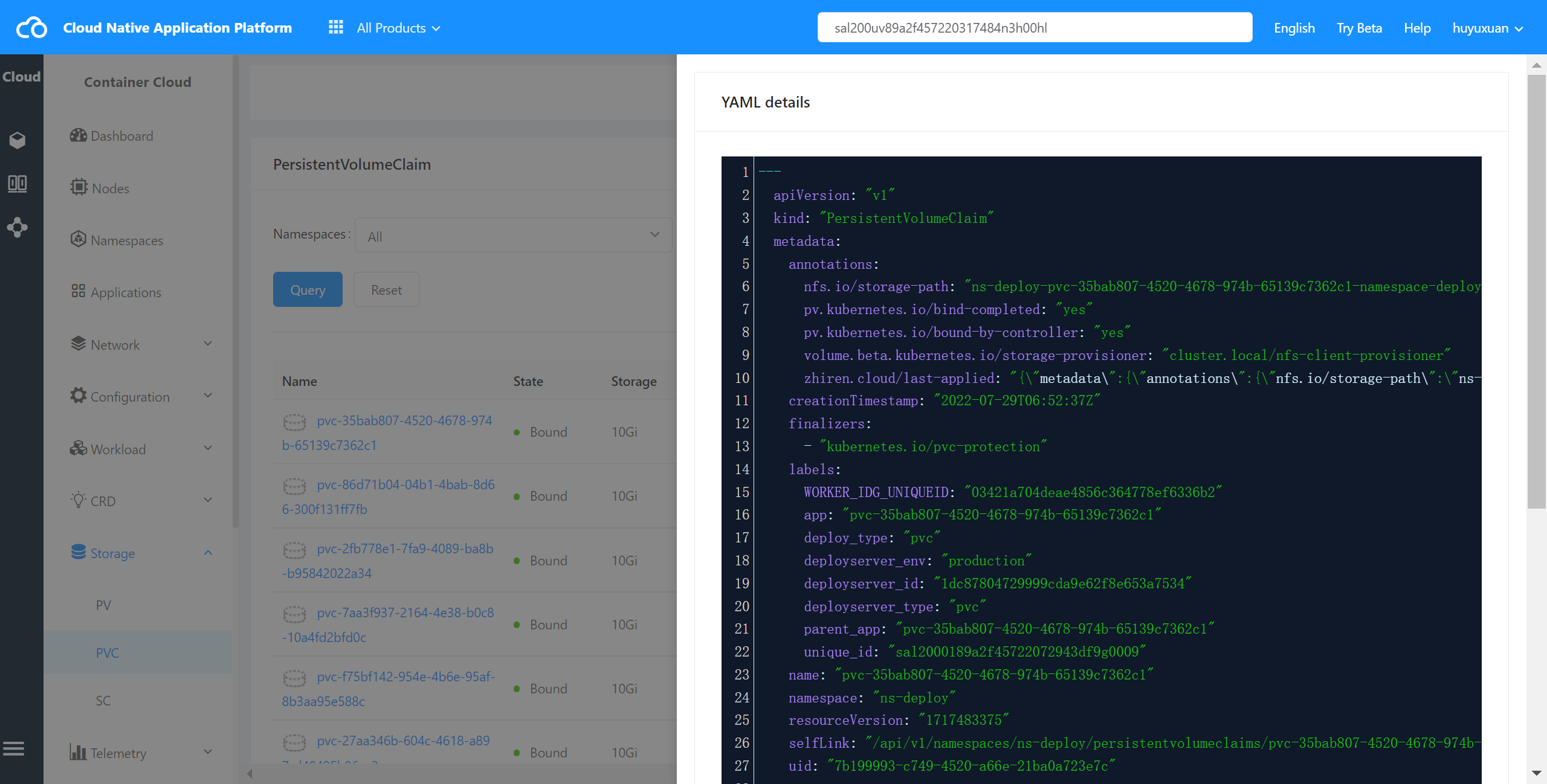
Click select “PVC” and enter PVC list page,select the desired PVC,click View YAML to enter YAML page,as shown in the following figure:
Delete PVC #
The container cloud platform supports deleting PVC in the cluster.
Operating steps:
Log in the MSP Platform
In the MSP Platform “All Products” navigation bar,click the Storage under the Container Cloud Platform module
Click select “PVC” and enter PVC list page,select the desired PVC,click Delete