PersistentVolume #
PV Overview #
PV describes persistent storage volume,which is mainly defined as a persistent storage directory on the host machine, such as an NFS mount directory.
Operating steps:
Log in the MSP Platform
In the MSP Platform “All Products” navigation bar,click the Storage under the Container Cloud Platform module
Click “PV” to enter the PV list page,as shown in the following figure:
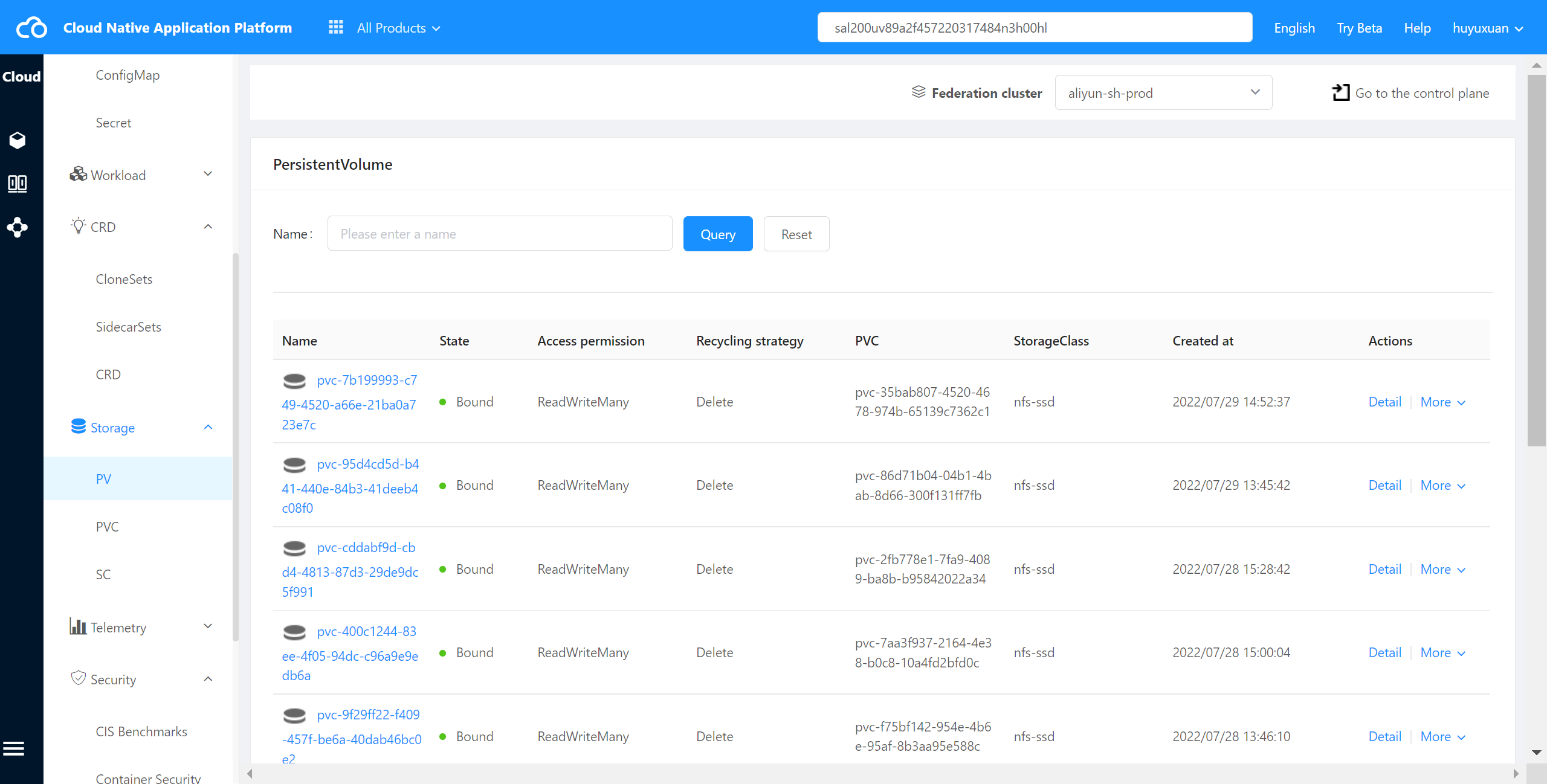
PV State Description #
| State | Description |
|---|---|
| Avaliable | The created PV is Available when it is not bound to PVC |
| Bound | When a PVC is Bound to PV,the PVC will enter the bound state |
| Released | A PV whose recycling strategy is Retain will change from Bound state to Released state when its bound PVC is deleted. |
Check PV Details #
The container cloud platform supports viewing PV details in the cluster.
Operating steps:
Log in the MSP Platform
In the MSP Platform “All Products” navigation bar,click the Storage under the Container Cloud Platform module
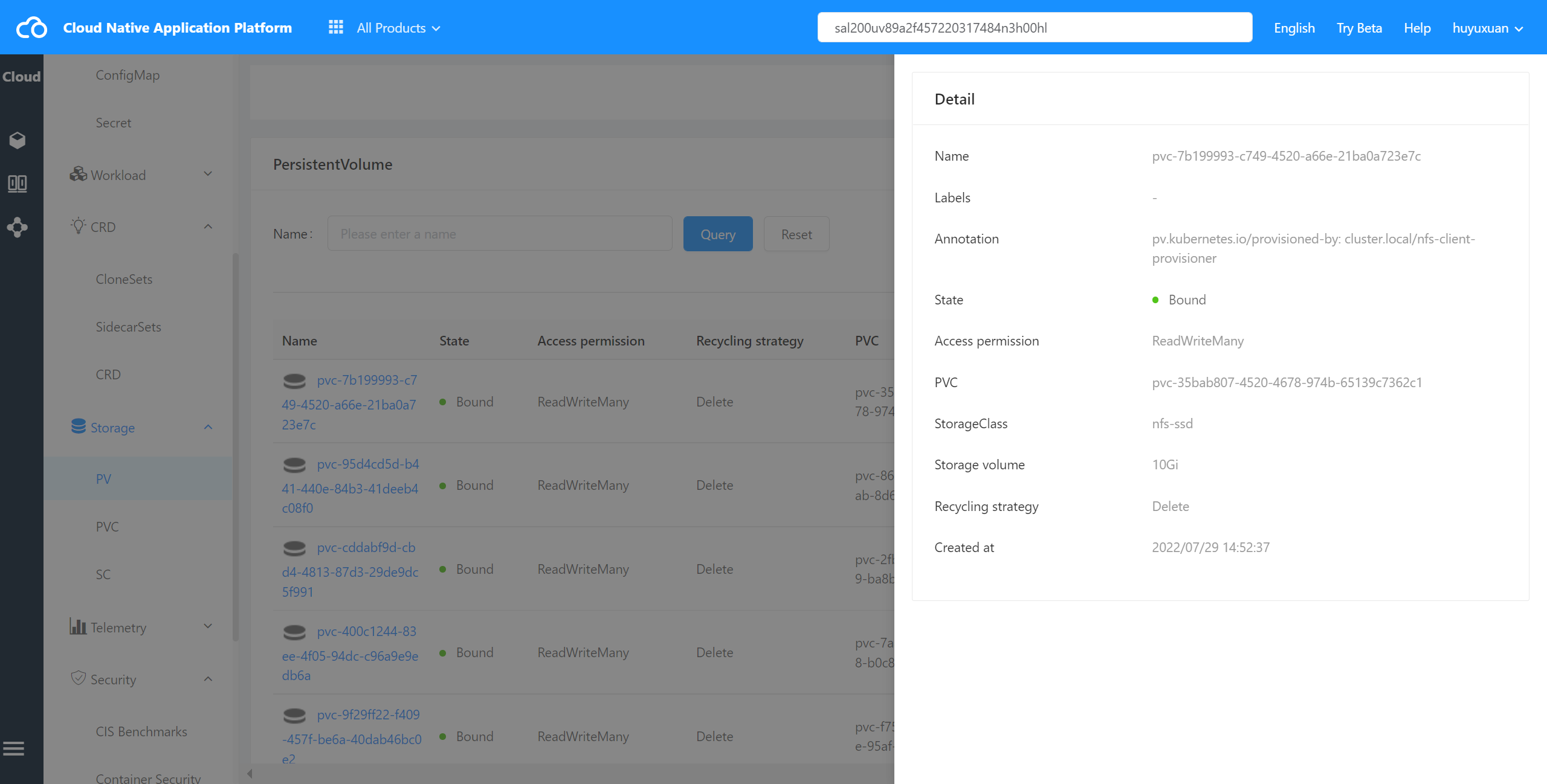
Click select “PV” and enter PV list page,select the desired PV,click Name to go to the details page,as shown in the following figure:
Check PV Event #
The container cloud platform supports viewing the events of PV in the cluster.
Operating steps:
Log in the MSP Platform
In the MSP Platform “All Products” navigation bar,click the Storage under the Container Cloud Platform module
Click select “PV” and enter PV list page,select the desired PV,click the action column View Event to go to the details page
Check PV YAML #
The container cloud platform supports viewing YAML files of PV in cluster.
Operating steps:
Log in the MSP Platform
In the MSP Platform “All Products” navigation bar,click the Storage under the Container Cloud Platform module
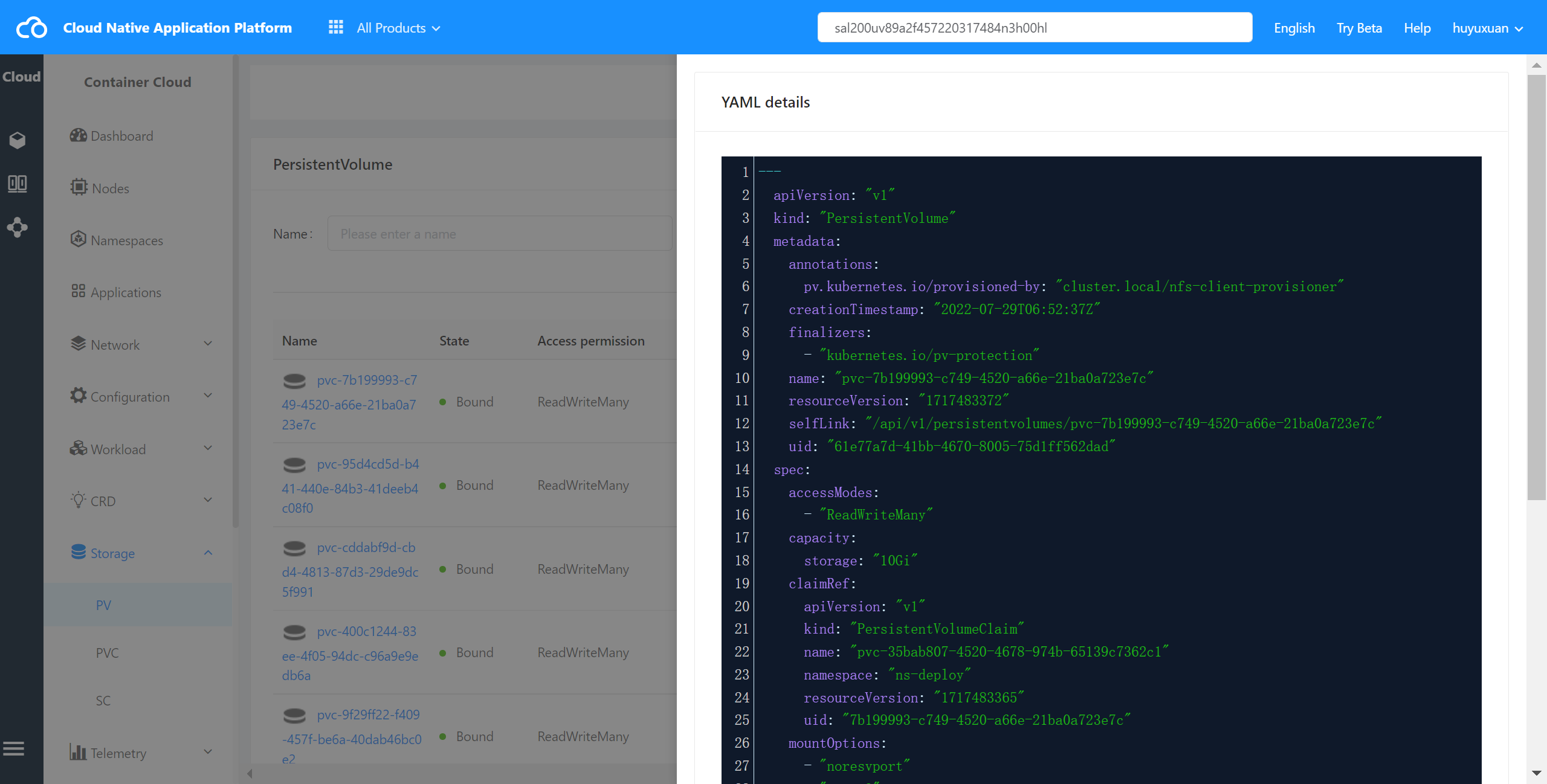
Click select “PV” and enter PV list page,select the desired PV,click View YAML to enter YAML page,as shown in the following figure:
Delete PV #
The container cloud platform supports deleting PV in the cluster.
Operating steps:
Log in the MSP Platform
In the MSP Platform “All Products” navigation bar,click the Storage under the Container Cloud Platform module
Click select “PV” and enter PV list page,select the desired PV,click Delete