Secret #
Secret Overview #
Secret is an encrypted resource object that allows you to store authentication information,certificates,private keys,and so on in Secret without having to expose sensitive data to a mirror or Pod definition for greater security and flexibility.
Secret is similar to ConfigMap in that they are both key-value pairs and are used in the same way.The difference is that Secret is encrypted and stored,so it is suitable for storing sensitive information.
Operating steps:
Log in the MSP Platform
In the MSP Platform “All Products” navigation bar,click the config management under the Container Cloud Platform module
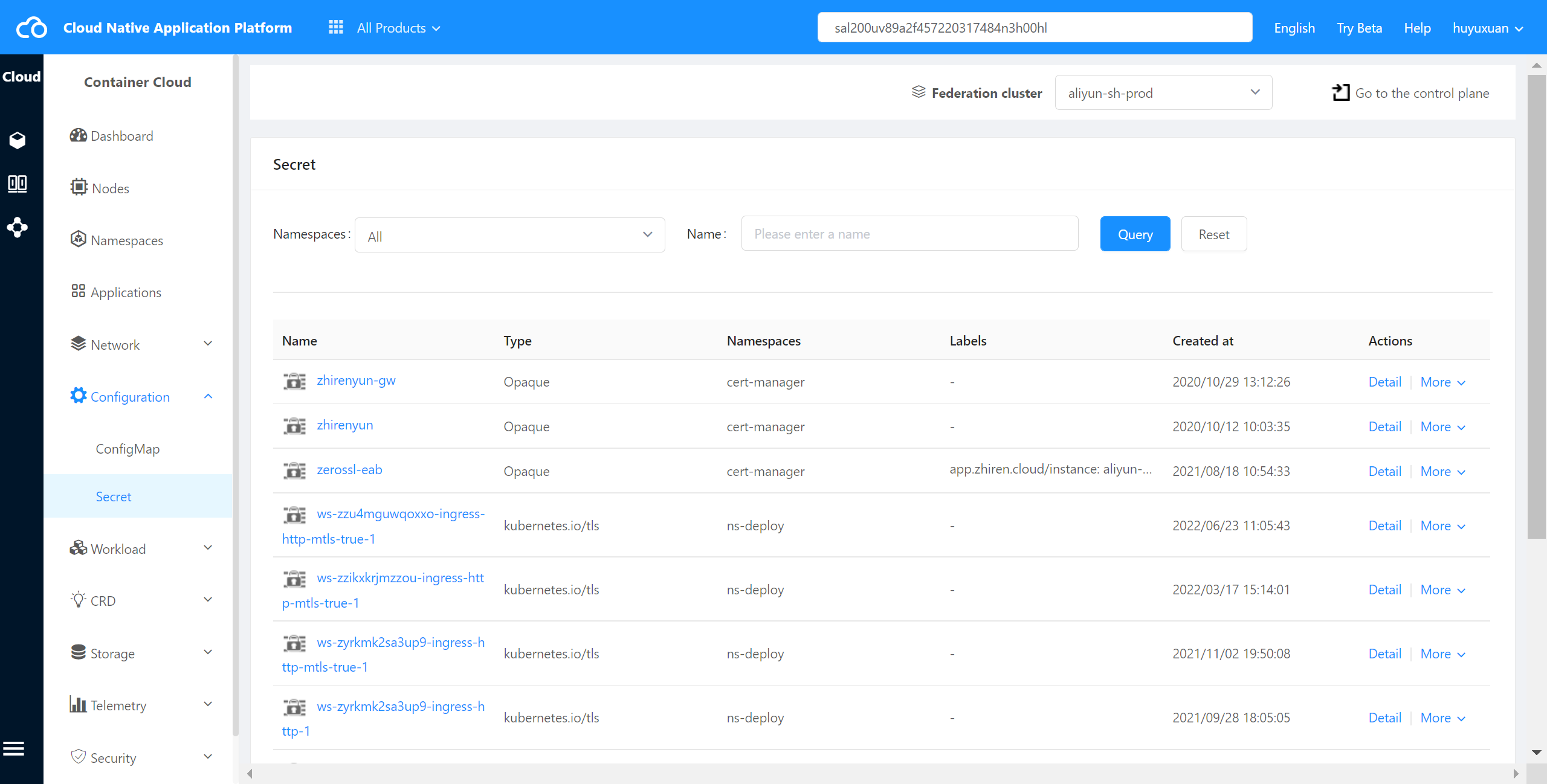
Click and select “Secret” to enter the Secret list page,as shown in the following figure:
Check Secret Details #
The container cloud platform supports viewing the details of Secret in a cluster.
Operating steps:
1)Log in the MSP Platform
2)In the MSP Platform “All Products” navigation bar,click the config management under the Container Cloud Platform module
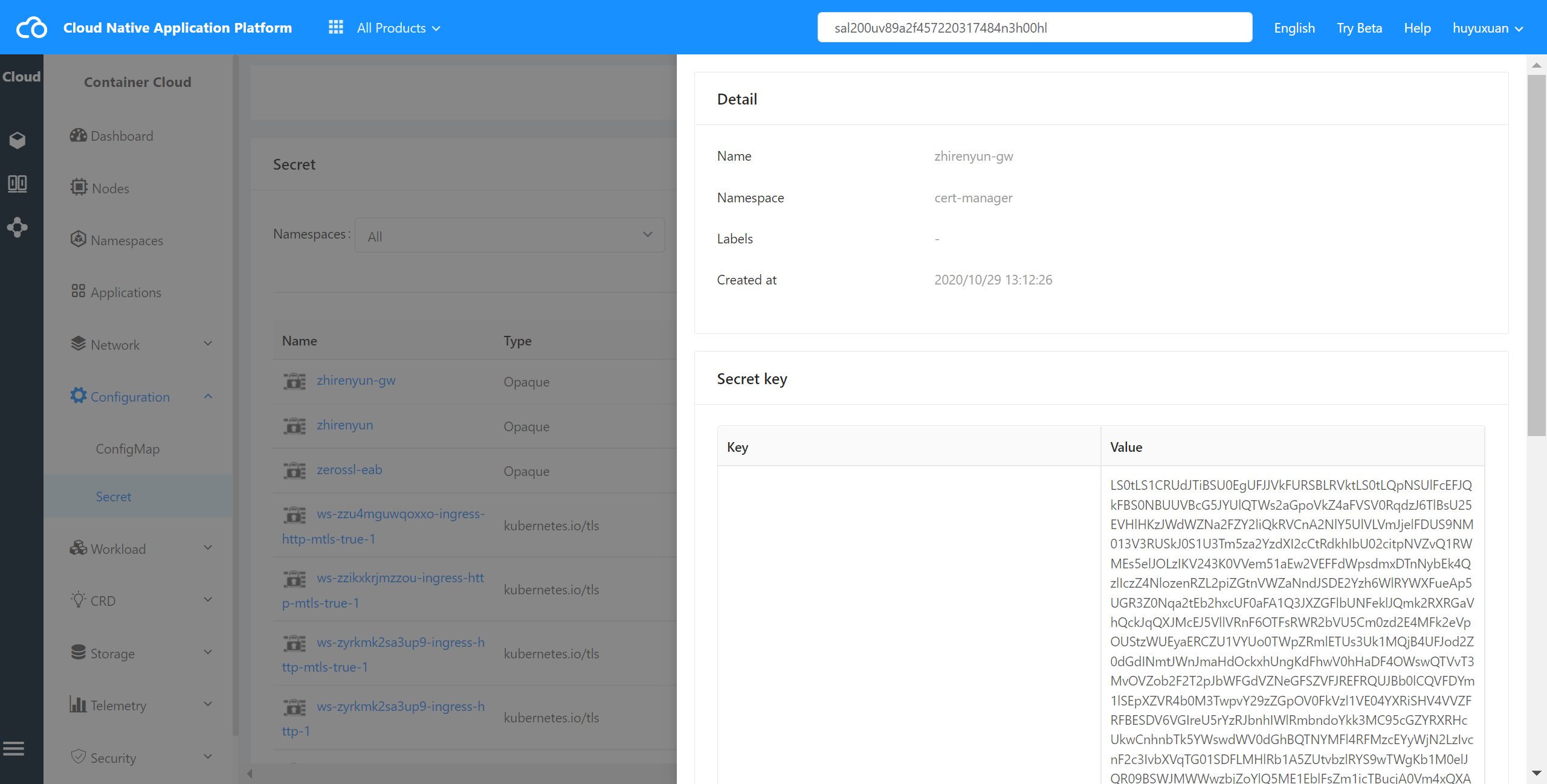
3)Click and select “Secret” to enter the Secret list page,select the desired Secret and click Name to enter the details page,as shown in the following figure:
Check Secret YAML #
The container cloud platform supports viewing Secret YAML files in the cluster.
Operating steps:
Log in the MSP Platform
In the MSP Platform “All Products” navigation bar,click the config management under the Container Cloud Platform module
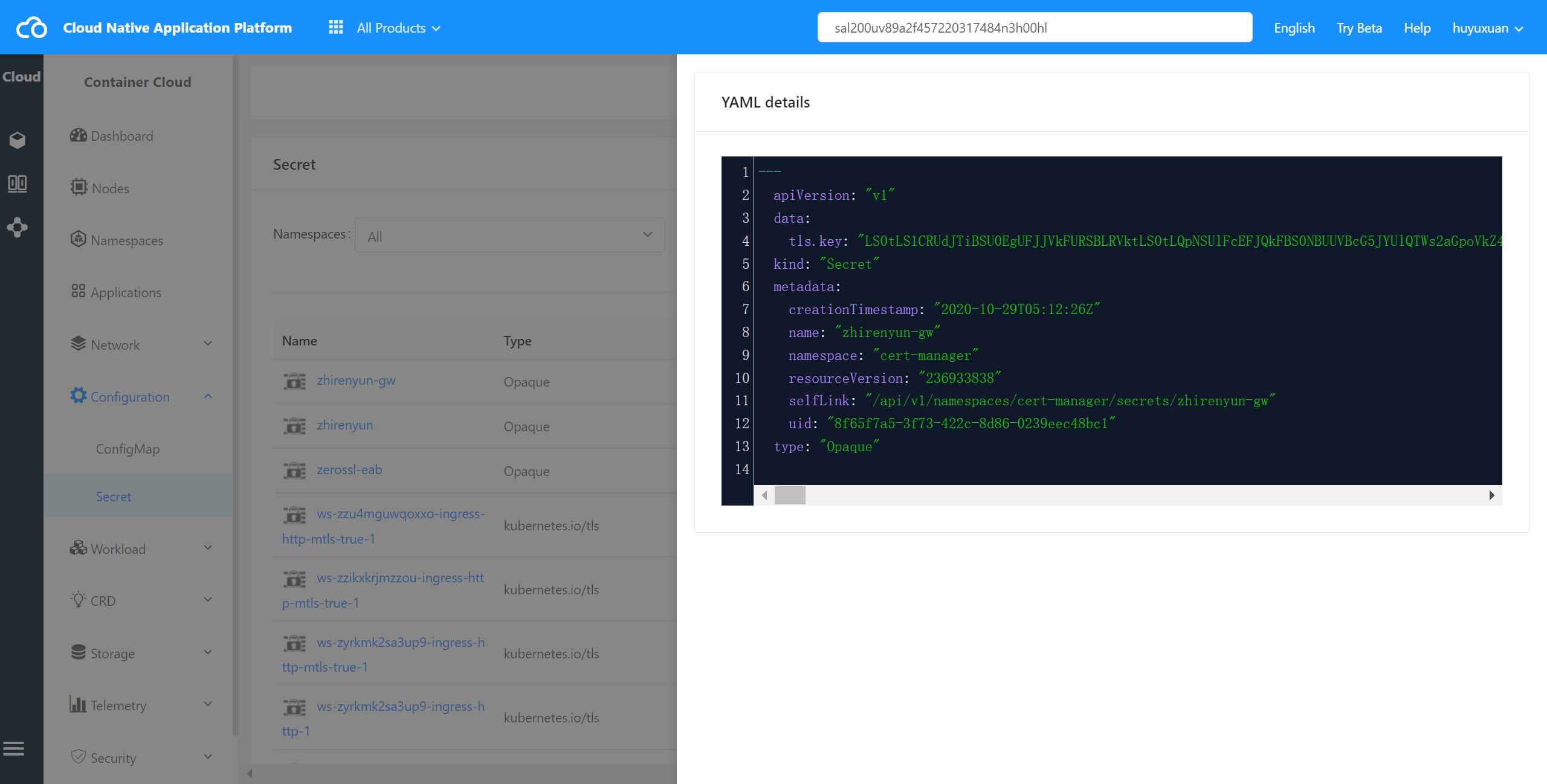
Click and select “Secret” to enter the Secret list page,select the desired Secret and click check YAML to enter the YAML page,as shown in the following figure:
Delete Secret #
The container cloud platform supports deleting a Secret from a cluster.
Operating steps:
Log in the MSP Platform
In the MSP Platform “All Products” navigation bar,click the config management under the Container Cloud Platform module
Click and select “Secret” to enter the Secret list page,select the desired Secret and click delete.