ConfigMap #
ConfigMap Overview #
ConfigMap is a resource type used to store configuration information required by applications.It can be used to store key value pairs of configuration data, single attributes, or configuration files.
The ConfigMap can be used to decouple configurations for different environments.Compared with environment variables,the ConfigMap referenced in Pod can be updated in real time.When you update the data of the ConfigMap,the ConfigMap referenced in Pod will be updated synchronously.
Check ConfigMap List #
Operating steps:
Log in the MSP Platform
In the MSP Platform “All Products” navigation bar,click the config management under the Container Cloud Platform module
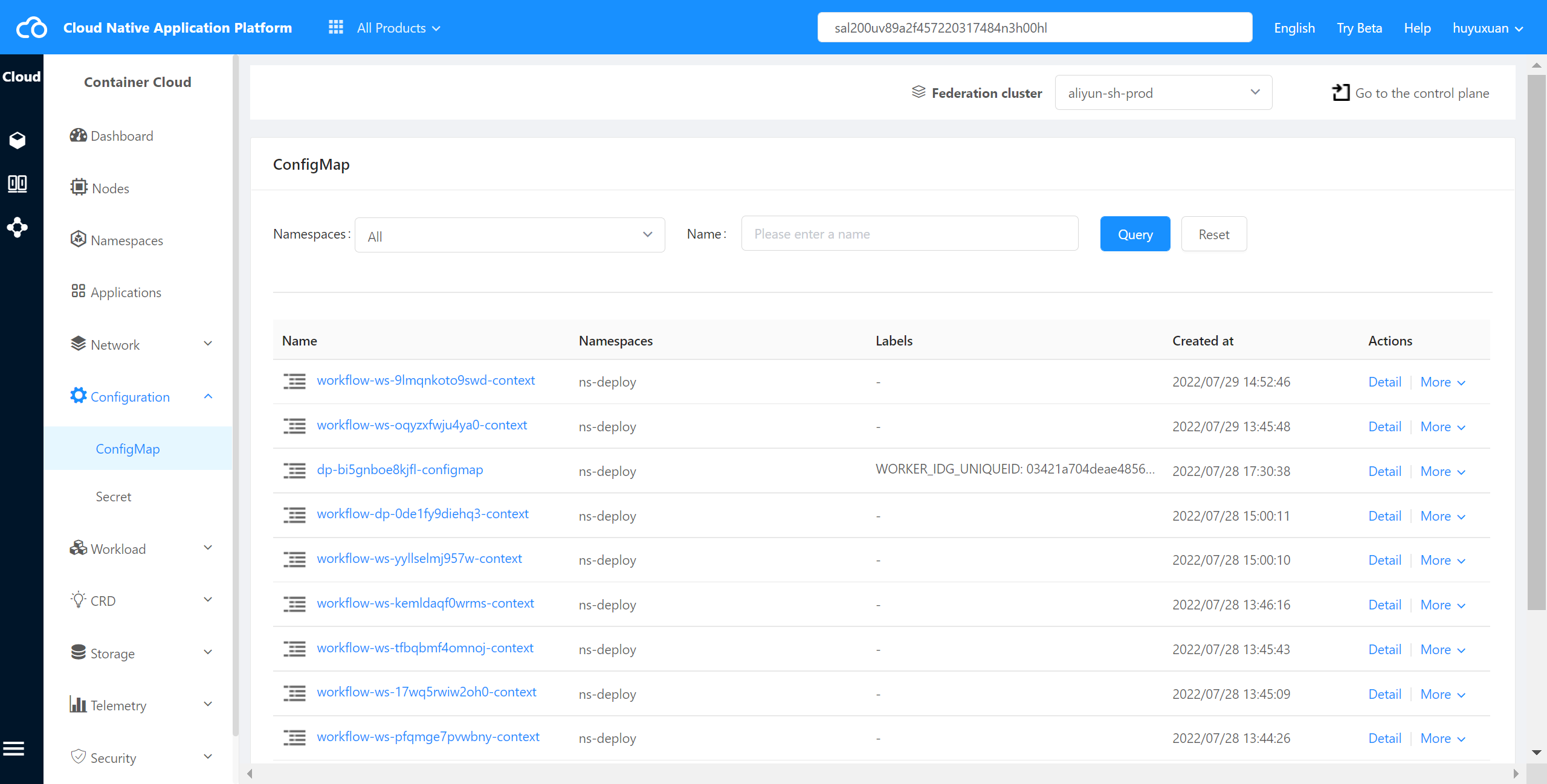
Click and select “ConfigMap”,and the ConfigMap list page is displayed,as shown in the following figure:
Check ConfigMap Details #
The container cloud platform supports viewing the details of ConfigMap in a cluster.
Operating steps:
Log in the MSP Platform
In the MSP Platform “All Products” navigation bar,click the config management under the Container Cloud Platform module
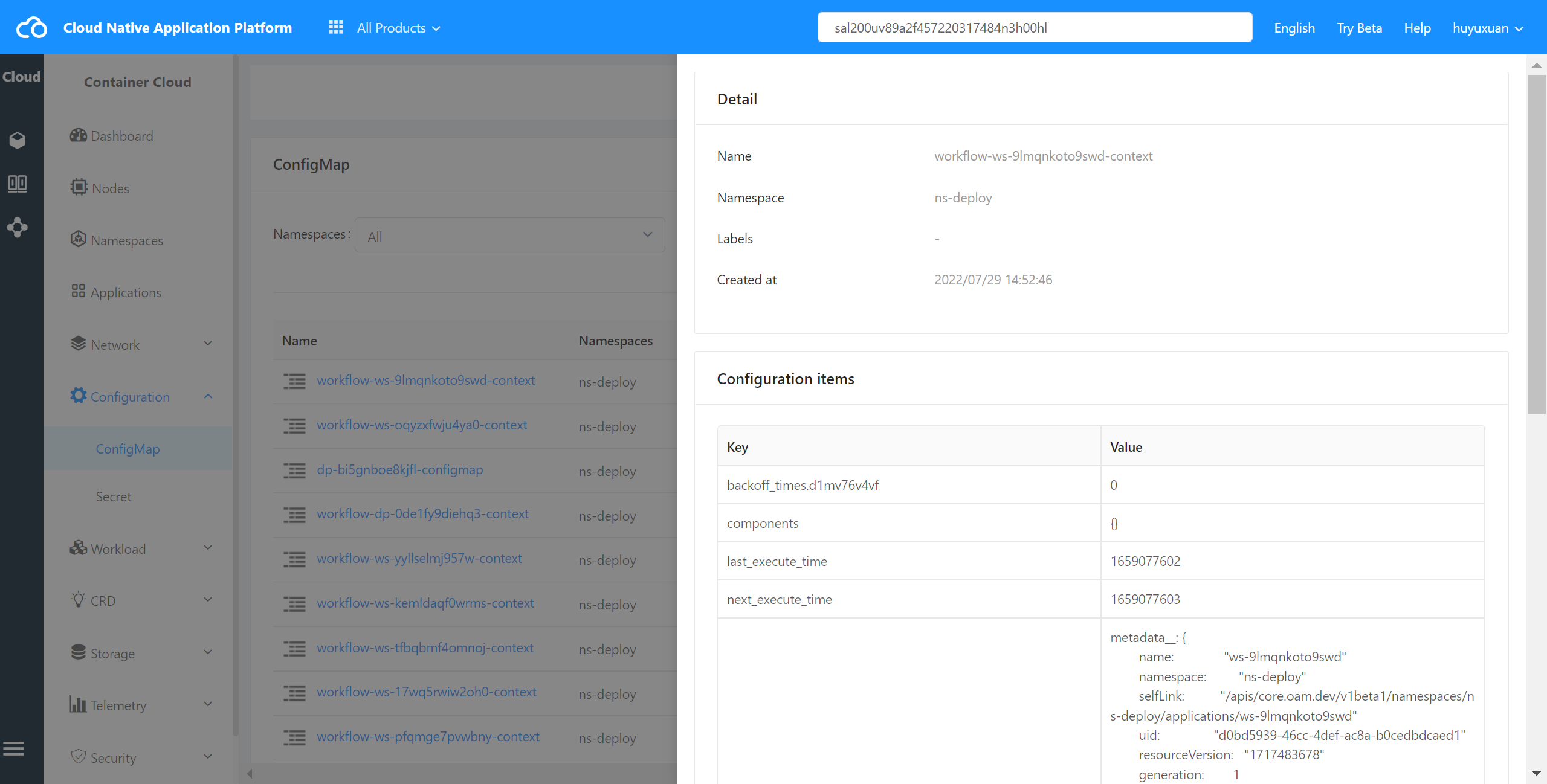
Click and select “ConfigMap”,and the ConfigMap list page is displayed,click Name to access the details page,as shown in the following figure:
Check ConfigMap YAML #
The container cloud platform supports viewing the YAML files of ConfigMap in a cluster.
Operating steps:
Log in the MSP Platform
In the MSP Platform “All Products” navigation bar,click the config management under the Container Cloud Platform module
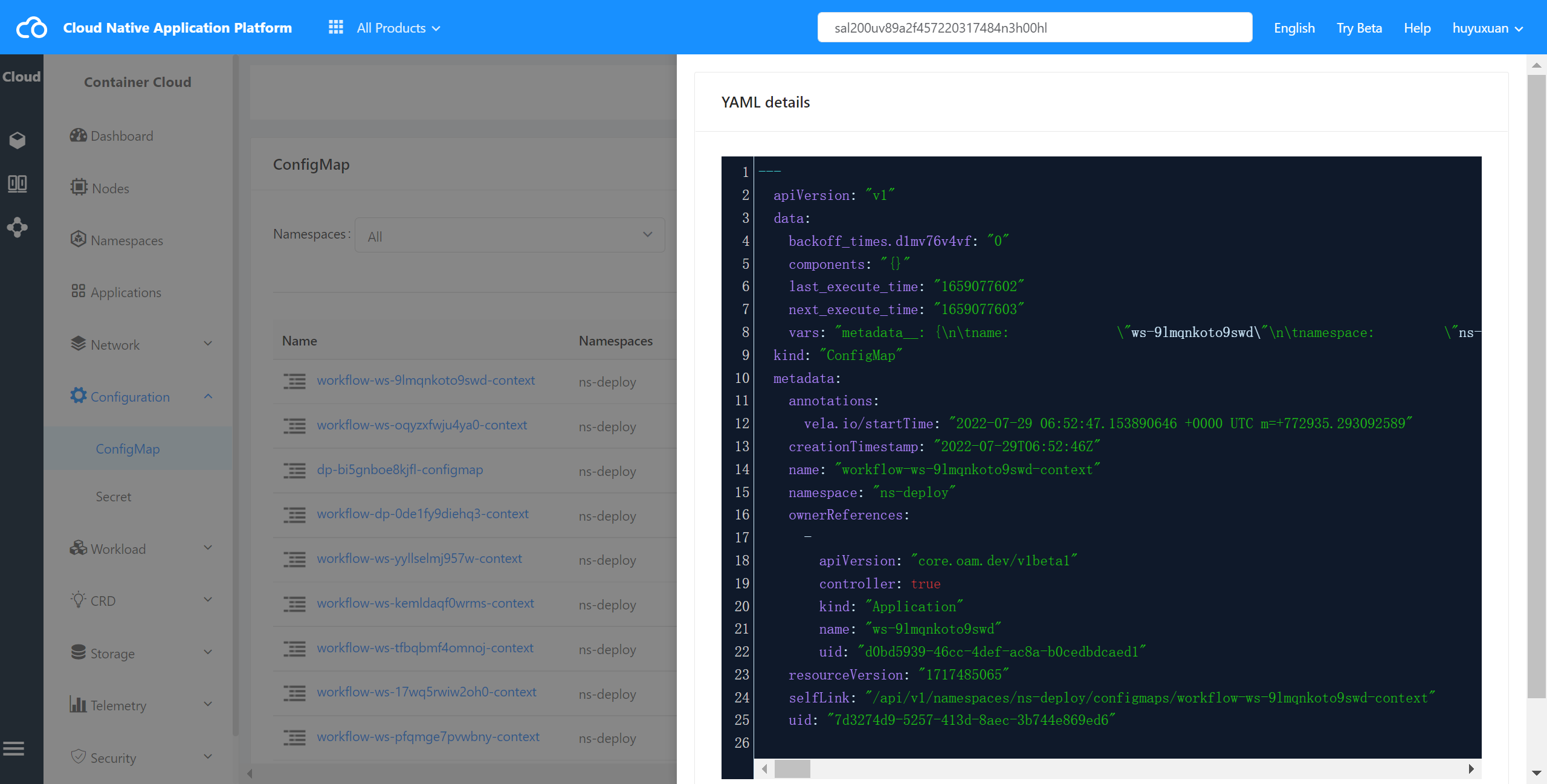
Click and select “ConfigMap”,and the ConfigMap list page is displayed,select the required ConfigMap and click Check YAML to enter the YAML page,as shown in the following figure:
Delete ConfigMap #
The container cloud platform supports deleting a ConfigMap from a cluster.
Operating steps:
Log in the MSP Platform
In the MSP Platform “All Products” navigation bar,click the config management under the Container Cloud Platform module
Click and select “ConfigMap”,and the ConfigMap list page is displayed,select the required ConfigMap and click delete